USER MANUAL OPTIMA 7
MRU GmbH, D-74172 Neckarsulm 26 / 78
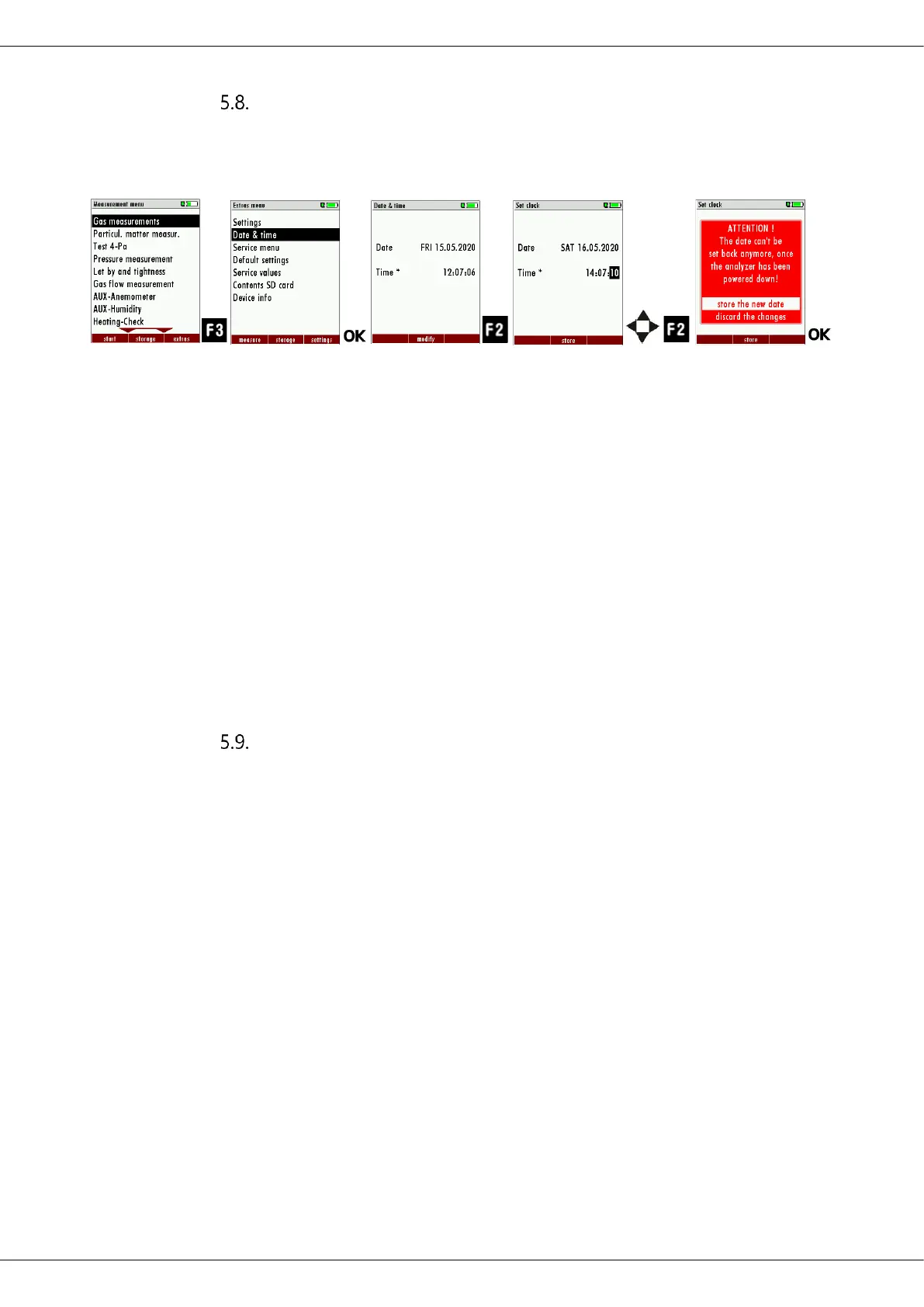
Setting date and time
The analyzer has an automatic changeover from summer to winter time.
If the built-in rechargeable battery is completely discharged, a new setting
of these values is required
► Press F3.
The Extra menu appears.
► Select Date & time.
► Press OK.
The menu Date & time appears.
► Press F2.
The menu Set clock appears.
► Set the desired date.
► Set the desired time.
► Press F2.
A message appears.
► Select „store the new date“ or „discard the changes“.
► Press OK.
The changes are stored or discarded.
Configuring Measurement Programs
(Flue gas measurements) Select one of the 6 configurable measurement
programs.
For each of the programs the following parameters can be configured:
1. CO ppm limit: adjustable value for the CO sensor protection. If
the CO value in the flue gas is higher than the adjusted value in
the analyzer, the purge pump will be activated and the sensor
will be protected against high CO concentrations. (Optional)
2. Selectable fuel types: choose and select from the available fuel
type list
3. Measurement windows: configuration of what and where will
be displayed in the 3 measurement value windows.
4. Zoom – window: select what will be displayed in the zoom -
window
5. Program name
The following program is pre-configured:
“Test Program” indented for use at instrument maintenance and calibration.



 To Next Page