USER MANUAL OPTIMA 7
57 / 78 MRU GmbH, D-74172 Neckarsulm
You have the possibility to display only those data that are assigned to a
single site:
• either F1 = „this site“ while a measurement of the desired site is dis-
played.
With F1 = „all sites“ you cancel this filter again.
• or while you select with the menu key the function "search a site"
and execute, as described in the chapter site administration.
Deleting measurements
You are able to
• delete single measurements, while they are displayed – press the key
F3 = "delete" .
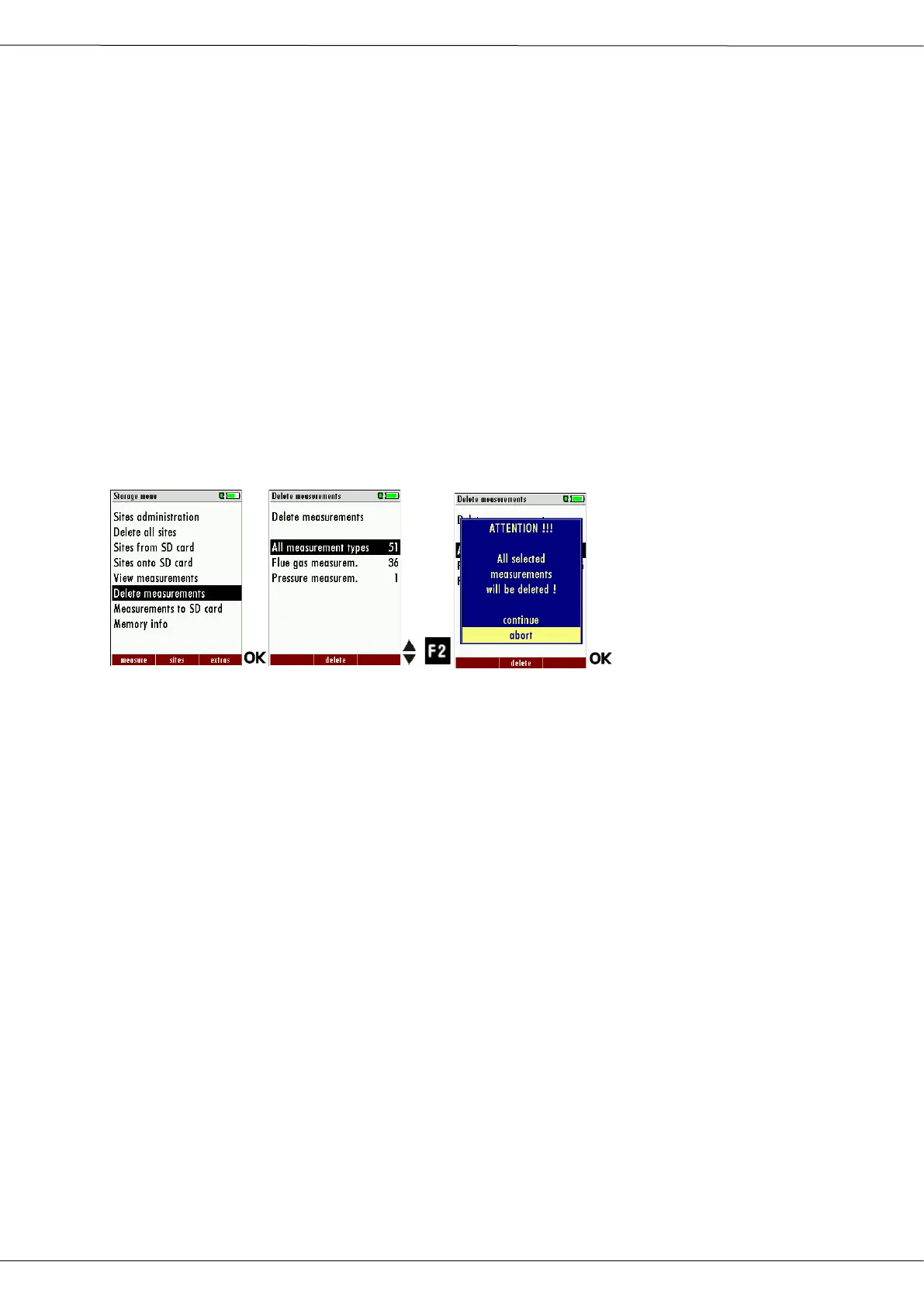
• or delete all measurements of a measuring type
► Go to the Storage menu.
► Select Delete measurements.
The menu Delete measurements appears.
► Select which measurement type you want to delete.
► Press F2.
A message appears.
Select continue to delete all measurements.
Select abort to retain all measurements.
► Press OK.
Depending on the selection, the measurement data are deleted or
retained.



 To Next Page