USER MANUAL OPTIMA 7
73 / 78 MRU GmbH, D-74172 Neckarsulm
In the most cases a message “Searching firmware, please wait…”
will be displayed for some seconds.
Now the request "Firmware found Install firmware?" appears.
► Confirm with „install“.
The file is now checked, for a few seconds a corresponding mes-
sage appears
Then the display becomes dark for about 25 seconds
Then the analyser will reboot with the new firmware
► Confirm the message „New Firmware installed” with OK.
► Switch off the device again after the successful update.
The next time the analyzer is switched on, all new functions will be
available.
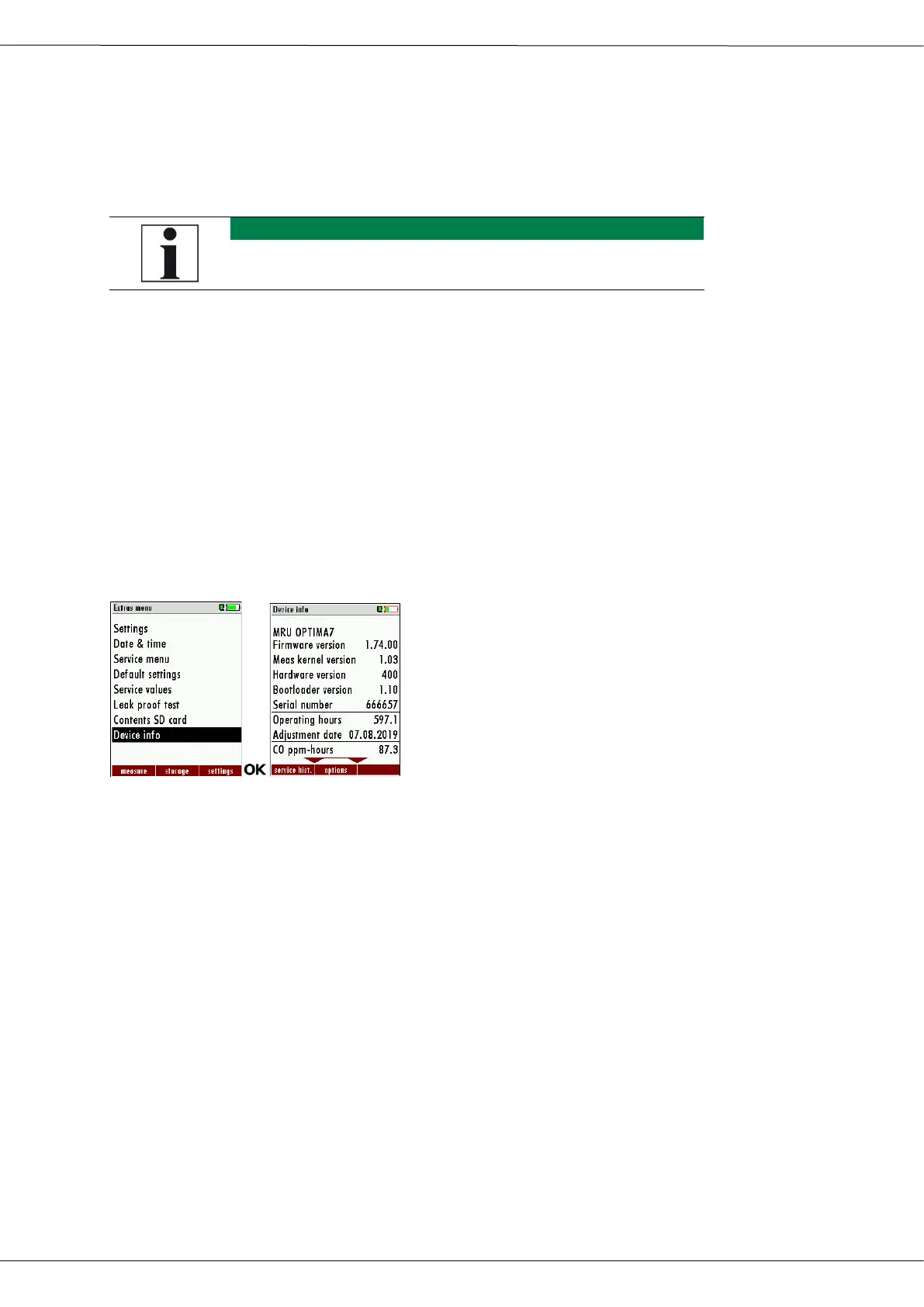
How do I identify if the update was successful?
► Go to the Extras menu.
► Select Device info.
The menu Device info appears.
In the first line the new firmware version must be displayed. In this
example the new firmware version 1.74.00 appears.
What can I do if the old firmware version is still displayed?
► Repeat the update process.
In case of error
What to do if there were problems with the update?
In case of an error, the red LED of the condensate separator flashes.
The inserted SD card was not identified then.
(Check that the SD card is correctly inserted and perform a reset by
pressing the ESC and ON keys simultaneously).



 To Next Page