USER MANUAL OPTIMA 7
MRU GmbH, D-74172 Neckarsulm 42 / 78
Temporary buffer
The analyzer gives the possibility to set the momentary values into a
temporary buffer during effecting and continuing the measurement.
► Later on, the values can be brought back from the temporary buffer
to the measuring window in order to print them out or / and to save
them.
Store measured values in the buffer
During an actual measurement you can set the actual values into the
temporary buffer
► Start a measurement.
See also Chapter 7.1 Selecting the measuring program, Page 35.
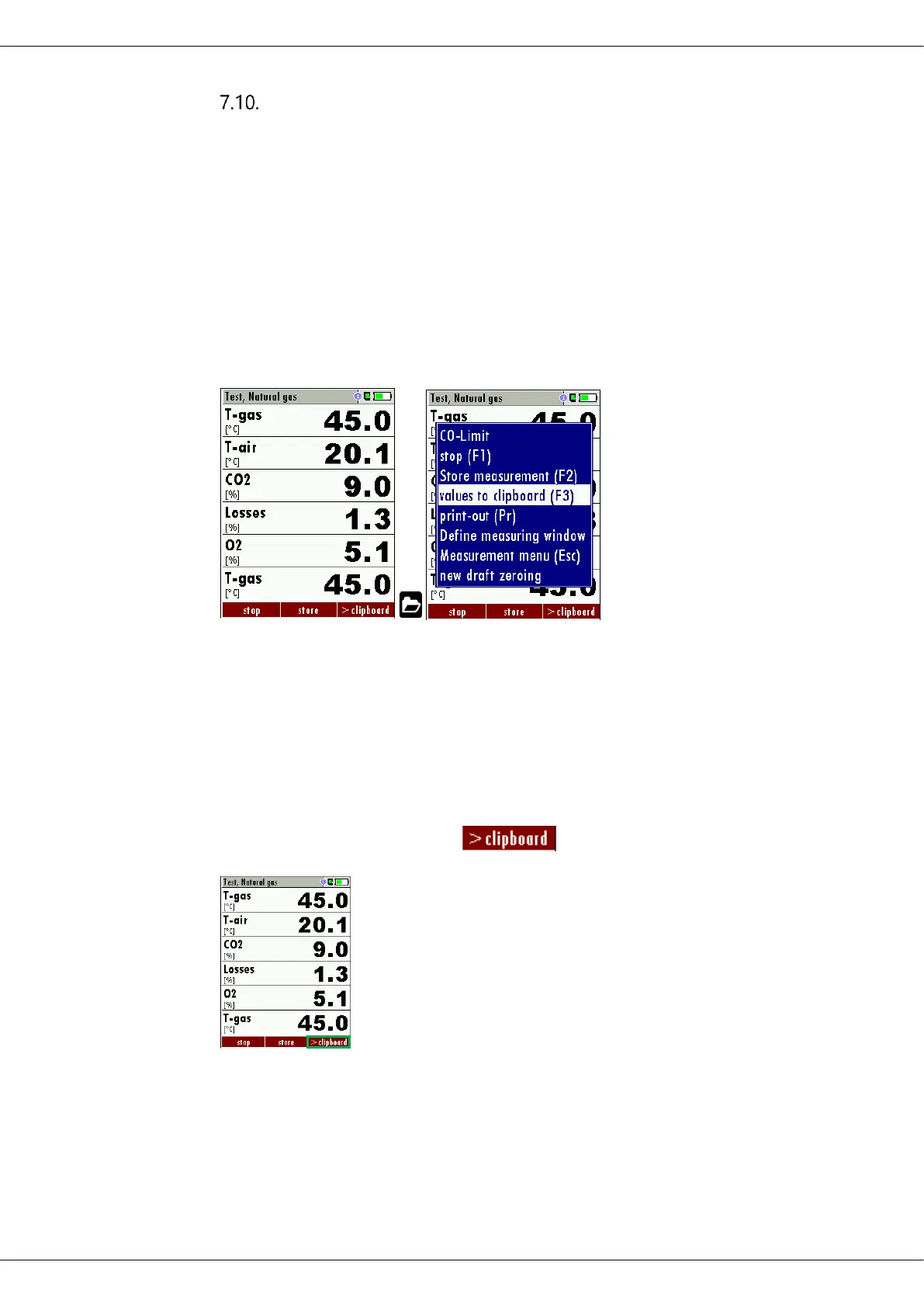
► Press the Menu Key.
A selection list appears.
► Select values to clipboard.
The measured values are stored in the temporary buffer.
If offered, you can store measured values directly from the function key
bar in the temporary buffer.



 To Next Page