USER MANUAL OPTIMA 7
MRU GmbH, D-74172 Neckarsulm 50 / 78
View sites
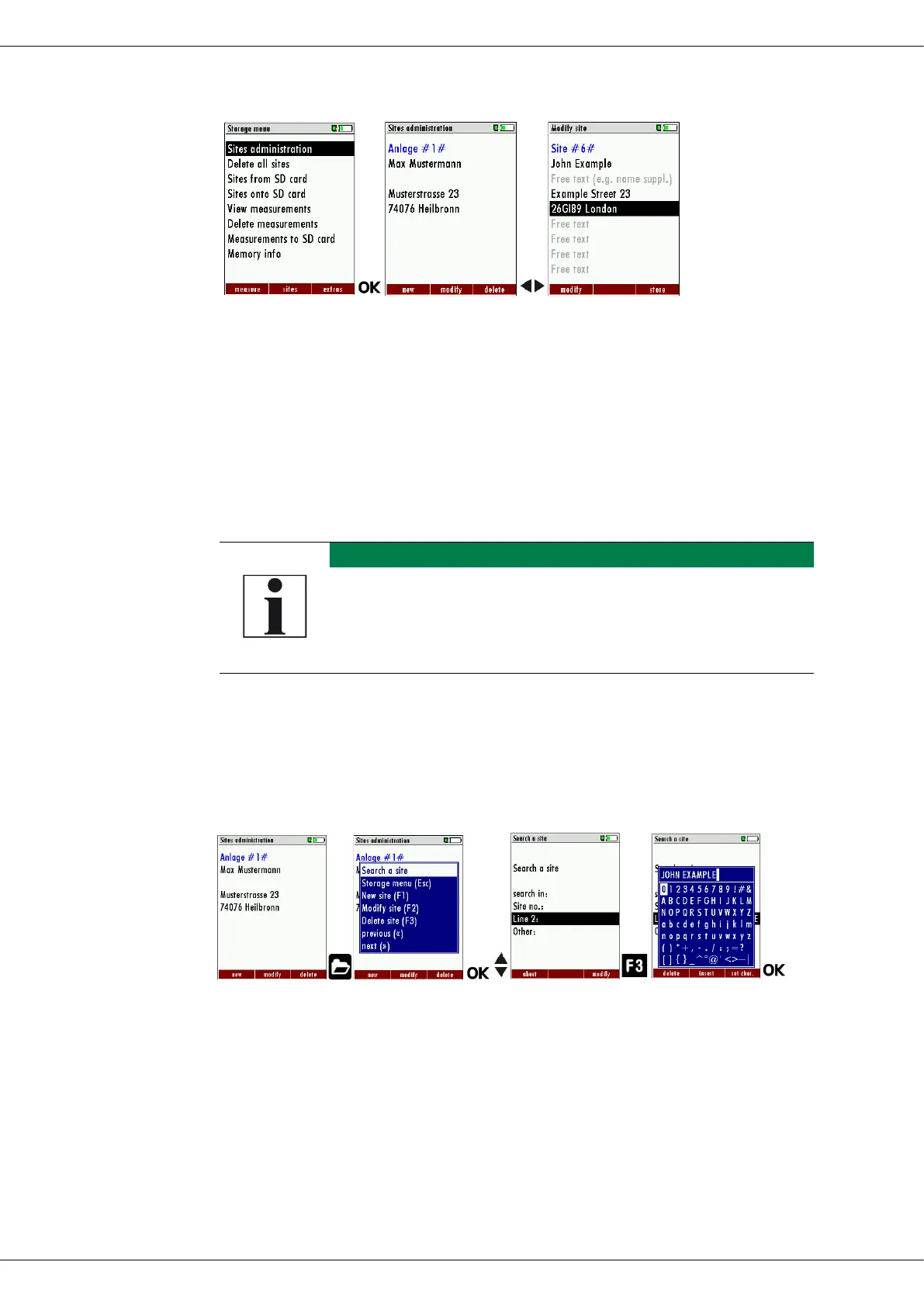
► Go to the Storage menu.
► Select Sites administration.
► Press OK.
The menu Sites administration appears.
Each stored site is displayed on a page with the coloured site
number and eight additional free text lines.
► If necessary, scroll through the sites until you have found the desired
site.
You also have the possibility to search for sites by set-
ting a search mask.
See also chapter Searching site, Page 50.
Searching site
You have the possibility to enter certain parameters in order to search
for particular sites. In the following example we will search for the site
that is assigned to John Example.
► Go to the menu Sites administration.
► Press the Menu Key.
A selection list appears.
► Select Search a site.
► Press OK.
The menu Search a site appears.
You can choose to filter by Site number, by content in Line 2 or
for the rest of the other text lines.



 To Next Page