EasyManua.ls Logo

mru Optima 7 - Default settings

mru Optima 7
78 pages
Print Icon
To Next Page IconTo Next Page
To Previous Page IconTo Previous Page
Loading...
USER MANUAL OPTIMA 7
MRU GmbH, D-74172 Neckarsulm 60 / 78
Default settings
The analyzer will be reset to original delivery settings.
NOTE
With the default setting, all individual settings are lost.
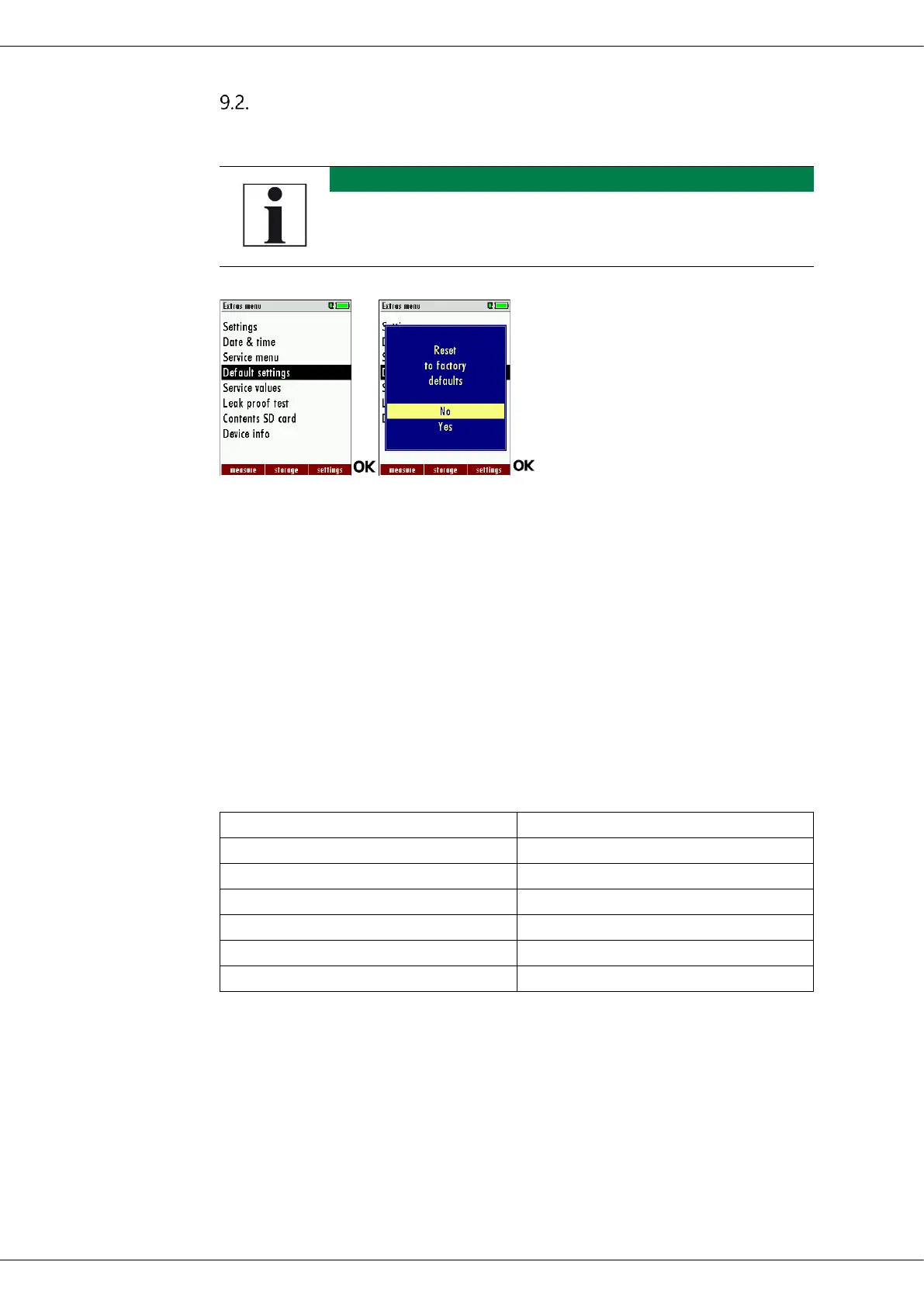
Go to the Extras menu.
Select Default settings.
Press OK.
A window appears.
Select "No" to not reset the default settings.
Select "Yes" to reset the analyzer to default settings.
Press OK.
Depending on the selection, the analyzer is reset to the default
settings or not.
O2 reference values are set to default:
Settings:
LCD brightness (%)
50
LED condensate trap
75
Helpful hints
ON
Printer type
MRU
Core flow search
AN
Printout variant
Short
Keyboard beep
ON

Table of Contents

Related product manuals