USER MANUAL OPTIMA 7
53 / 78 MRU GmbH, D-74172 Neckarsulm
Data transfer using SD card
The data exchange format is CSV. A character-separated values (CSV)
file is a simple text format for a database table. Each record in the table
is one line of the text file. Each field value of a record is separated from
the next by a character. Optima 7 uses a semi-colon ‘;’ as value separa-
tor (other implementations use sometimes a comma). Implementations
of CSV can often handle field values with embedded line breaks or sep-
arator characters by using quotation marks or escape sequences. CSV is
a simple file format that is widely supported, so it is often used to move
tabular data between different computer programs, for example Mi-
crosoft Excel™ or Access™, that support the format. Also, other com-
puter programs offer this type of interface because it is widely spread
and easy to use.
The following functions are available from Software Version 1.11 and
higher:
1.Importing sites
2.Exporting sites
3.Exporting combustion tests
4.Exporting differential pressure measurements
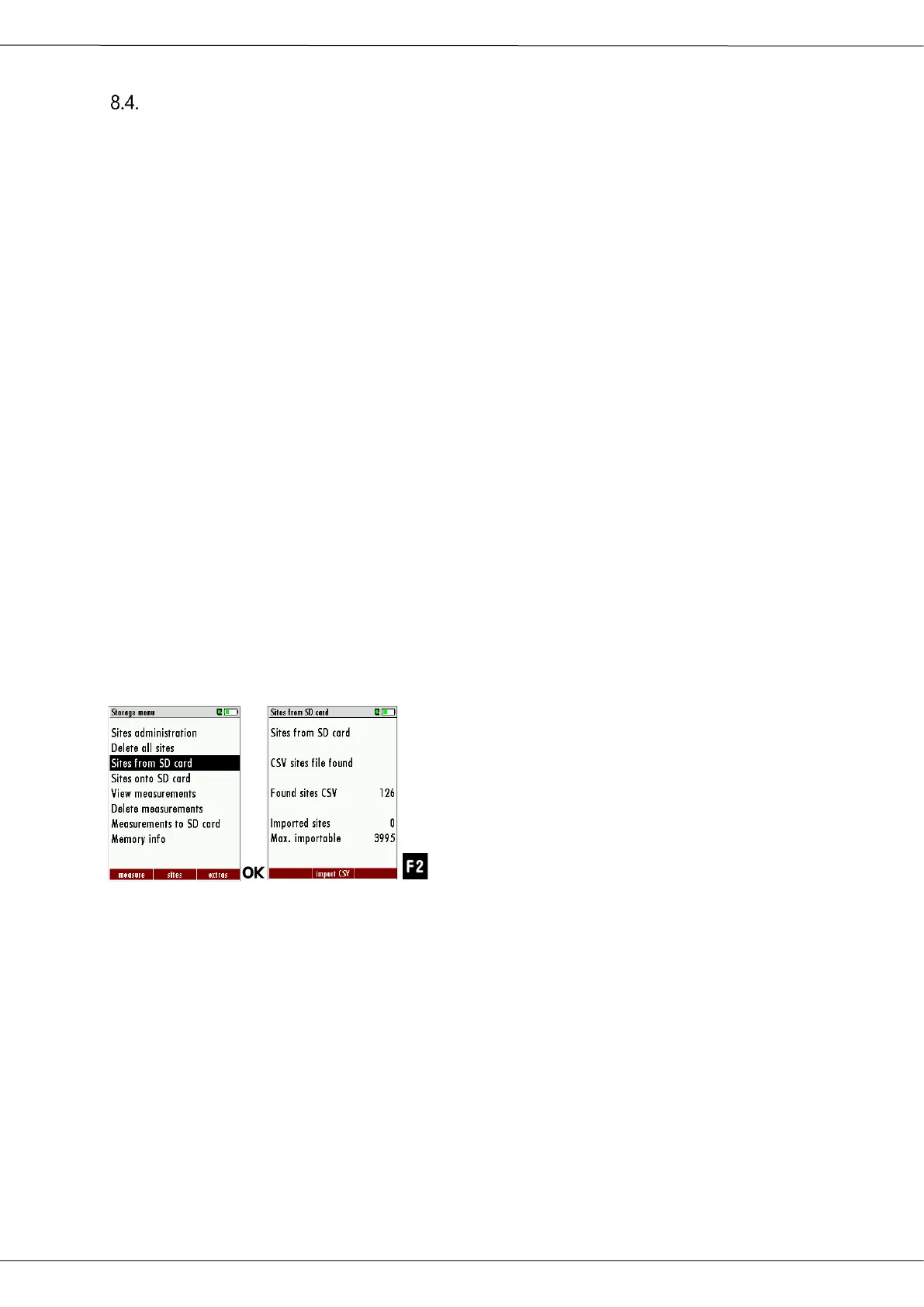
Importing sites
► Go to the Storage menu
► Select sites from SD card
The menu Sites from SD card appears.
► Press F2, to select Import CSV.



 To Next Page