USER MANUAL OPTIMA 7
MRU GmbH, D-74172 Neckarsulm 20 / 78
Display-brightness, depending on
temperature and also on the per-
sonal judgement of the user, at 20°C
a value of ca. 50% is normal
Enables some country specific pa-
rameters like fuel types, calculated
values etc.
Change the brightness of the con-
densate separator LED
Helpful hints activated or deac-
tivated (explanation below)
If activated and if ON key is pressed
(possibly inadvertently), then the
message „3 seconds OK key press
“is displayed
Keyboard beeper activated or deac-
tivated
Logo will be show during power-ON
of the analyzer
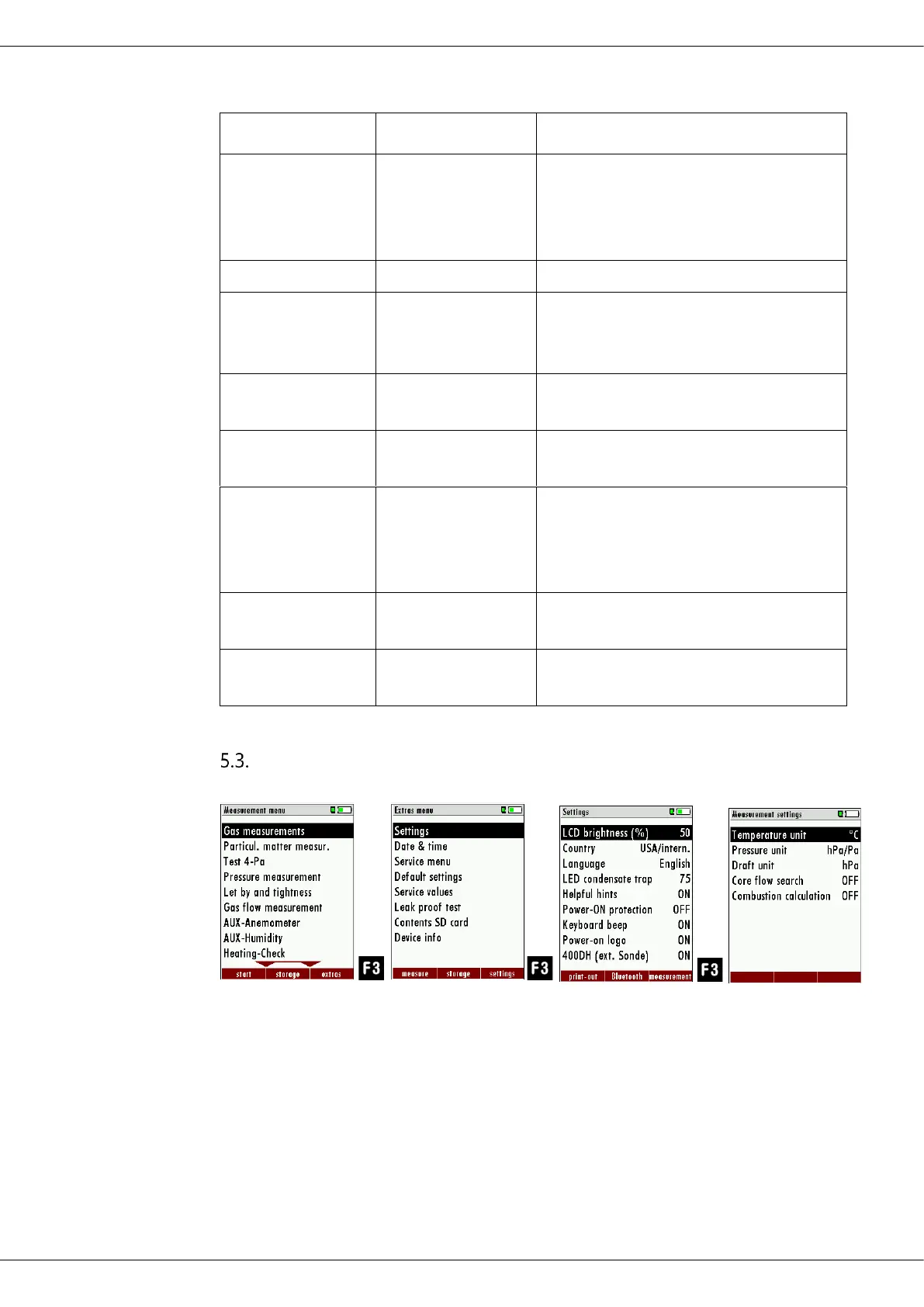
Setting measurement
► Press F3.
The Extras menu appears.
► Press F3.
The menu Settings appears.
► Press F3.
The menu Measurement settings appears.



 To Next Page