USER MANUAL OPTIMA 7
MRU GmbH, D-74172 Neckarsulm 38 / 78
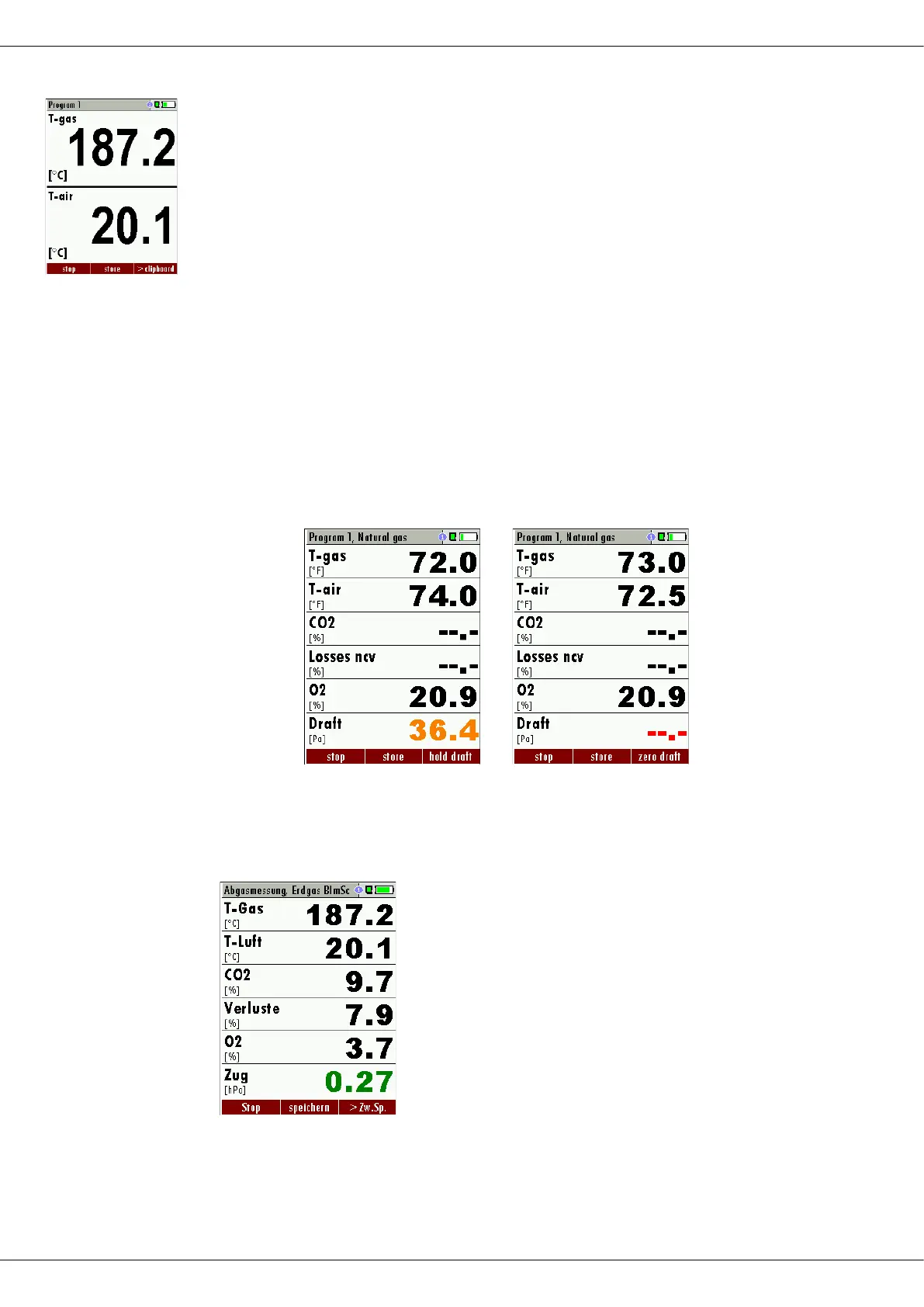
There are three measurement windows available, with the arrow keys
left and right moving between them.
Zoom function, each with two values, is activated by moving the arrow
keys up and down. Moving arrow keys left and right pages between the
two zoom windows.
7.4. Non-continuous draft measurement
The analyzer provides for a non-continuous draft measurement. The
draft measurement is disabled when a maximum time after zeroing has
elapsed or a significant change in temperature has been detected by
the instrument. The maximum time is configured to 10 minutes.
If the draft measurement is disabled it is displayed with “--.-“. The draft
measurement can be enabled again by zeroing the draft: F3 key “zero
draft”.
To indicate that the draft measurement is not continuously available it is
displayed in colour red.
.
The user can freeze the draft data by means of the F3 key “hold draft”.
The frozen data is displayed in green.
The unfreeze the measurement one has to exit the menu and enter
again
All other measurements are processed continuously independent of the
draft measurement status.



 To Next Page