USER MANUAL OPTIMA 7
49 / 78 MRU GmbH, D-74172 Neckarsulm
Site administration
In the sub menu Sites administration, you can:
• view all data of the stored sites
• create new sites
• change date of existing sites
• delete sites
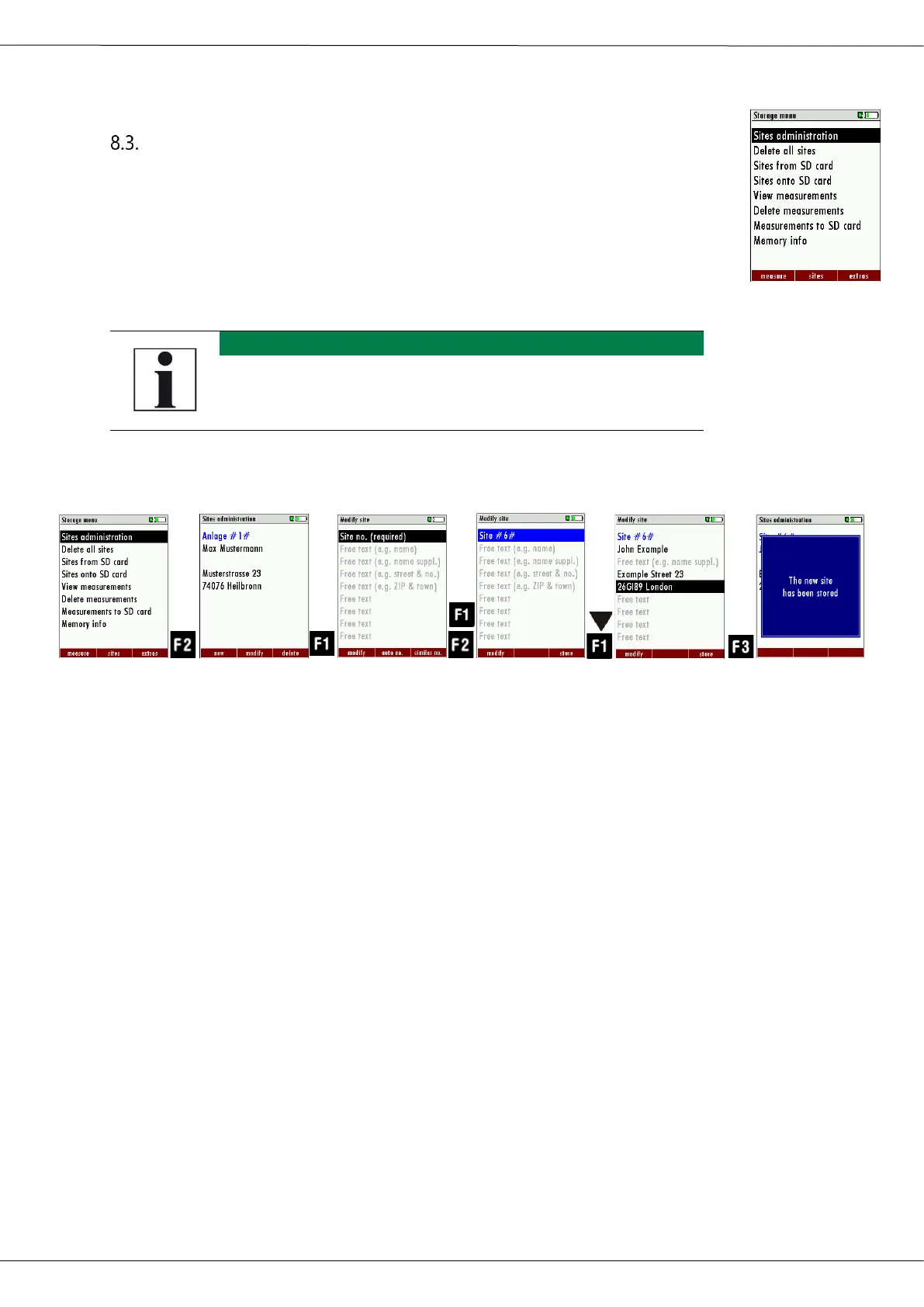
Create new site
► Go to the Storage menu.
► Press F2.
The menu Sites administration appears.
► Press F1.
The menu Modify site appears.
► Press F1 to assign manually a site number to the site.
► Press F2 to assign automatically a site number to the site.
The site is assigned a site number.
► Select the free text lines that you want to edit.
► Press F1.
A window appears.
► Enter the desired content.
► If necessary, select further free text lines and fill them with content.
► Press F3.
The site is stored.



 To Next Page