USER MANUAL OPTIMA 7
55 / 78 MRU GmbH, D-74172 Neckarsulm
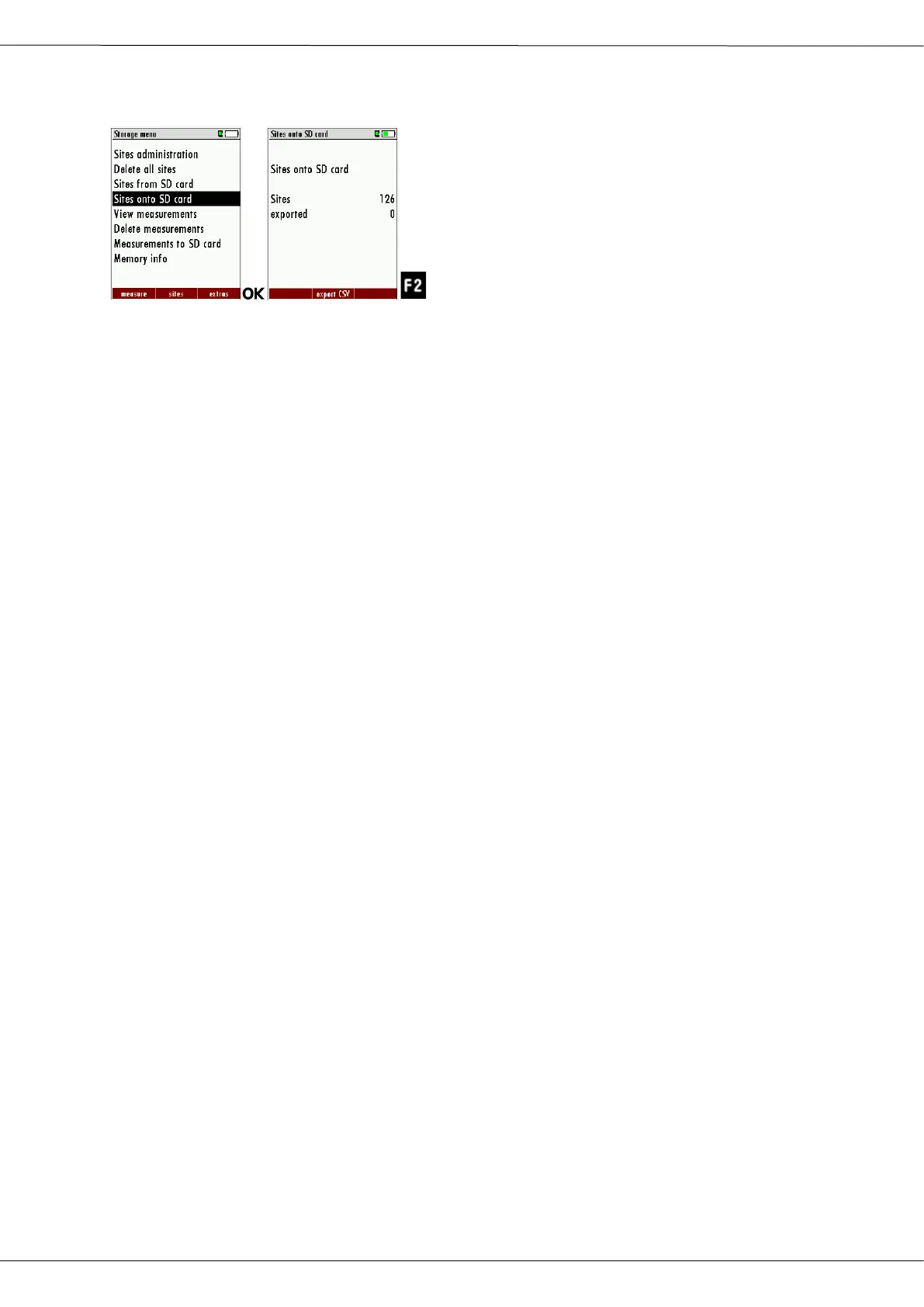
Exporting sites
► Go to the Storage menu.
► Select Sites onto SD card.
► Press OK
The menu Sites onto SD card appears.
► Press F2.
The sites are exported.
This function can be used for an analyzer back up or if you wish to sup-
ply the analyzer information to a computer program or another ana-
lyzer. This is very handy if you have made some modifications inside the
analyzer (site) for example if you have modified the phone number of a
customer and this modification needs to be updated in the computer
software, or if a second analyzer needs to have the same site infor-
mation.
The File format it’s the same as described above „Import of Sites“.
Only the file name is different, the file name will be ‚ANLxxxxx.csv’, in
which the xxxxx are continuing 5-digit numbers with leading zeros. If
the file must be imported into another analyzer, the file must first be re-
named into “anlagen.csv”.
Exporting combustion measurements
This function is used to export the measurements from the analyzer to a com-
puter program.
This function is not suitable for back up or for the transfer to another analyzer
because the exported file cannot be imported again!
The created file has the name ‚EMIxxxxx.csv’, in which the xxxxx are continuing
5-digit numbers with leading zeros.
The created file has a column header with the following information: Site num-
ber, Date/Time, Measuring program name, Fuel type, CO2max, O2reference,
and all measured values that the analyzer can measure as well as the soot
numbers, Derivate and T-Boiler.



 To Next Page