USER MANUAL OPTIMA 7
MRU GmbH, D-74172 Neckarsulm 48 / 78
8 Data Storage
Organizing data storage
The basis for the data storage of the analyzer are saved sets of sites in-
side the analyzer. Each site has a distinct site number as well as 8 addi-
tional free text lines for names and address.
The analyzer can store up to 4,000 different sites.
New sites can be added in the analyzer. Modifications can be done us-
ing an external PC program e.g. MRU Win.
New sites created in the analyzer will NOT be transferred
back to the computer program. When transferring data
from the analyzer to the computer only measurement
data will be transferred, identified by the site number
that has been assigned to the measurement, when the
measurement was saved.
Measurements are saved by assigning them to a site. Measurements can
be single flue gas measurements, 4Pa tests, heating checks or other
measuring programs available in the analyzer.
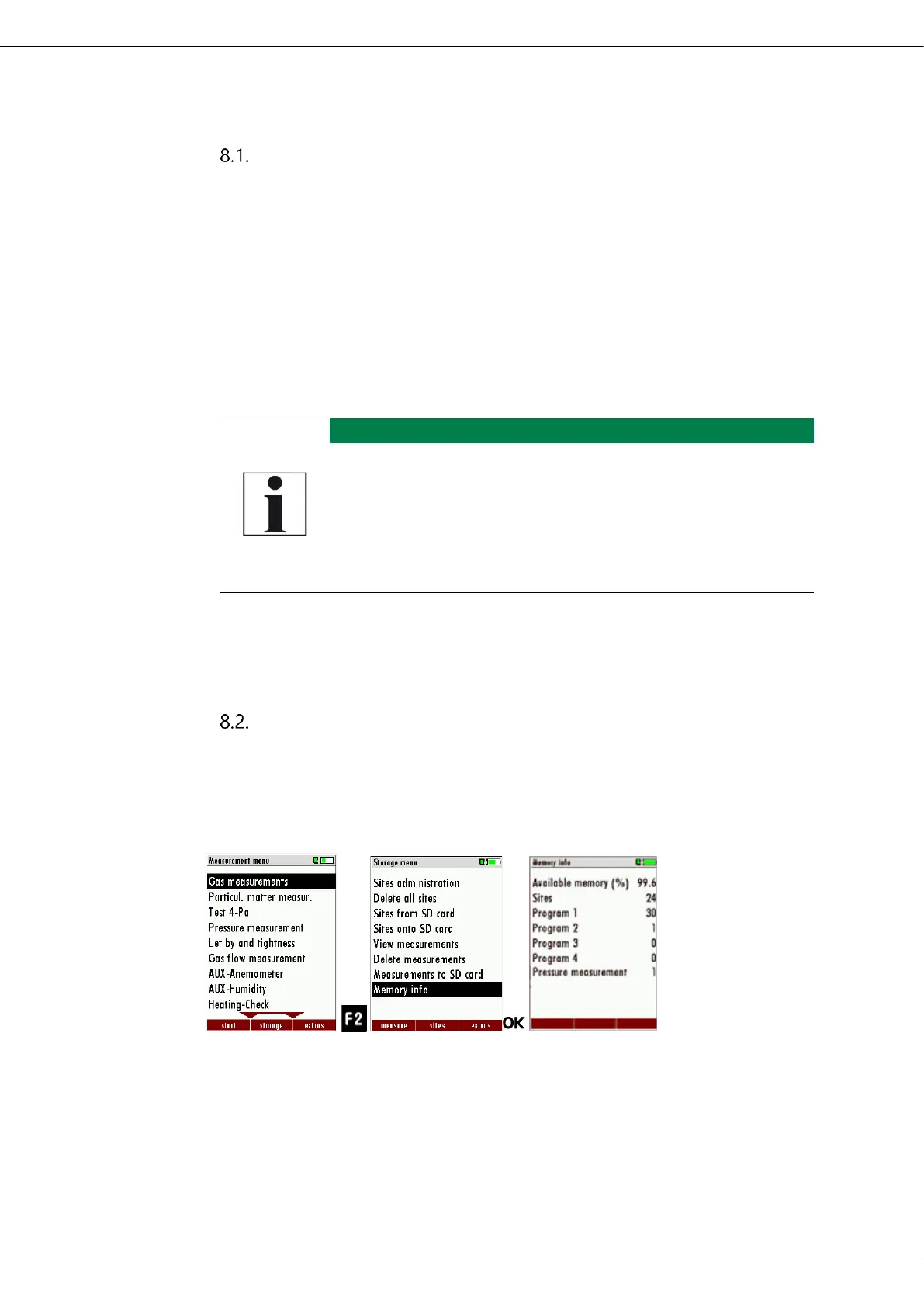
Calling up information about data storage
In the menu item "storage" you select „memory info“ to get information
about the actual memory volume. The part of free memory, the total
number of the stored sites and the number of the measurements stored
all together, split in the kind of the measurement is listed.
► Press F2
The Storage menu appears.
► Select Memory info.
The menu Memory info appears.
Information on the data storage is listed.



 To Next Page