USER MANUAL OPTIMA 7
MRU GmbH, D-74172 Neckarsulm 22 / 78
Explanation for “Helping hints”:
Some helpful hints which are very useful for an inexperienced user but
are not needed by experienced users, can be activated or deactivated.
The following hints will be affected
“Zeroing finished, Sensors are ready. Analyzer ready for measurement.”
“Reminder! Charge batteries at regular intervals!”
“Measurement stopped/started.”
Power-On protection
If activated and if ON key is pressed (possibly inadvertently), then the
message: „Power-On protection is activated! Press key OK for 3 seconds
2“ is displayed.
5.5. Setting printer type and print out
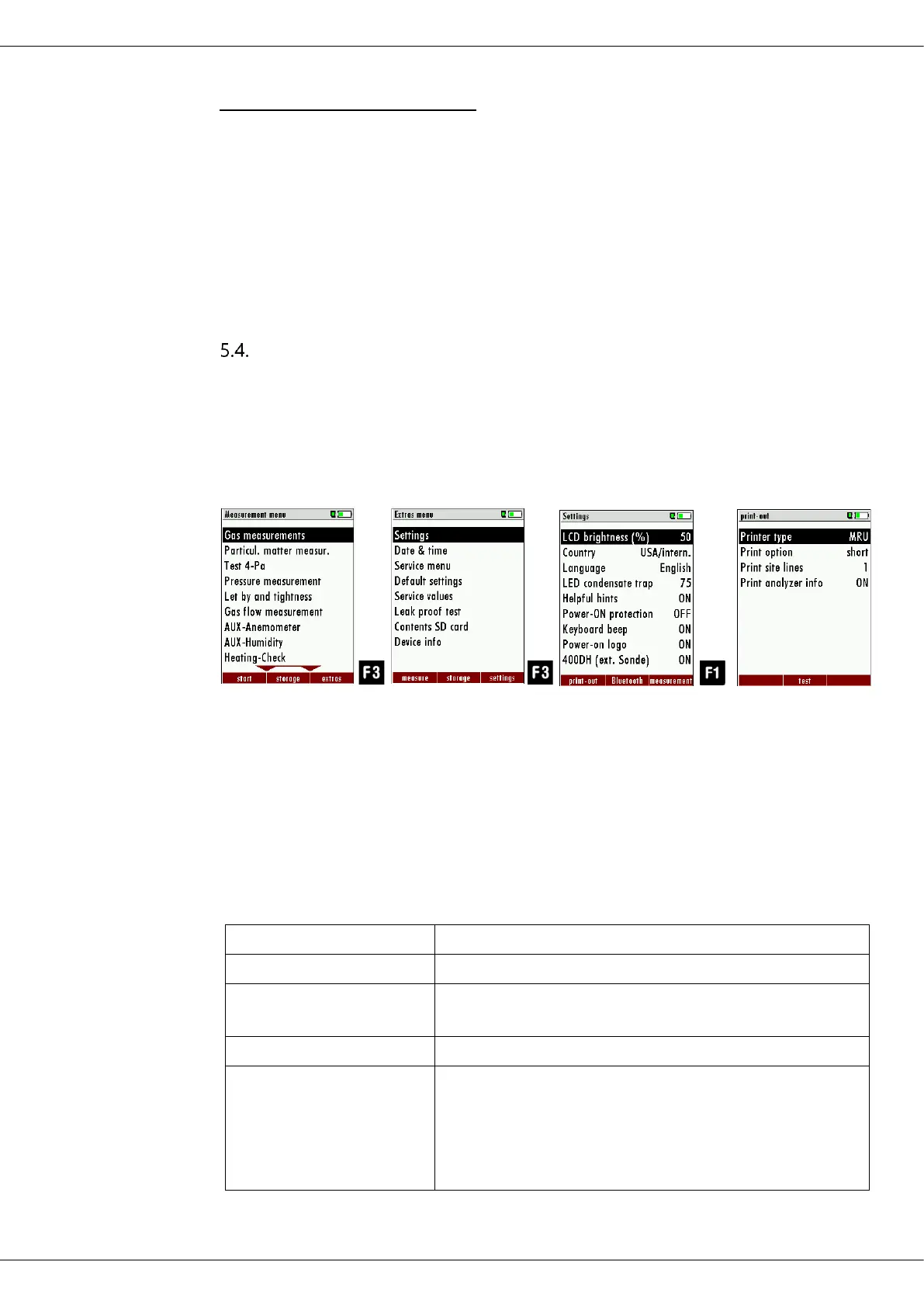
► Press F3.
The Extras menu appears.
► Press F3.
The menu Settings appears.
► Press F1.
The menu print-out appears.
In the menu "print-out" menu you can make for example the following
adjustments:
To measuring print out can be shorter designed, while
the device info will be
left out.
In some print outs (adjustment, service ...) the info will
be printed forever.



 To Next Page