USER MANUAL OPTIMA 7
63 / 78 MRU GmbH, D-74172 Neckarsulm
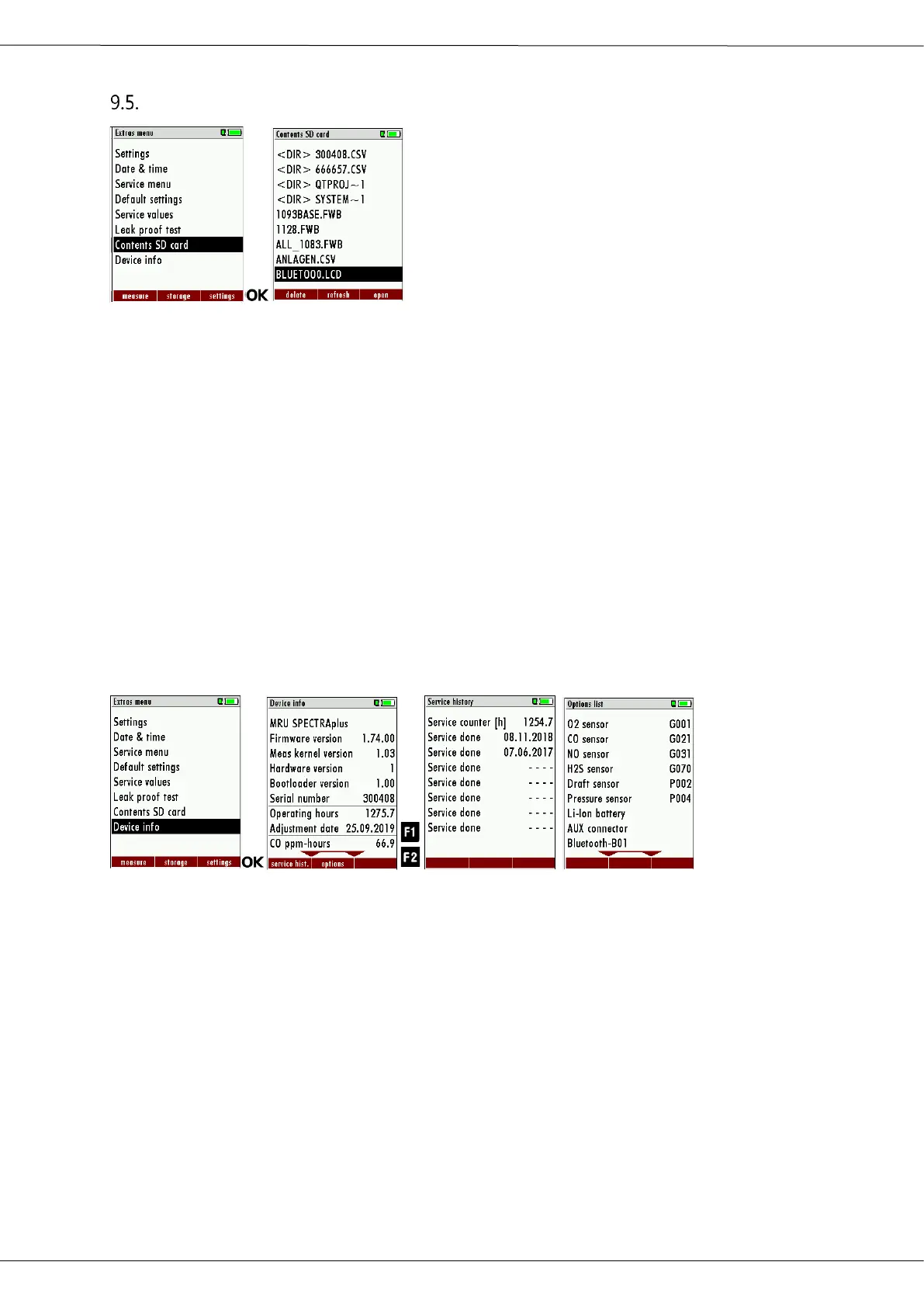
Contents SD card
► Go to the menu Extras.
► Select Contents SD card.
► Press OK.
The menu Contents SD card appears.
The files stored on the SD card are displayed.
► Select a file.
► If necessary, press F1 to delete the file.
► If necessary, press F2 to refresh the file.
► If necessary, press F3 to open the file.
9.6. Contents Analyzer information
The analyzer information can be viewed in the main Extras menu and
the sub menu Device info.
► Go to the Extras menu.
► Select Device info.
The menu Device info appears.
► Press F1.
The menu Service history appears.
The date of the last 7 service procedures appears.
► Press F2.
The menu Options list appears.
The installed options are displayed.



 To Next Page