USER MANUAL OPTIMA 7
41 / 78 MRU GmbH, D-74172 Neckarsulm
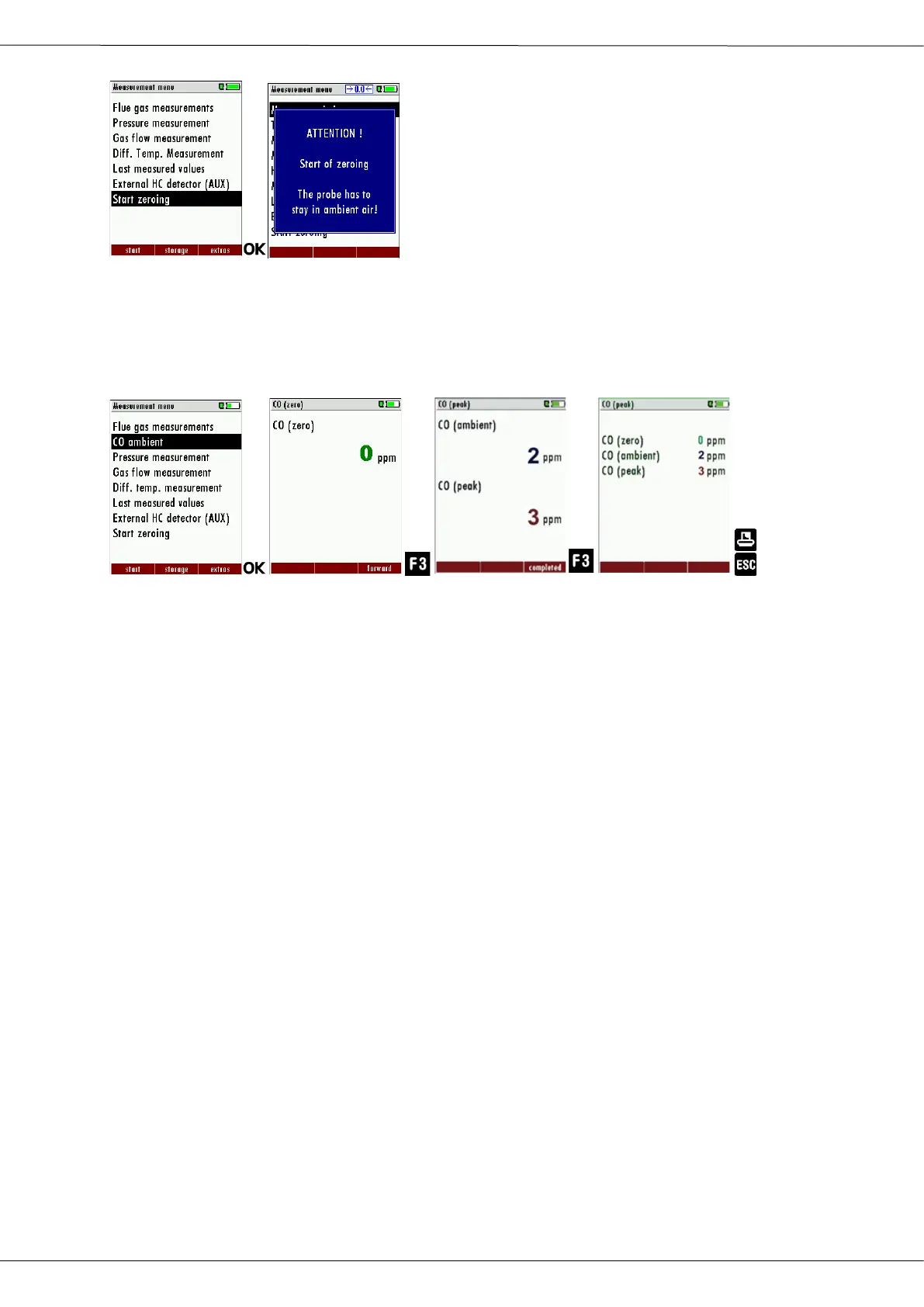
► Select Start zeroing.
► Press OK.
A message appears.
The zeroing is performed.
After zeroing, you can start the CO Ambient test.
► Select CO ambient
The menu CO (zero) appears. The current CO value (zeroing) as a
check is indicated. (This value must be approx. 0 ppm!)
► Go to the measuring point.
► Press F3.
The menu CO (peak) appears.
The CO Ambient test is performed.
The current CO (ambient) and CO (peak) values will be indicated.
► Press F3.
The measurement is finished.
The CO (zero) value, CO (ambient) value and the CO (peak) value
are displayed.
► Press the printer key to print out the measurement results.
► Press the ESC key to return to the Measurement menu.



 To Next Page