SUPREMATouch
46
Operation of the System
MSA
US
The warm-up time in seconds can be set in this field. This specifies how long a sensing head will
remain in the warm-up status [display “suppressed”] after it has been switchedon. This time is nec-
essary because different sensing heads need a different length of time to warm up and the correct
measuring value is displayed.
This value can only be adjusted for changeable remote sensing heads.
OK
Field type: Button
By tapping this button, the completed settings are applied for the selected head.
Cancel
Field type: Button
By tapping this button, the completed settings are discarded for the selected head.
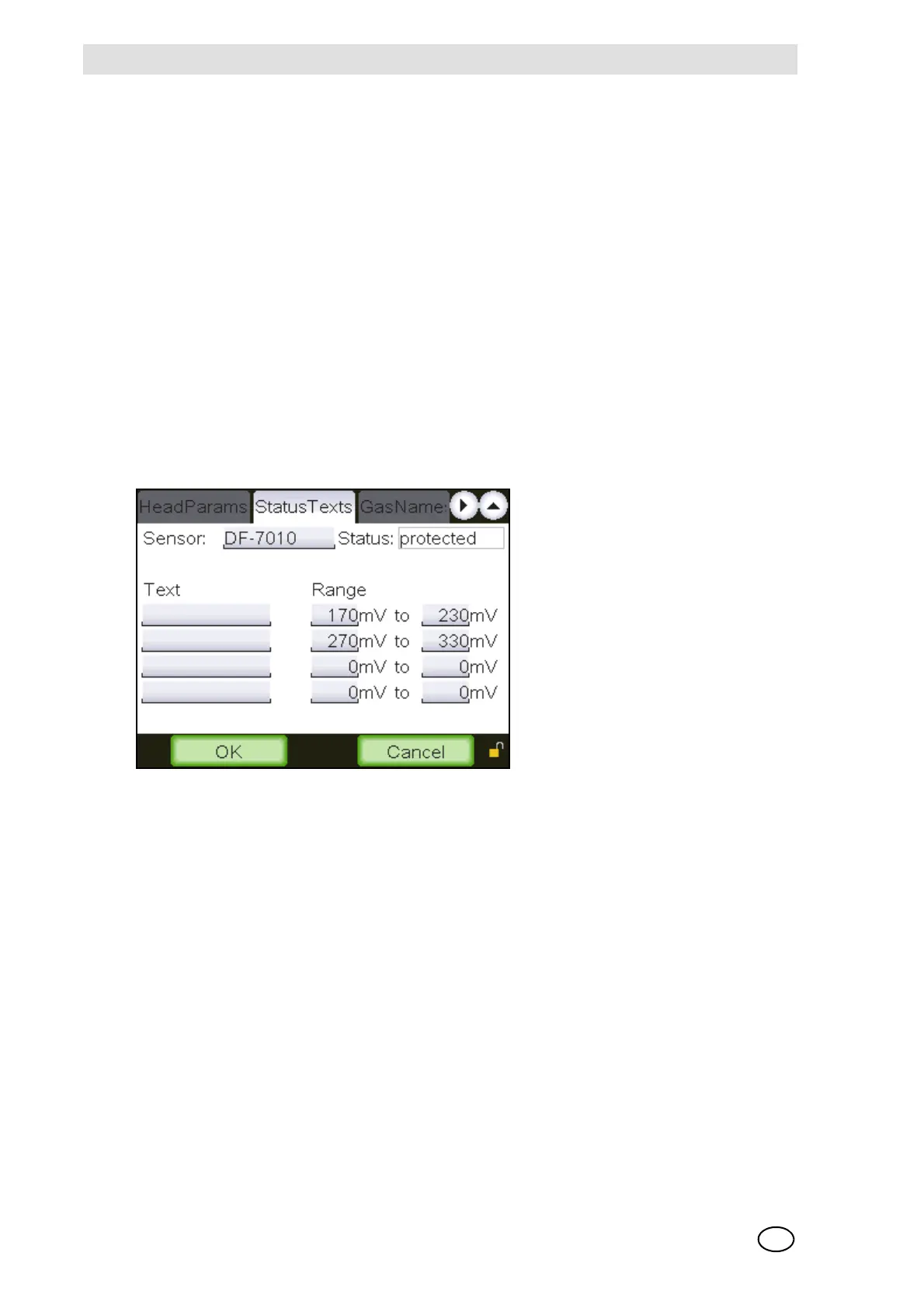
Status Texts
Fig. 21 “Status texts”
This window makes it possible to define sensor type specific texts for specific signal ranges.
These are displayed in the measuring value list with a letter “F” prefix. [e.g. “F:OpticErr”]. Texts
can be defined for all remote sensing heads provided that ranges are specified for them. Texts
can be defined arbitrarily, the same texts are allowed for more than one sensor.
In addition, the user can freely define the signal ranges in the range from 0 to 400 mV for change-
able remote sensing heads. However, the signal ranges must not overlap.
The functions of the individual fields are described below:
Sensor
Field type: Selection
The head, on which status texts should be put or for which it should be changed can be selected
with this field.



 To Next Page