MP7505 Series User Manual
: Sets the percentage of the period during which the ramp waveform is
Output Pulse Wave
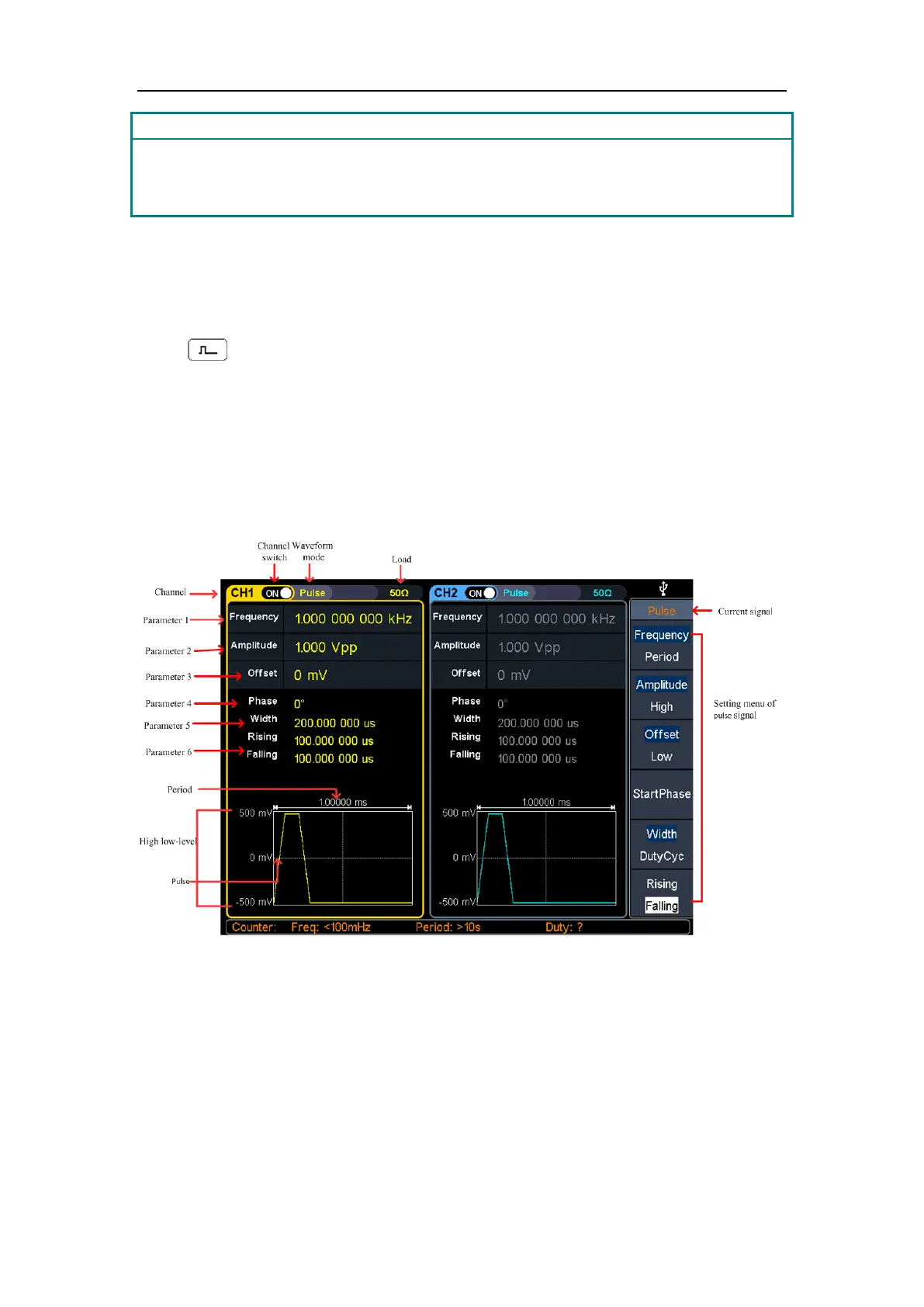
Press , the screen displays the user interface of the pulse wave. The Pulse
waveform parameters can be set by operating the Pulse setting menu on the right.
The pulse wave menu includes: Frequency/Period, Amplitude/High Level,
Offset/Low Level, Start Phase, Pulse Width/Duty Cycle, and Rising Time/Falling
Time.
To set the Frequency/Period, Amplitude/High Level, Offset/Low Level, Start Phase,
please refer to Output Sine Wave on page 10.
Figure 5-6: Pulse wave user interface



 To Next Page