MP7505 Series User Manual
Burst:
The set of pulses transmitted together is called a "burst". The various signal
generators are commonly referred to as the BURST function.
N cycle burst:
Contains a specific number of waveform cycles, each of which is initiated by a trigger
event.
Gated burst:
Use external department signals to control when waveform burst waveforms are
active
Set N-Cycle Burst
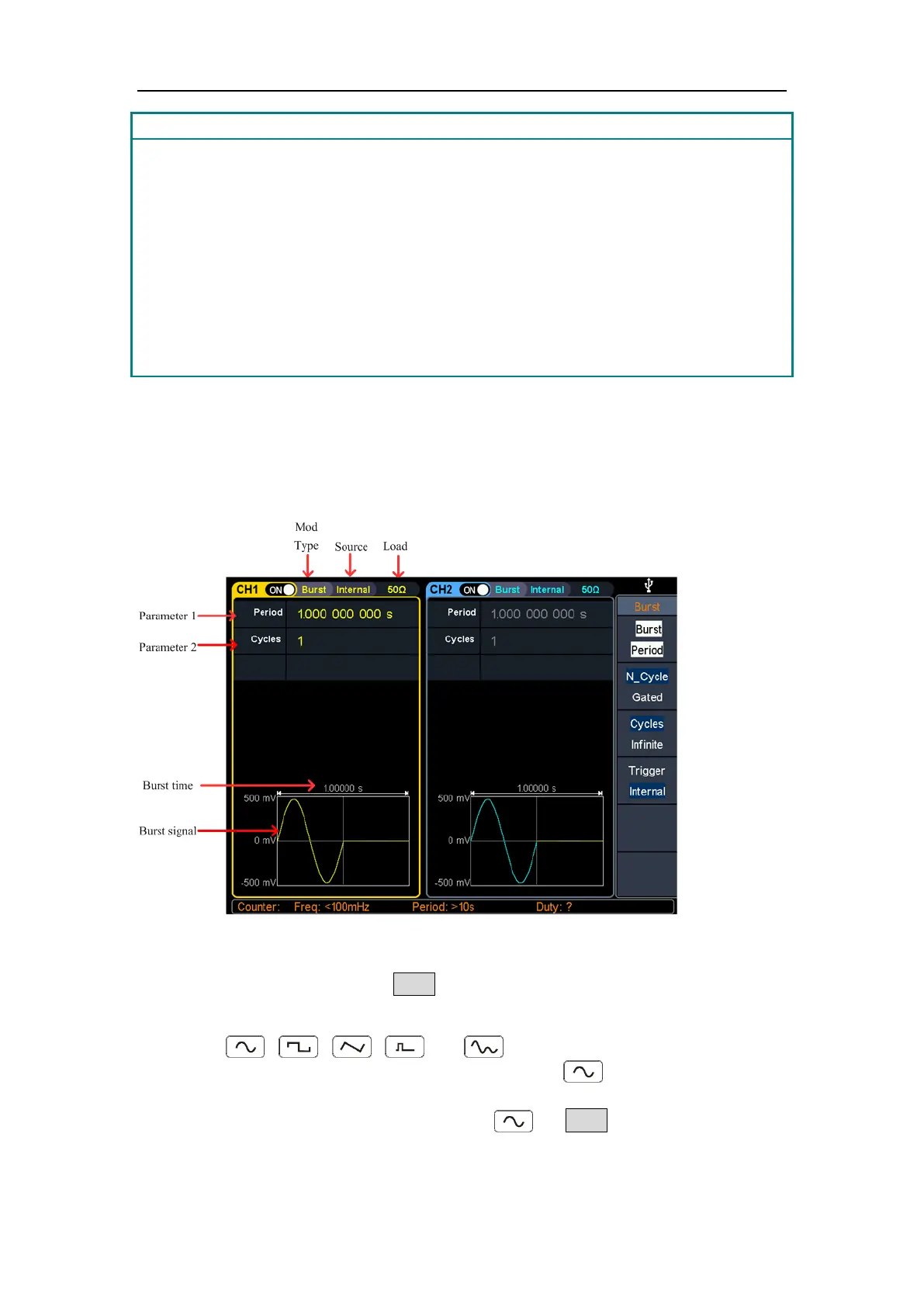
In N Cycle mode, the generator will output waveform with specified number of cycles
after receiving trigger signal.
Figure 5-26: N-Cycle burst user interface
(1) When the output signal is Sine, Square, Ramp, Pulse or Arbitrary wave (except
DC), press the front panel Burst function key to enter the burst mode (the
backlight of the key lights up).
(2) Press , , , , or to select the bust waveform. For
example, when selecting a sine wave, press to display the burst
waveform and parameters, and change the parameters. For details, please refer
to Output Sine Wave on page 10. Press or Burst to return to the burst
mode interface.



 To Next Page