MP7505 Series User Manual
(6) Set modulating wave frequency:
Press the AM Frequency softkey to set the modulating wave frequency. The
range is 2 mHz – 1 MHz (for internal source only).
(7) Set modulation depth:
Press the Depth softkey to set the modulation depth. The range is 0% - 120%.
The frequency of the modulating waveform.
Modulation Depth
The amplitude range of modulating waveform. In 0% modulation
amplitude is half of the specified value. In 100% modulation, the output amplitude is
equal to the specified value. For an external source, the depth of AM is controlled by
the voltage level of the signal connected to the Mod/FSK/Trig connector at the rear
panel. +1 V corresponds to the currently set depth 100%.
DSB-AM (Double-Sideband AM)
The generator supports two kinds of amplitude modulation: normal AM and Double
Sideband AM. In normal AM, the modulated waveform contains carrier components.
As the carrier components do not carry information, the modulation efficiency is low.
To improve the modulation efficiency, you can suppress the carrier components on
the basis of the normal AM. At this point, all the modulated waveform components
carry information. This mode is called DSB-AM (Double Sideband suppressed carrier
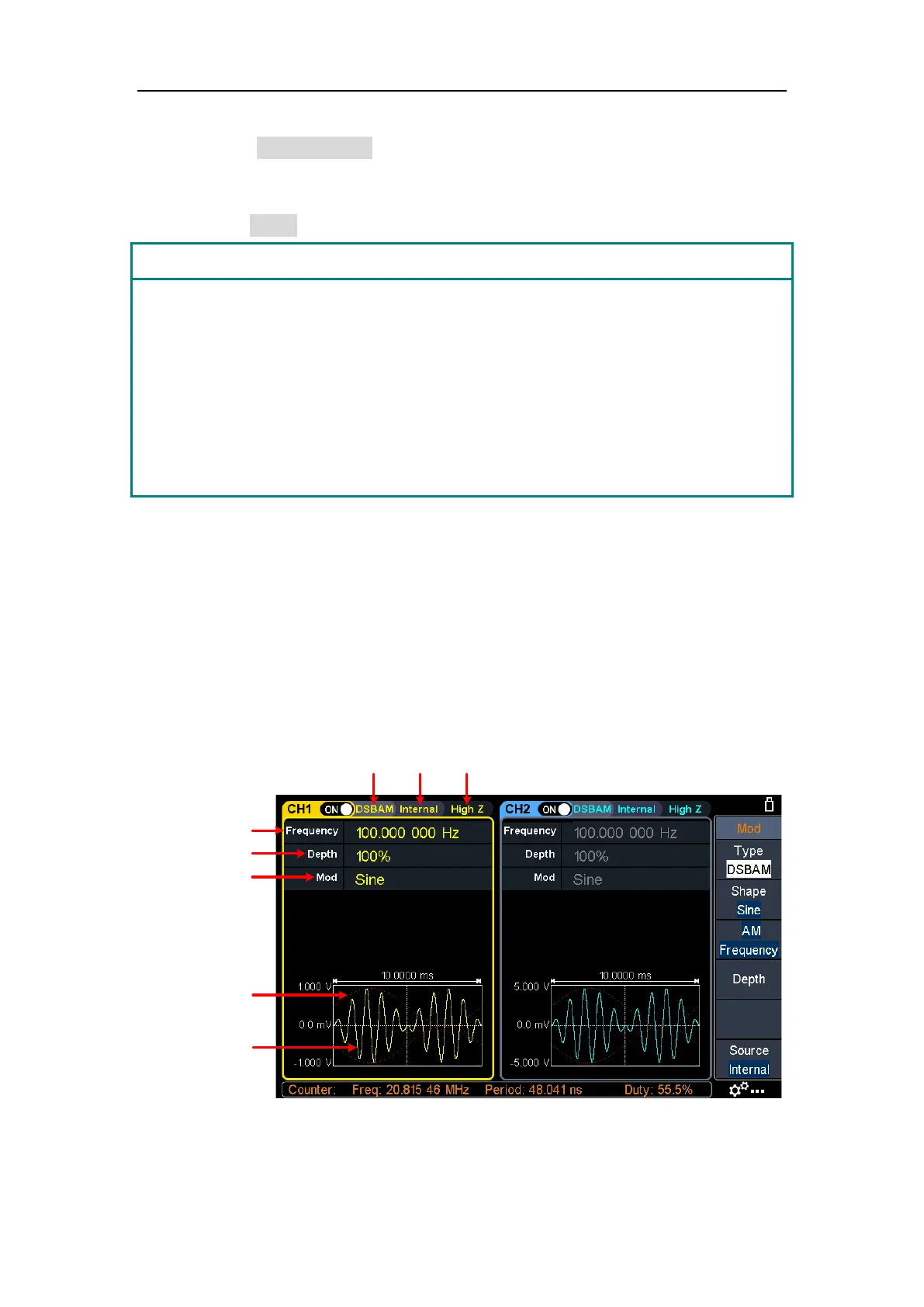
modulation). The DSB-AM user interface is shown below.
Carrier wave
Modulating wave
Parameter 1
Parameter 2
Parameter 3
Load
Mod
Type
Source
Figure 5-12: DSB-AM user interface



 To Next Page