MP7505 Series User Manual
4. Quick Start
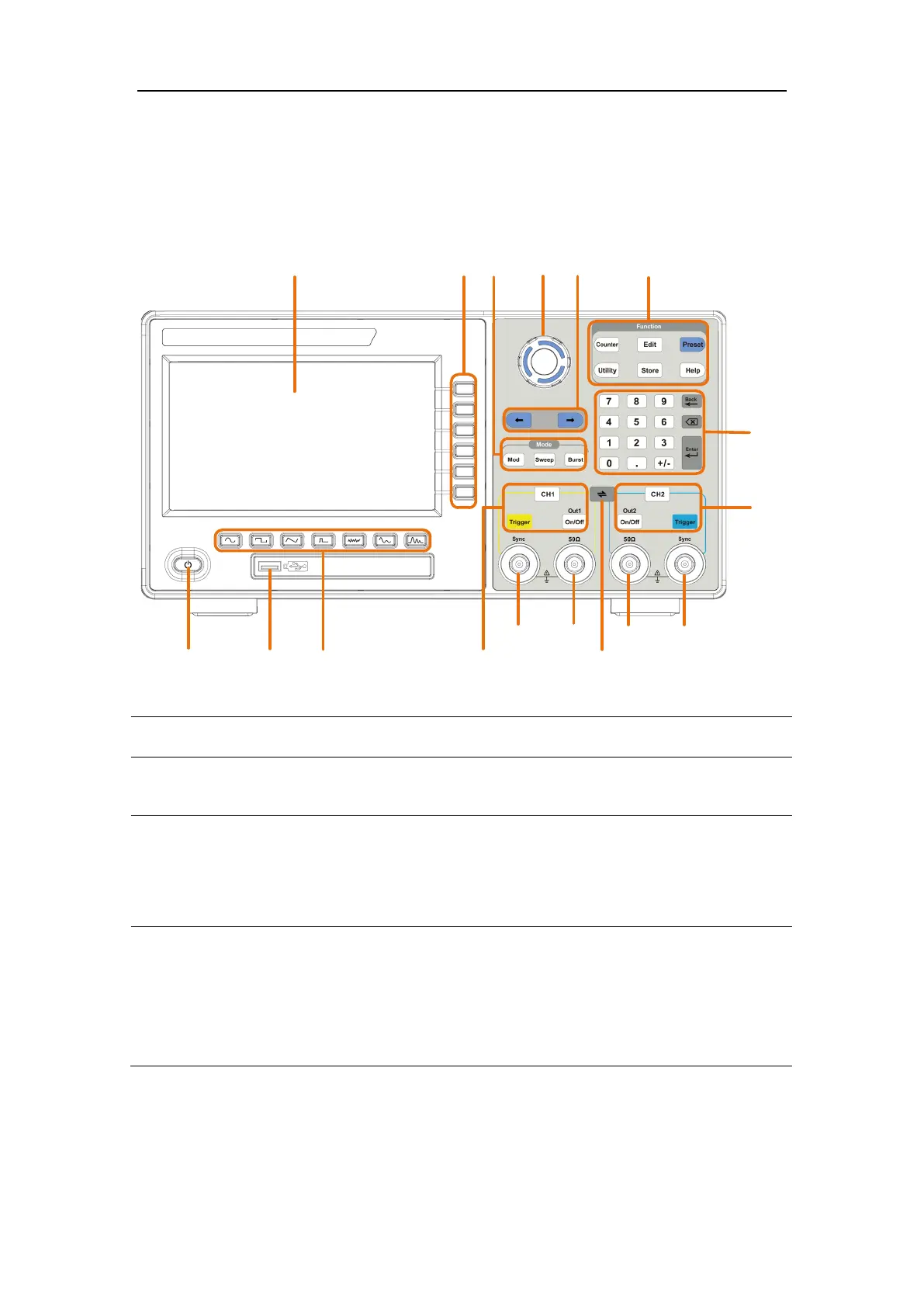
Front Panel Overview
16
4
9
17
1
2
7
6
13
12
10
5
11
8
3
14
15
Figure 4-1:
Front Panel overview
1
LCD Display the user interface
Includes 6 keys to activate the corresponding menu
3
Mode keys
Mod: Output the modulated waveform
Sweep: Scan the sine, square, ramp or arbitrary waveforms
Burst: Generate the sine, square, ramp, pulse or arbitrary
burst
4
Rotary control
Change the currently selected value, also used to select the
character in the soft keyboard when the file location or file
name is entered.
When inserting a USB flash drive, press the rotary control to
save the current display screen to the folder of the USB flash
drive in BMP image format.



 To Next Page