3.10.2 Replacing P_REAR Sensor P.3-150
3.10 Replacement of Frame Section Components VJ1324E-M-02
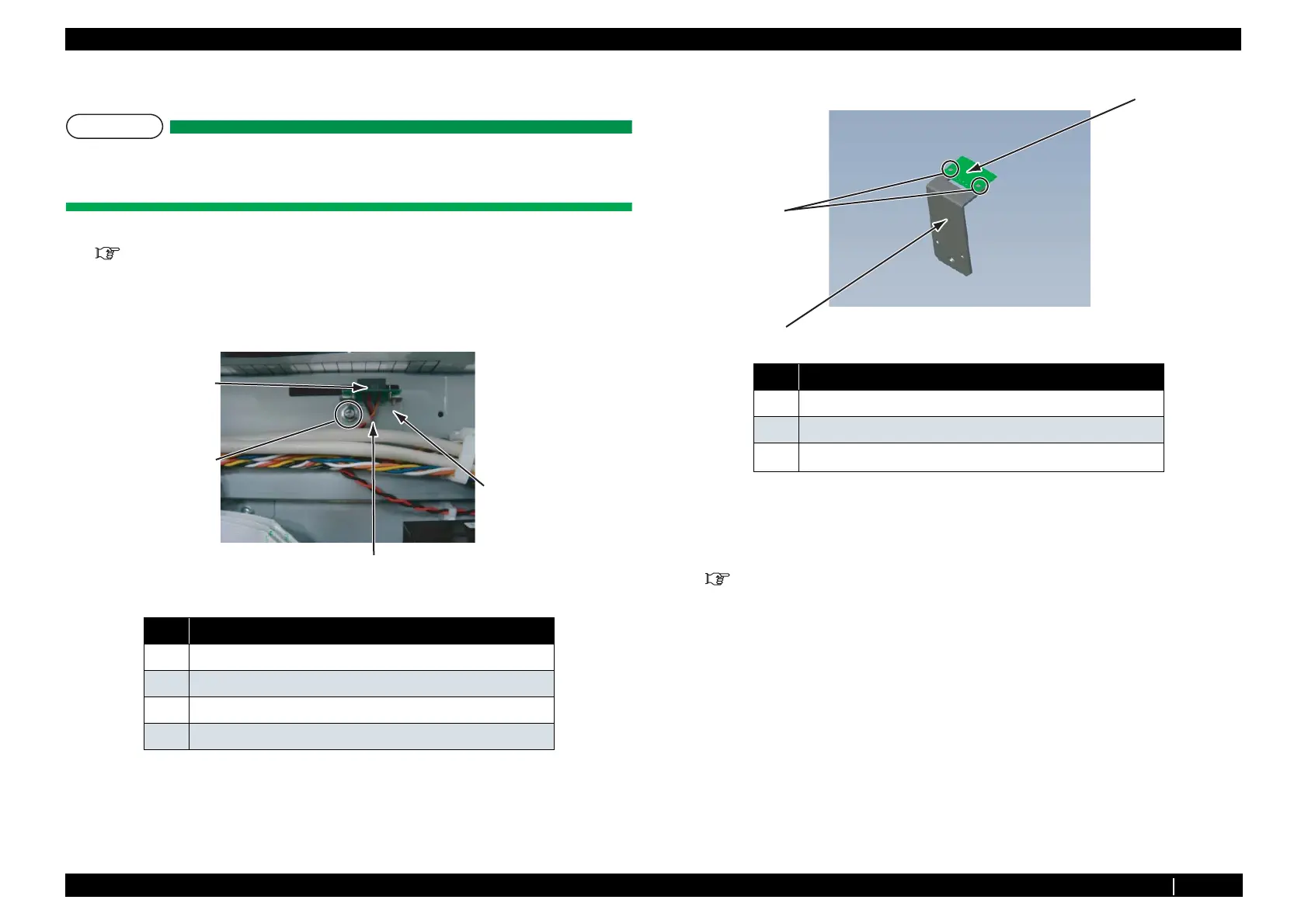
3.10.2 Replacing P_REAR Sensor
T I P
Replacing Procedure For Maintenance Part: P_REAR sensor Assy
This part will be referred to as the P_REAR sensor in this manual.
1. Remove Paper Guide R2.
"3.2.7 Removing Paper Guide R2" p.3-17
2. Remove Connector of P_REAR Sensor from MAIN board Assy.
3. Remove P_REAR Sensor from Clamps on the path.
4. Remove screw (1 piece) retaining PE Sensor plate to Frame.
5. Remove the screw (2 pieces) retaining P_REAR sensor on PE sensor plate.
6. Remove P_REAR Sensor.
7. To reassemble unit, reverse the removal procedure.
8. Perform various adjustments.
"4.2 Adjustment Item" p.4-2
No. Name
1 P_REAR Sensor
2 Tapping screwM3×6 S Tight cup
3 PE Sensor plate
4 Clamp
1
2
3
4
No. Name
1 Cup screw M2
× 6
2 P_REAR Sensor
3
PE sensor plate
1
2
3















 To Next Page