8.3.3 Selecting Panel Language P.8-10
8.3 Printer Status VJ1324E-M-02
8.3.3 Selecting Panel Language
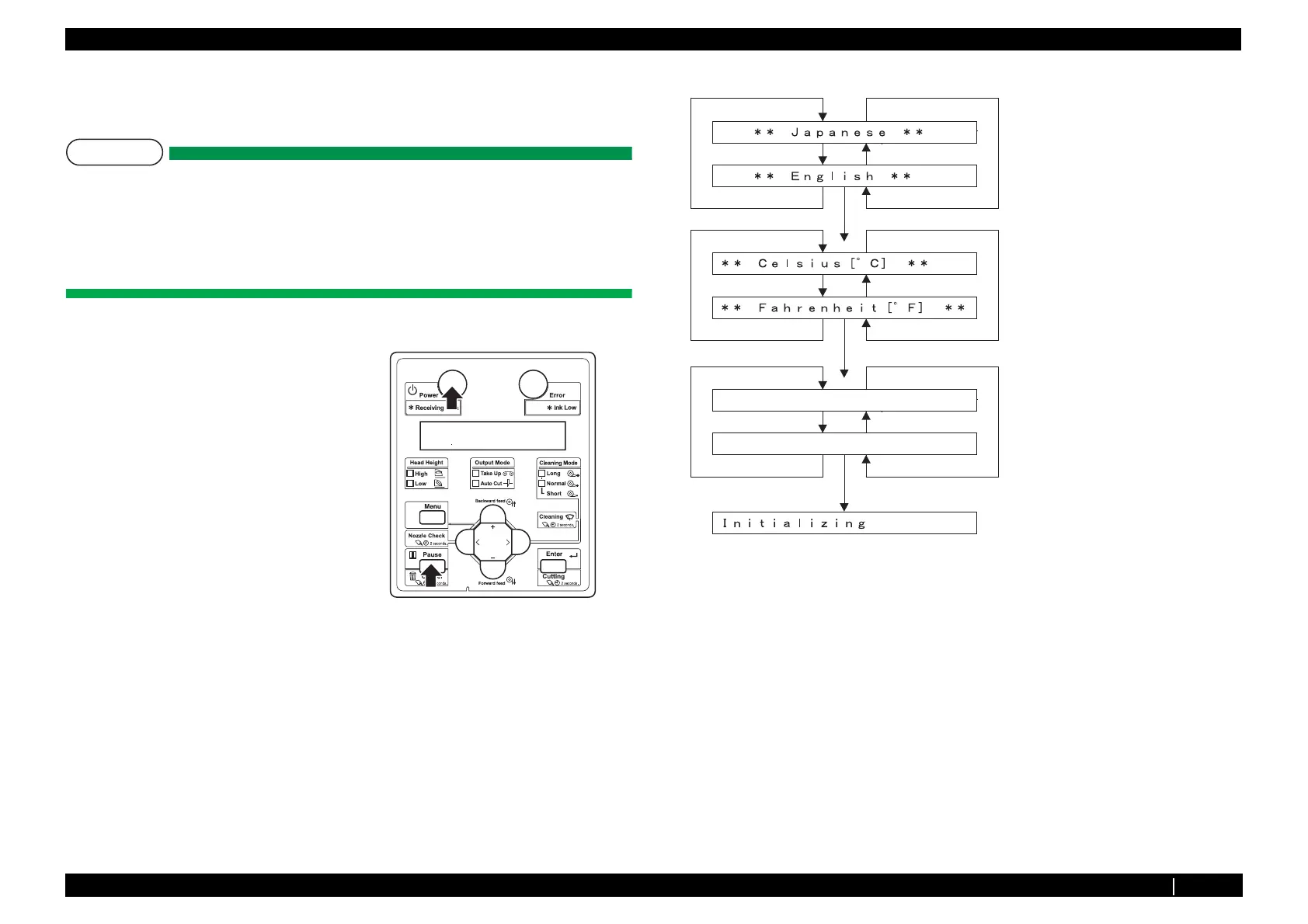
This section explains how to select the language displayed on Operation panel.
Follow the steps below to select the language.
NOTE
For this printer, you can choose the following:
Language: Japanese or English
Temperature: Celsius (
°C) or Fahrenheit (°F).
Length:mm or inch
• Selecting mode is displayed in only first start up.
2. Select the language either from English or Japanese then press [Enter] to determine.
3. Select the temperature either from Celsius or Fahrenheit then press [Enter] to determine.
4. Select the length either from mm or inch then press [Enter] to determine.
5. The printer starts initial operation.
1. Press [Power] key on Operation panel while
pressing [Cancel] key.
[Enter]
[+] key
[+] key
[ - ] key
[ - ] key
[+] key
Choose the language to be displayed
with the [+] key[ - ] key.
Choose the temprature to be displayed
with the [+] key/[ - ] key.
Printer starts initial operation.
[+] key
[ - ] key
[ - ] key
[Enter]
[Enter]
[+] key
Choose the length to be displayed
with the [+] key/[ - ] key.
[+] key
[ - ] key
[ - ] key
㧸㨑㨚㨓㨠㨔㧦ޓޓޓޓޓޓޓޓޓޓޓ㨙㨙
㧸㨑㨚㨓㨠㨔㧦ޓޓޓޓޓޓޓޓޓ㨕㨚㨏㨔















 To Next Page