3.2.1 Removing I/H Cover P.3-7
3.2 Removing Covers VJ1324E-M-02
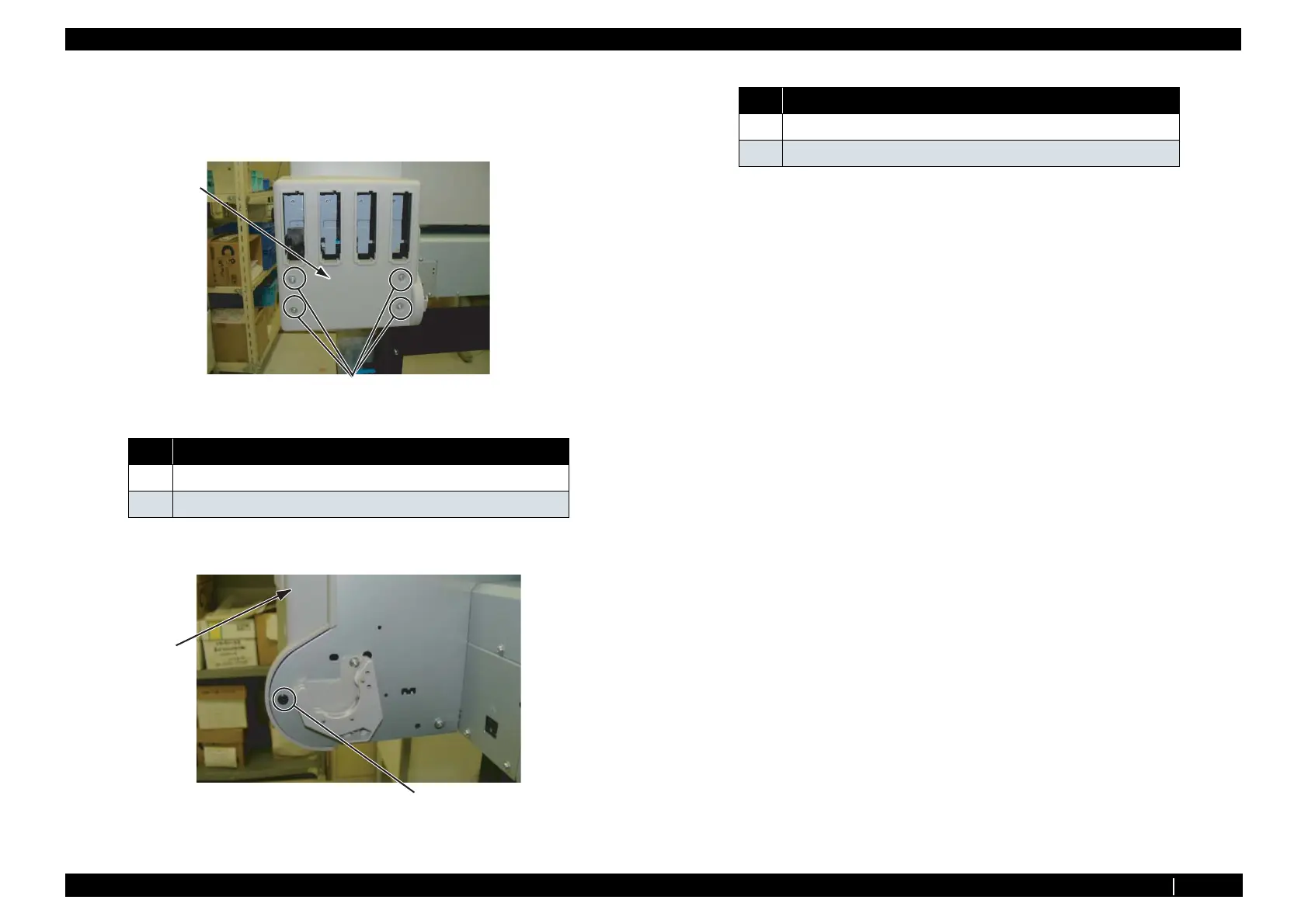
3.2.1 Removing I/H Cover
1. Remove Ink Cartridges.
2. Remove Screws (4 piece) retaining Back side of I/H Cover.
3. Remove Screws retaining side of I/H Cover (Scroller holder side:1 piece).
4. Remove I/H Cover.
5. To reassemble unit, reverse the removal procedure.
No. Name
1 I/H Cover
2
Tapping screwM4 × 8 S Tight cup
1
2
1
2
No. Name
1 I/H Cover
2
Tapping screwM4 × 12 P Tight Bind Black















 To Next Page