3.12.1 Replacing Waste Fluid Level Switch ,Waste Fluid Bottle Assy P.3-161
3.12 Replacing Accessory Unit VJ1324E-M-02
3.12 Replacing Accessory Unit
3.12.1 Replacing Waste Fluid Level Switch ,Waste Fluid Bottle
Assy
T I P
Replacing Procedure For Maintenance Part: Waste Fluid Level Switch (VJ16) and Waste Fluid Bottle
Assy.
This part will be referred to as the Waste Fluid Switch and Waste Fluid Bottle Assy in this manual.
NOTE
• Discharge the waste fluid fully to replace Waste fluid bottle.
• Confirm that there remains no waste fluid in the waste fluid tube.
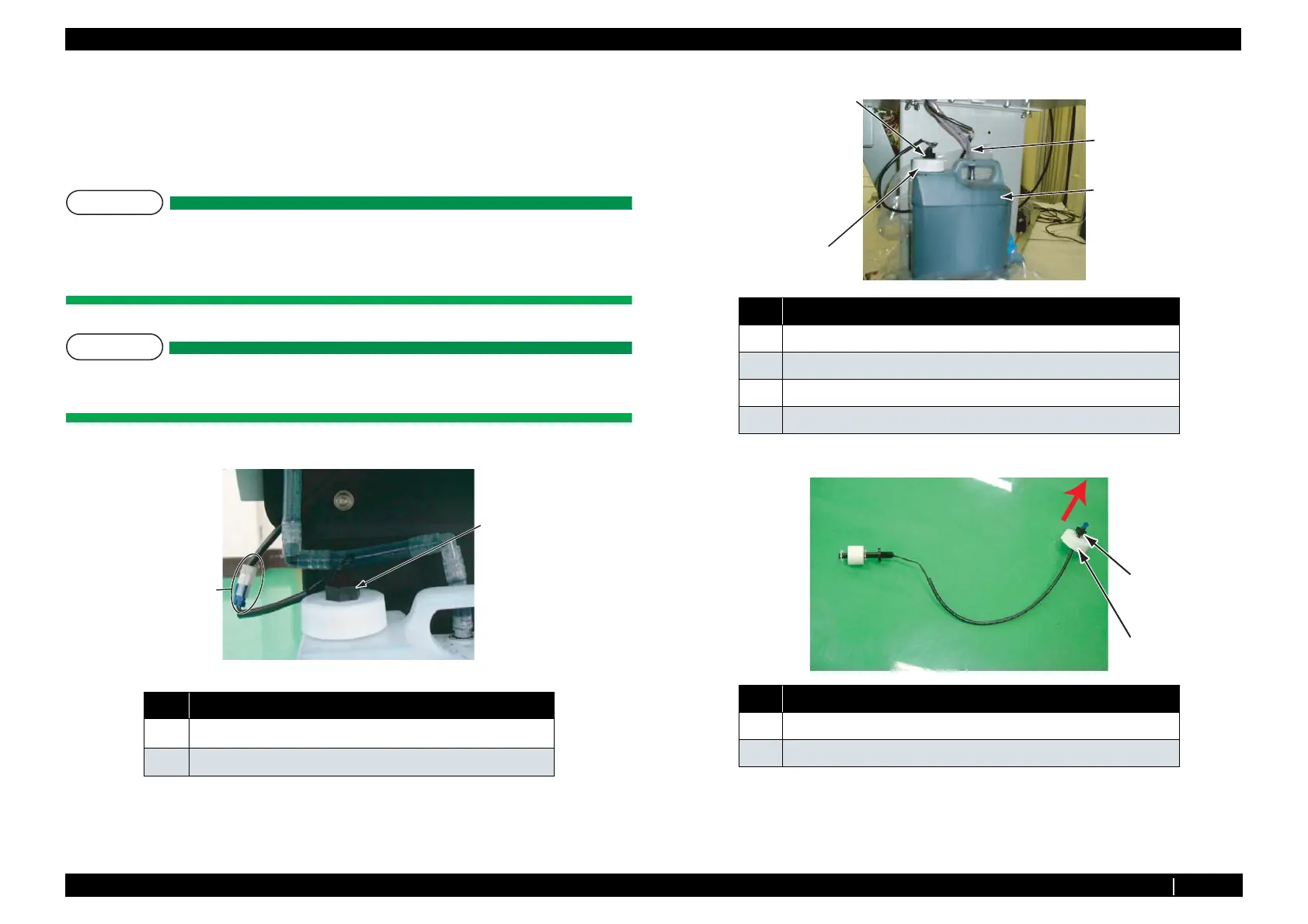
1. Remove waste fluid level switch from connector.
2. Remove Waste fluid tube.
3. Loosen Cap of Waste fluid bottle.
4. Loosen the nut of Waste fluid level switch.
5. Pull out the nut of Waste fluid level switch and Waste fluid bottle cap from Waste fluid bottle.
6. Replace Waste fluid bottle.
7. Replace Waste Fluid Level switch.
8. To reassemble unit, reverse the removal procedure.
No. Name
1
Waste fluid level switch
2
Connector
1
2
No. Name
1 Waste fluid bottle
2 Waste fluid tube
3 Cap of Waste fluid bottle
4 Nut of Waste Fluid Level switch
No. Name
1 Cap of Waste fluid bottle
2 Nut of Waste fluid level switch
1
2
3
4
1
2














 To Next Page