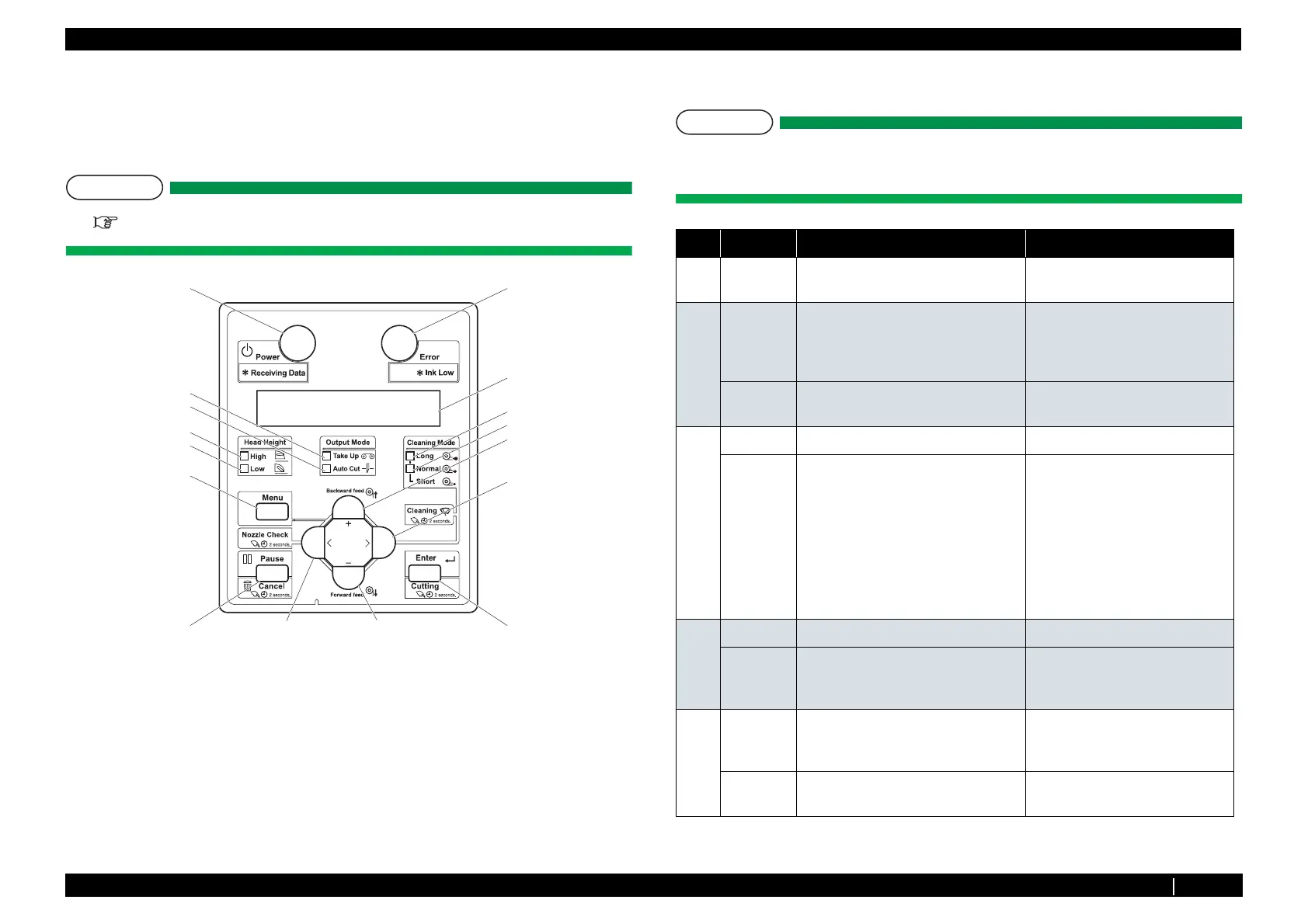
8.2.3 Operation Panel P.8-4
8.2 Part Names and Functions VJ1324E-M-02
8.2.3 Operation Panel
Operation panel is used to set operational conditions, display the status of the printer, and set other
functions.
The names and functions of the operation keys and status lamps are explained below.
T I P
『Operation Manual』
(1) Operation Keys
T I P
Some keys have multiple functions and names depending on the printer status (normal or
setup menu display). See "8.3 Printer Status" p.8-7 for more details.
8, 9
3
15
17
16
6
5
11
12
1
13
14
10
27
4
No. Name Normal Setup menu display
1 [Menu]
key
Changes LCD monitor display to setup
menu status.
Changes the setup menu display
status to normal status.
2 [Enter] key Restarts printing when it is pressed
while the printer pauses printing.
- Selects the menu to be set and
shifts to the next hierarchy.
- Determines and saves the
parameter value.
[Cleaning]
key
Hold down the key for over 2 seconds
to start cleaning the printer head.
-
3
[Pause] key Pauses printing. —
[Cancel]
key
.When printing:
When pressed for more than two
seconds, forcefully terminates printing
and deletes one file of the remaining
data.
.When receiving or analyzing data:
When pressed for more than two
seconds, deletes the data already
received and analyzed.
Returns to the previous menu
hierarchy.
Changes made in the setting are
discarded.
.Shifts from Setup menu display to
Normal.
4
[<]Key —
-
[Nozzle
Check]Key
Press and hold this key for two seconds
or more to perform Nozzle Check
printing.
—
5
[>]Key Sets Cleaning Mode.
.The lamp of Cleaning Mode that you
set lights up in green.
Down the menu level in the
directory tree.
[Cleaning]
Key
When pressed for more than two
seconds, cleaning starts.
—















 To Next Page