6.2.2 Operating Maintenance Mode 2 P.6-3
6.2 Operations in Maintenance Mode 2 VJ1324E-M-02
6.2.2 Operating Maintenance Mode 2
Before using the maintenance mode 2, make sure that the maintenance menu is displayed on Operation
panel.
To run the maintenance menu, switch the display to the normal operation status or setup menu display
status.
T I P
For details of operating procedure, refer to the flow chart of each diagnosis item.
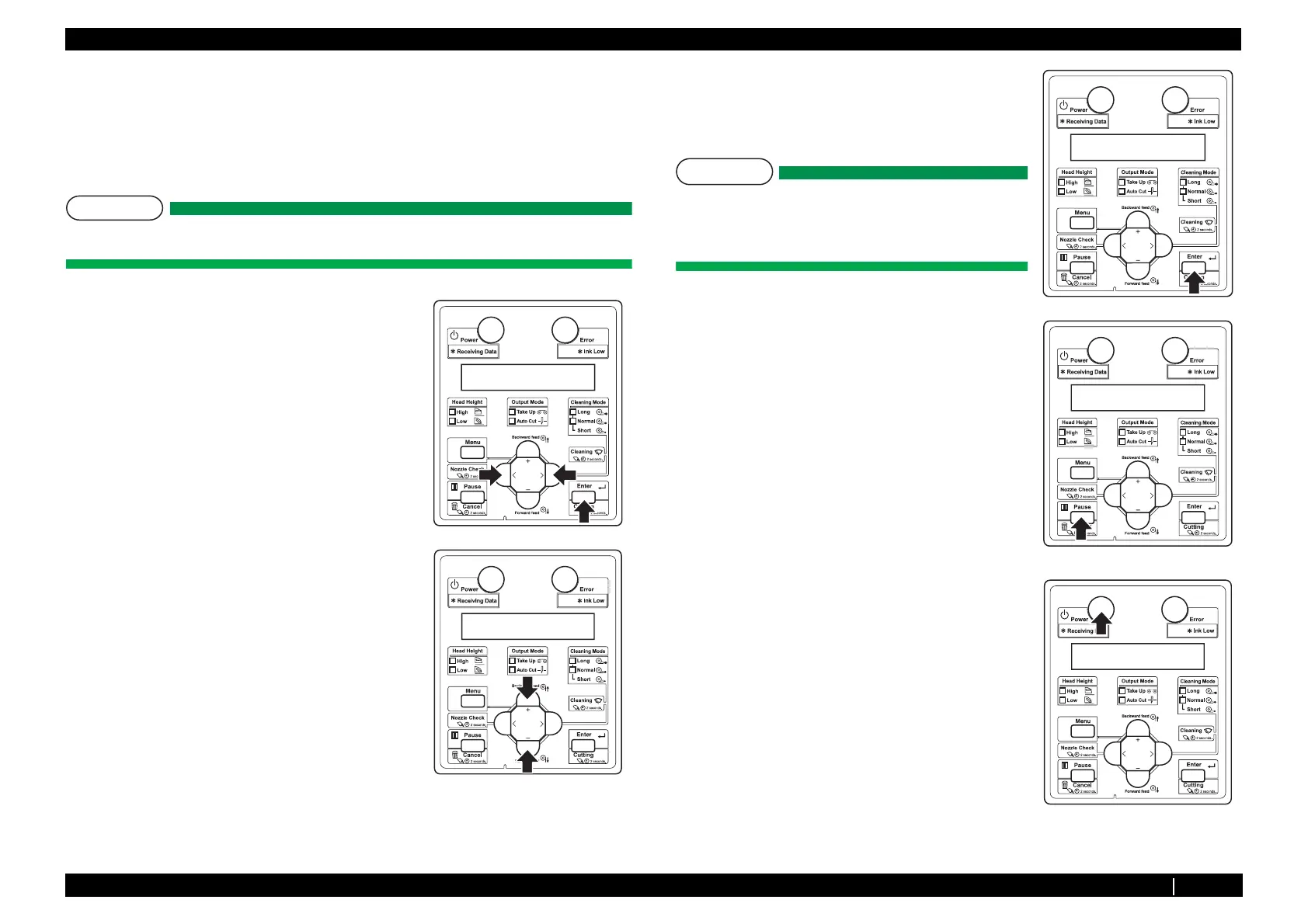
1. Press either [<] or [>] of Operation panel to select the item
to be diagnosed, and press [Enter] key.
• Determine the diagnosis item
• When the diagnosis item has a submenu, shift to the
next hierarchy of menus.
2. If the set value is displayed on the LCD of Operation panel,
the value can be changed.
Press either [Setting/value +] or
[Setting/value -] to change the value.
3. To save the changed setting, press [Enter] key on
Operation panel.
*The setting is saved and the next diagnosis item is
displayed.
NOTE
If you press [Cancel] key, or, [Setting/value +] key or
[Setting/value -] key, instead of [Enter] key, the
modification is not stored.
4. To quit diagnosis, press [Cancel] key on Operation panel.
*The system returns to an upper hierarchy of the diagnosis
menu.
5. When quitting Self-diagnosis menu, press [Power] key.














 To Next Page