3.13.7 Replacing Peripheral Devices of VJ Take-Up Unit Motor Assy P.3-179
3.13 Replacing Take-Up Unit (Option) VJ1324E-M-02
3.13.7 Replacing Peripheral Devices of VJ Take-Up Unit
Motor Assy
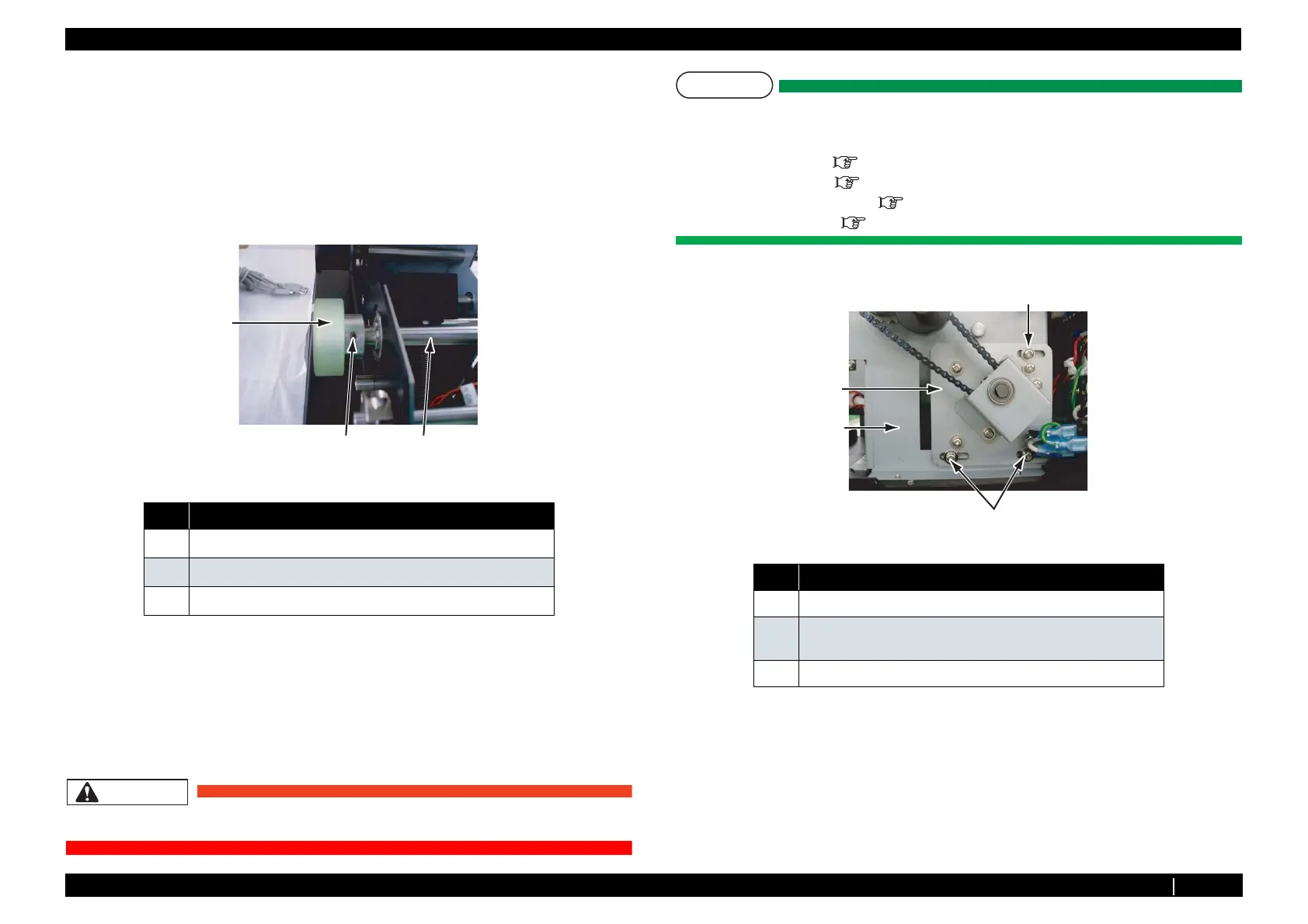
(1) Replacing Drive Roller
1. Remove take-up scroller.
2. Remove the flat head screws (2 pieces) retaining drive roller on driving axis C.
3. Remove driving roller.
4. Replace driving roller.
5. To reassemble the unit, reverse the removal procedure.
(2) Replacing Take-Up Motor Assy
CAUTION
Do not touch motor right after starting up the printer. Otherwise, you may be burned.
NOTE
Remove the following parts before replacing take-up motor Assy.
• Take-up scroller:
• Tension arm : "3.13.1 Removing Tension Arm" p.3-162
•
Take-up unit : "3.13.2 Removing Take-Up Unit" p.3-164
• Take-up unit cover : "3.13.3 Removing Take-Up Unit Cover" p.3-165
•
Board chassis : "(1) Removing Board Chassis" p.3-169
1. Remove the screws (3 pieces) retaining motor mounting plate on the right of inside chassis.
2.
Remove chain from sprocket large.
No. Name
1
Driving roller
2
set screw thin tip M4 × 6
3
Driving axis C
3
1
2
No. Name
1 Motor mounting plate
2 pan-head screw with spring washer and flat washer polished M4
× 10
3 Right of inside chassis
3
1
2
2















 To Next Page