5.14.3 Heater Menu P.5-86
5.15 PaperInitial Menu VJ1324E-M-02
5.15 PaperInitial Menu
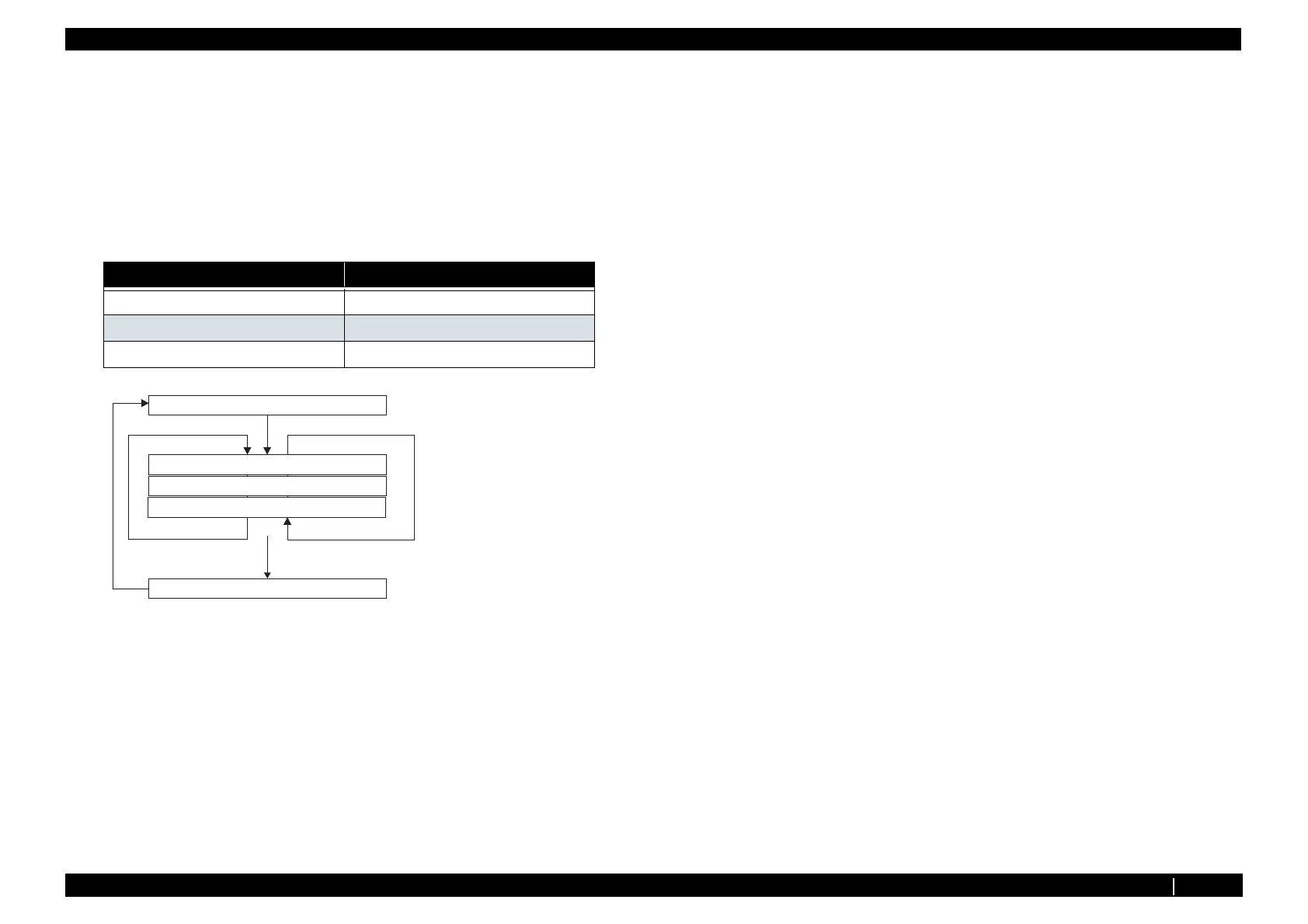
This menu is used to set the media detection.
The default value is the same as that of the normal operation mode (chart mode).
Select either Top & Width, Width, or Off. When Off is selected, you can set the media width in the
media width setting menu.
The available settings are shown below.
Items Contents
Top & Width Normal media detection mode
Width Detects media width.
Off Does not detect media.
[Enter]
ޓor
[Cancel]
㧵㨚㨕㨠㨕㨍㨘㧦㨀㧻㧼㧒㨃㨕㨐㨠㨔
㧯㨔㨑㨏㨗㧝㧞㧦㧼㨍㨜㨑㨞㧵㨚㨕㨠㨕㨍㨘
㧵㨚㨕㨠㨕㨍㨘㧦㨃㨕㨐㨠㨔
㧵㨚㨕㨠㨕㨍㨘㧦㧻㨒㨒
㨃㨕㨐㨠㨔㧦ޓޓޓޓޓޓޓޓ㧝㧟㧣㧝㨙㨙
When setting ޟOFFޠ
Input media width
210mm to 1371mm
=?MG[
=?MG[
='PVGT?
Change the value (unit to count) by pressing
[setting/value+] or [setting/value-] key.














 To Next Page