3.2.4 Removing Front Cover and Replacing Front Cover Holder P.3-13
3.2 Removing Covers VJ1324E-M-02
3.2.4 Removing Front Cover and Replacing Front Cover
Holder
1. Open Front Cover.
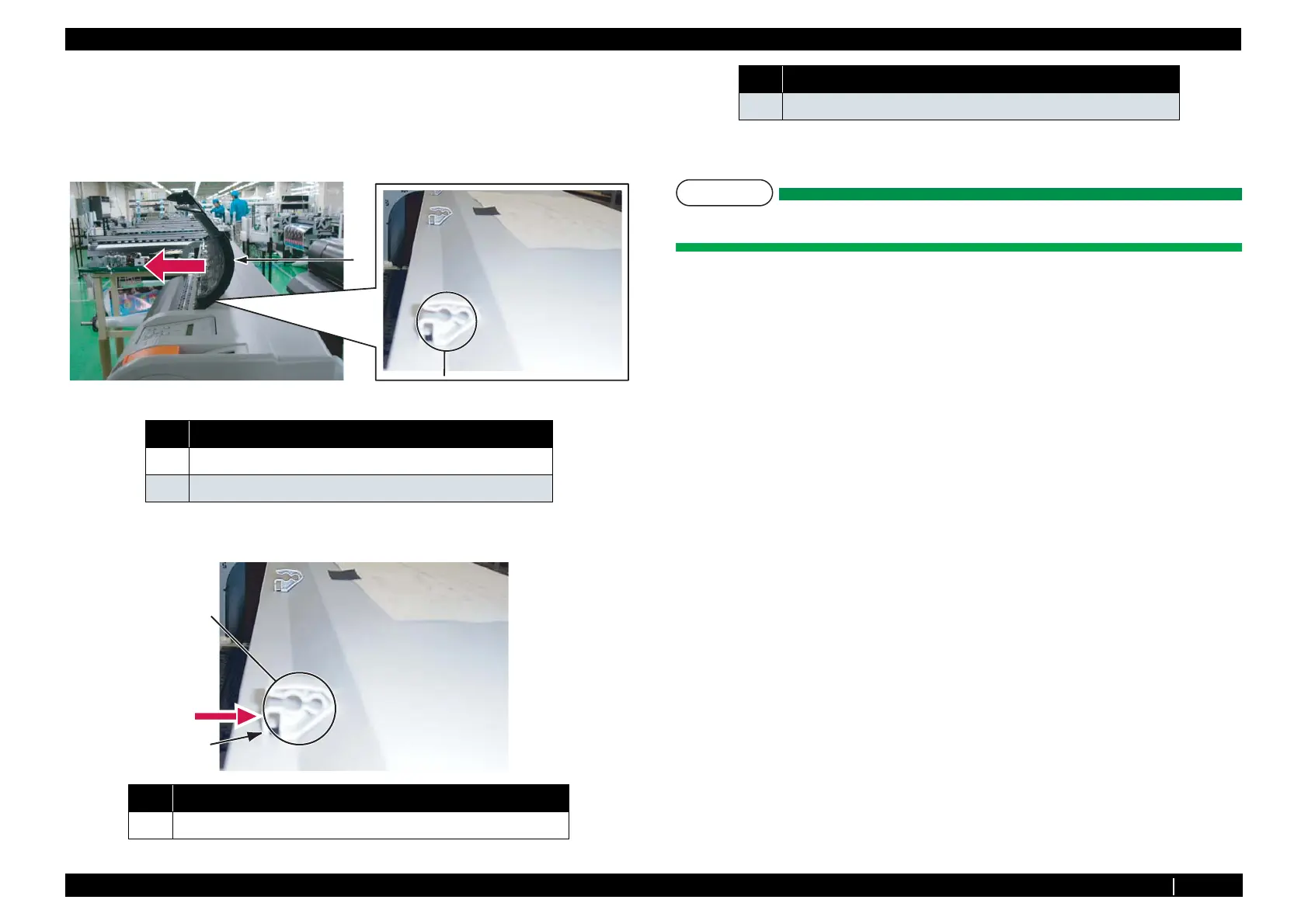
2. Remove front cover by pulling it toward the direction of the arrow shown below.
3. Unhook and remove the front cover holder by pushing it toward the direction of the arrow shown
below and remove.
4. Replace front cover holder.
NOTE
Do not remove front cover by force. It may damage or deform the resin.
5. To reassemble unit, reverse the removal procedure.
No. Name
1 Front cover
2 Front cover holder
No. Name
1 Front cover holder
2
1
1
2
2 Front cover holder hook
No. Name















 To Next Page