3.2.6 Removing Top Cover P.3-16
3.2 Removing Covers VJ1324E-M-02
3.2.6 Removing Top Cover
1. Remove Front Cover.
"3.2.4 Removing Front Cover and Replacing Front Cover Holder" p.3-13
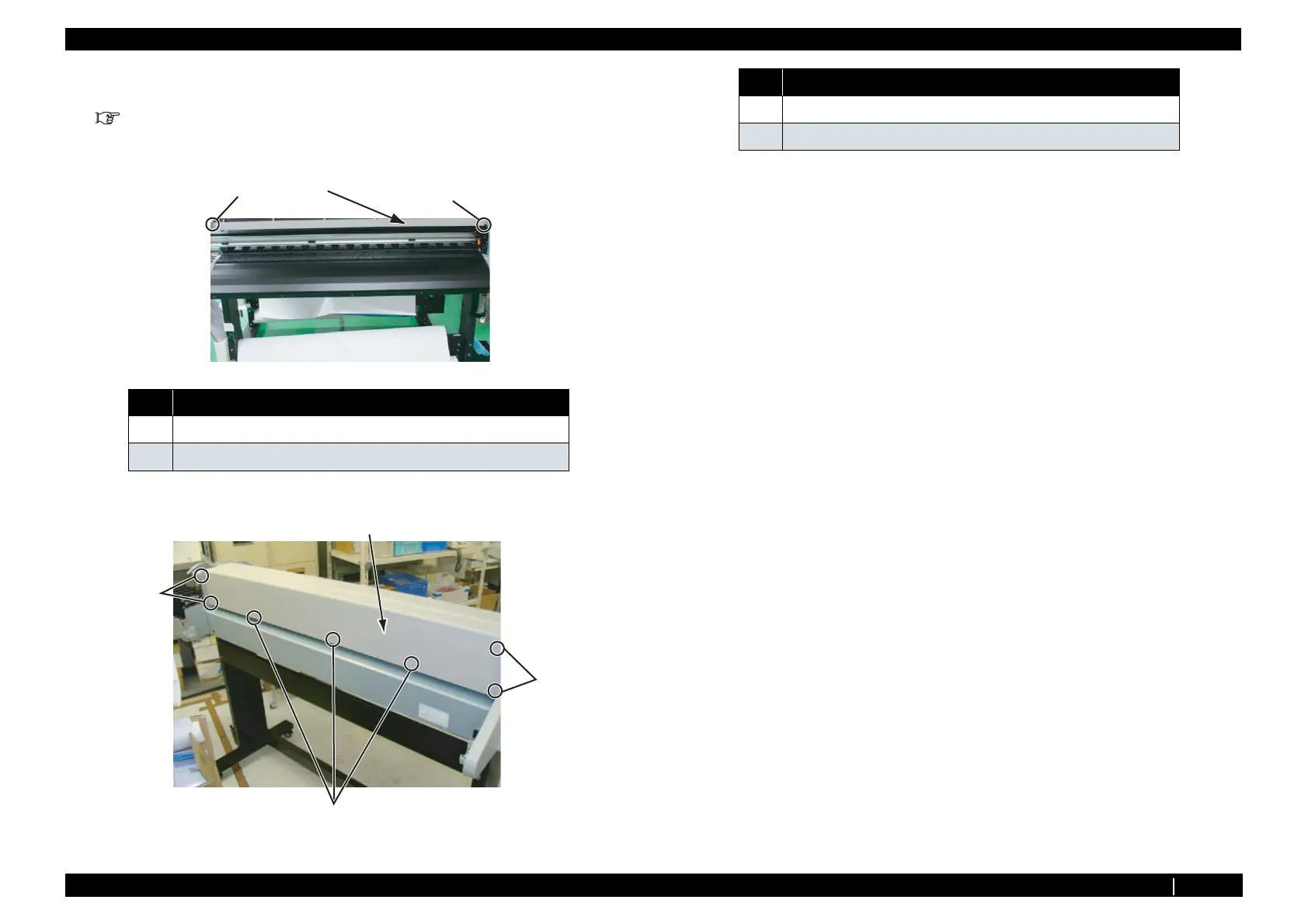
2. Remove the screw (2 pieces) retaining the front side of top cover.
3. Remove the screws (7 pieces) retaining the rear side of top cover.
4. Remove Top Cover.
5. To reassemble unit, reverse the removal procedure.
No. Name
1 Top Cover
2 Pan-head screw with spring washer and flat washerM3 × 5
2
1
2
2
2
1
2
No. Name
1 Top Cover
2 Pan-head screw with spring washer and flat washerM3 × 5














 To Next Page