3.13.7 Replacing Peripheral Devices of VJ Take-Up Unit Motor Assy P.3-180
3.13 Replacing Take-Up Unit (Option) VJ1324E-M-02
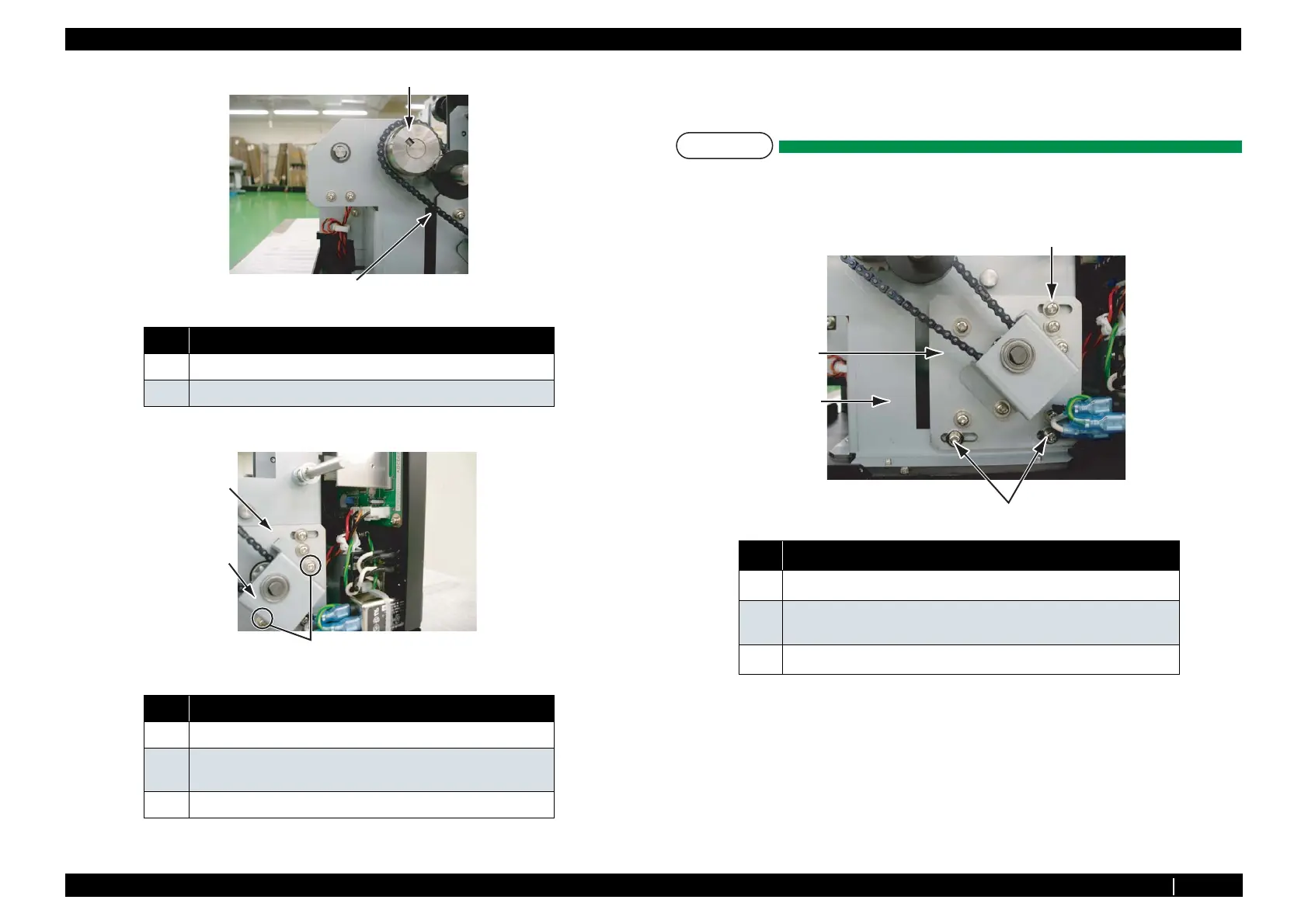
3. Remove the screws (2 pieces) retaining axis holder on motor mounting plate.
4. Remove bearings.
5. Replace take-up unit motor Assy.
NOTE
When mounting take-up motor, adjust the tension of the chain referring the steps below.
i) Temporarily tighten the screws (3 pieces) retaining motor mounting plate
on the right of inside chassis.
ii) Tilt take-up unit at 90 degrees, and hold it as shown in the following right
figure.
No. Name
1 Sprocket large
2 Chain
No. Name
1 Axis holder
2 pan-head screw with spring washer and flat washer polished M4
× 6
3 Motor mounting plate
1
2
1
2
3
No. Name
1
Motor mounting plate
2
pan-head screw with spring washer and flat washer polished M4 × 10
3 pieces
3
Right of inside chassis
3
1
2
2















 To Next Page