6.11 Using the Magnifier function
Narda IDA-3106 115
6.11.1 Activating the Magnifier function
1. Press the Marker softkey.
The last marker function used (Marker A, Marker B, Delta B-A) is
displayed.
2. Set the active marker to the desired frequency and press the Display
softkey.
3. Press the Magnifier softkey until Magnifier: On appears.
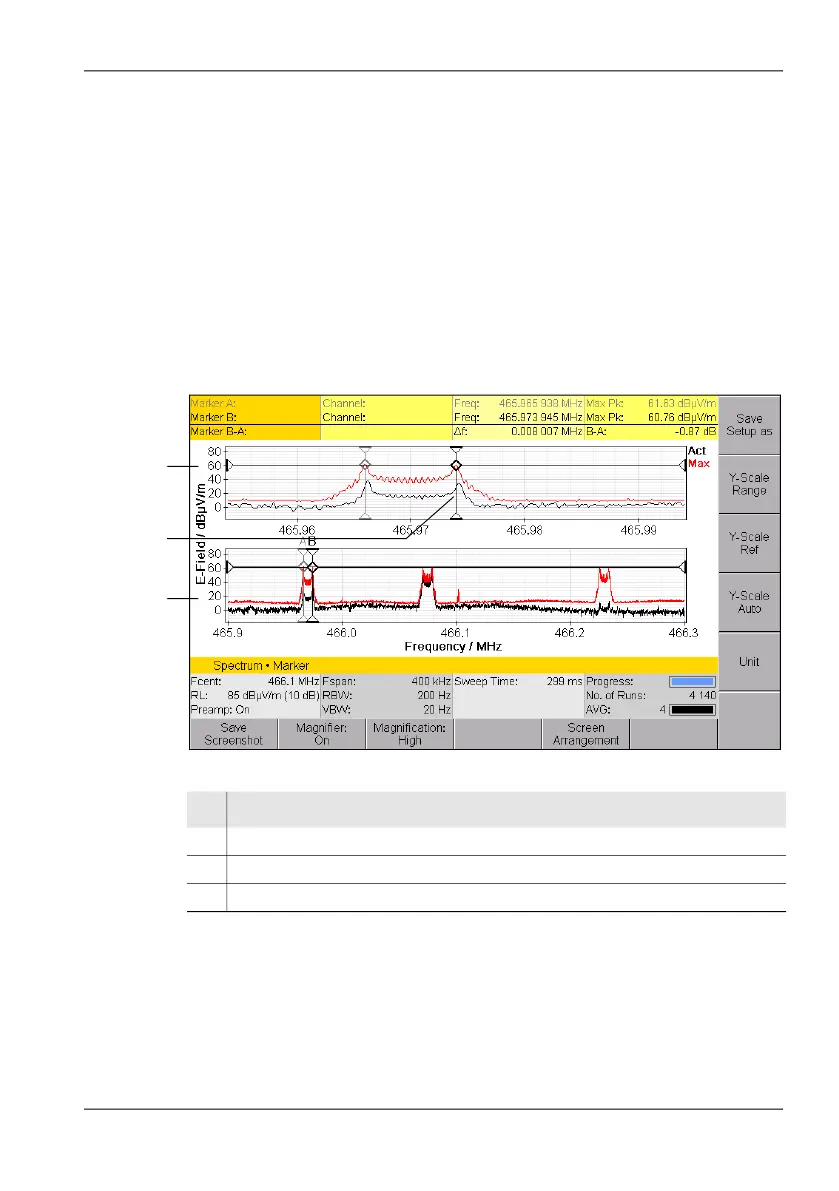
The enlarged range and the measurement range are shown in
separate windows one above the other on the screen.
4. Press the Magnification: Low/High softkey to set the desired
magnification.
Figure 23: Split screen display for Magnifier function
3
1
2
No. Function / Explanation
1 Magnifier window
2 Marker shown in Magnifier window at center of X axis
3 Overview window (Spectrum, Time Domain (Scope), I⁄Q Analyzer)



 To Next Page