Narda IDA-3106 217
Changing the sort order
1. Press the Display softkey.
2. Press the Sort softkey.
3. Use the rotary control knob to select the desired sort order and press the
OK key.
The list is re-sorted.
4. Press the ESC key to return to the measurement menu.
12.3.2 Displaying the channel power as a percentage
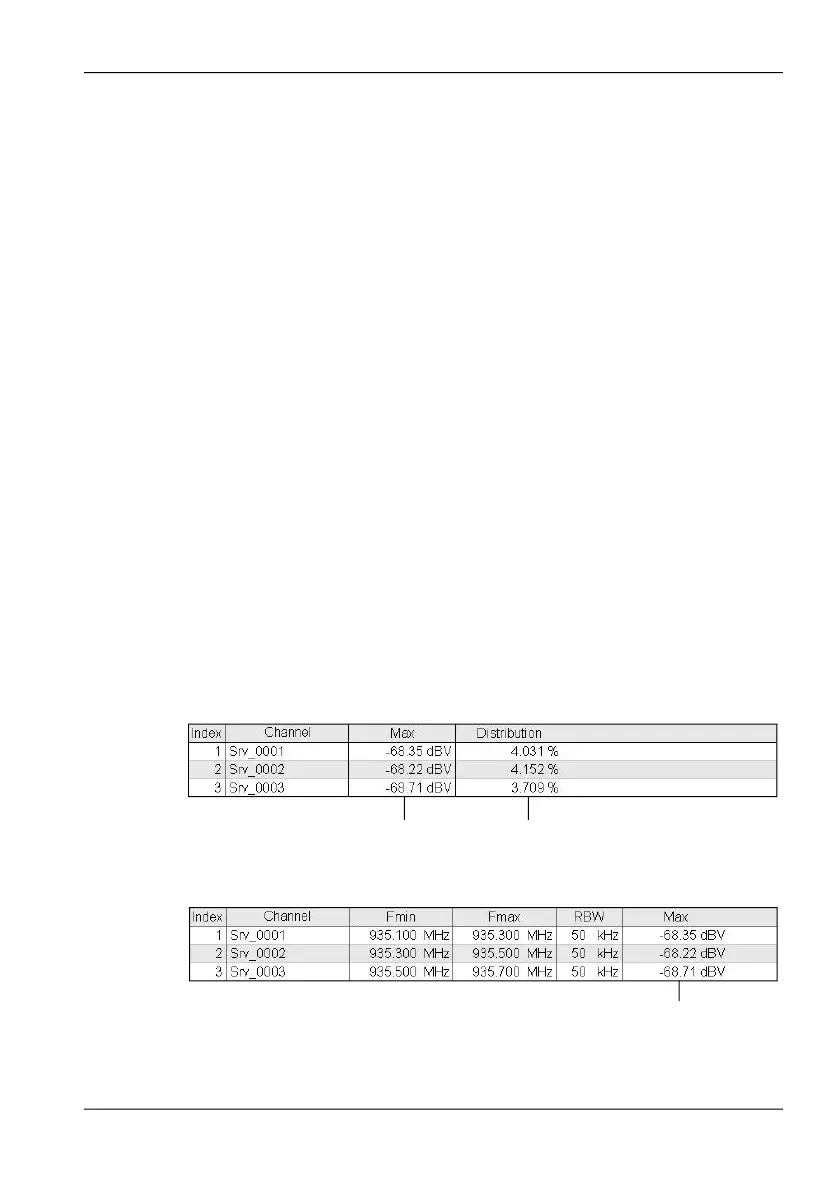
You can use the Distribution function to display the percentage
contribution of each channel to the overall field strength. The values are
shown for the trace type selected using the Active Trace softkey.
The sum of the individual channel powers is always 100 % (=Total) for trace
type RMS. In principle, the total can deviate from 100 % for the other trace
types.
To display the percentage distribution:
The top menu level of the operating mode is displayed.
1. Press the Evaluation softkey.
2. Press the Distribution softkey.
The display now depends on the table type selected. The absolute
measured values for the selected trace are also always displayed as well as
the percentage values (Distribution).
Display for table type: Condensed:
Display for table type: Detailed:
Trace type selected using the
Active Trace softkey
Percentage value
The arrow keys are used to switch between
the absolute measured value and the
percentage value.



 To Next Page