16 Remote Control
240 IDA-3106 Narda
16.1 About remote control
THe IDA Tools PC software is mainly intended for configuring the IDA and
for transferring saved measurement data via the USB or optical interface
(see PC Software on page 235).
Remote controlled measurements should preferably be made via the
Ethernet interface. Documentation for the remote control commands is
found on the IDA Tools CD along with some example applications.
16.2 Connecting to the PC
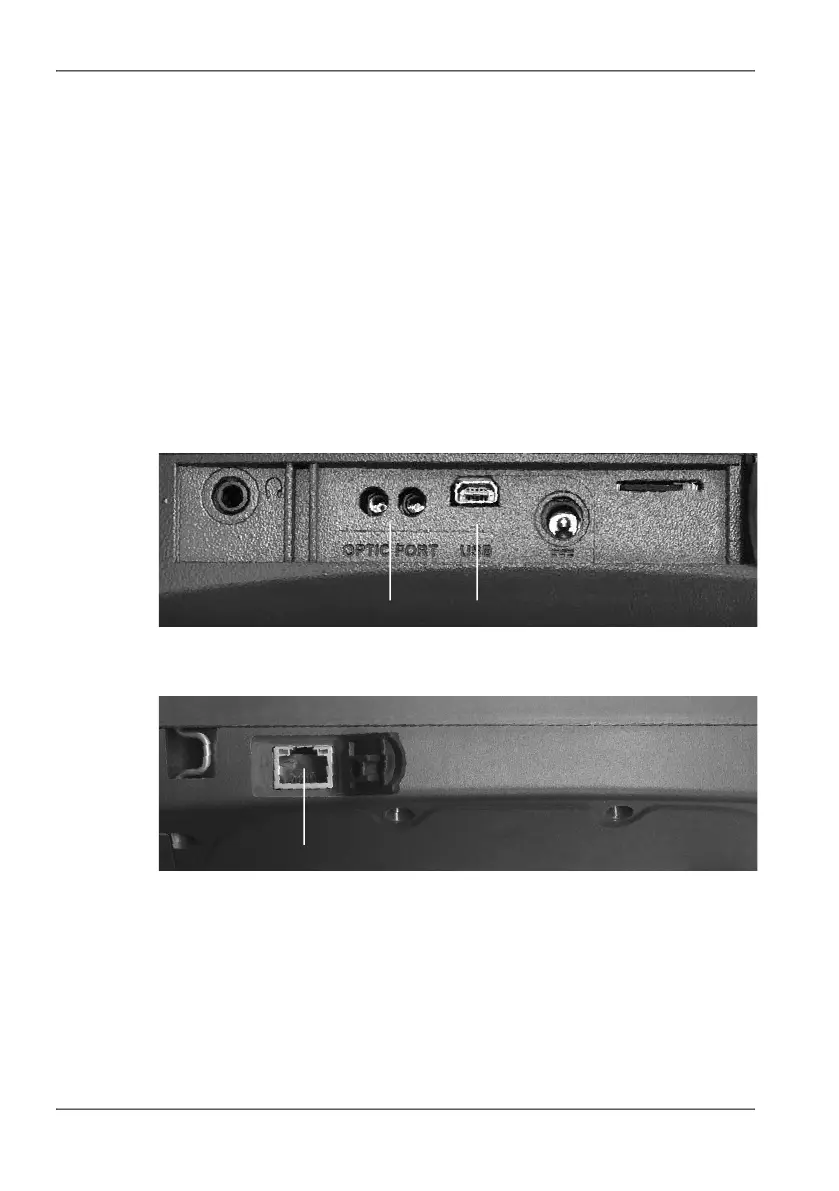
The connectors for the optical interface (RS 232) and the USB port (Mini B
type) are located on the left hand side panel of the device.
Figure 55: Optical interface (1) and USB port (2)
The Ethernet connector is located on the right hand side panel of the device.
Figure 56: Ethernet interface (3)
The following types of connection between the IDA-3106 and the PC are
possible (cables and adapters are shown in the table below):
• USB – USB: The fastest and most used type of connection. The electrical
signals transmitted can affect the field being measured.
• Optical – USB: Slower transmission speed than USB – USB. However,
the field being measured is unaffected by the optical signals transmitted.
Neues Bild
1 2
3



 To Next Page