16.2 Connecting to the PC
Narda IDA-3106 241
• Optical – Serial: The only connection possible for systems not equipped
with USB ports or if COM1of the PC must be used.
• Crossover network cable: Direct connection using an Ethernet network
cable. The device Ethernet interface is always activated. Use this
connection for remote controlled measurements. Static IP addresses
must be assigned to the client and server (DHCP: Off). The IDA Tools
program cannot be used via this connection.
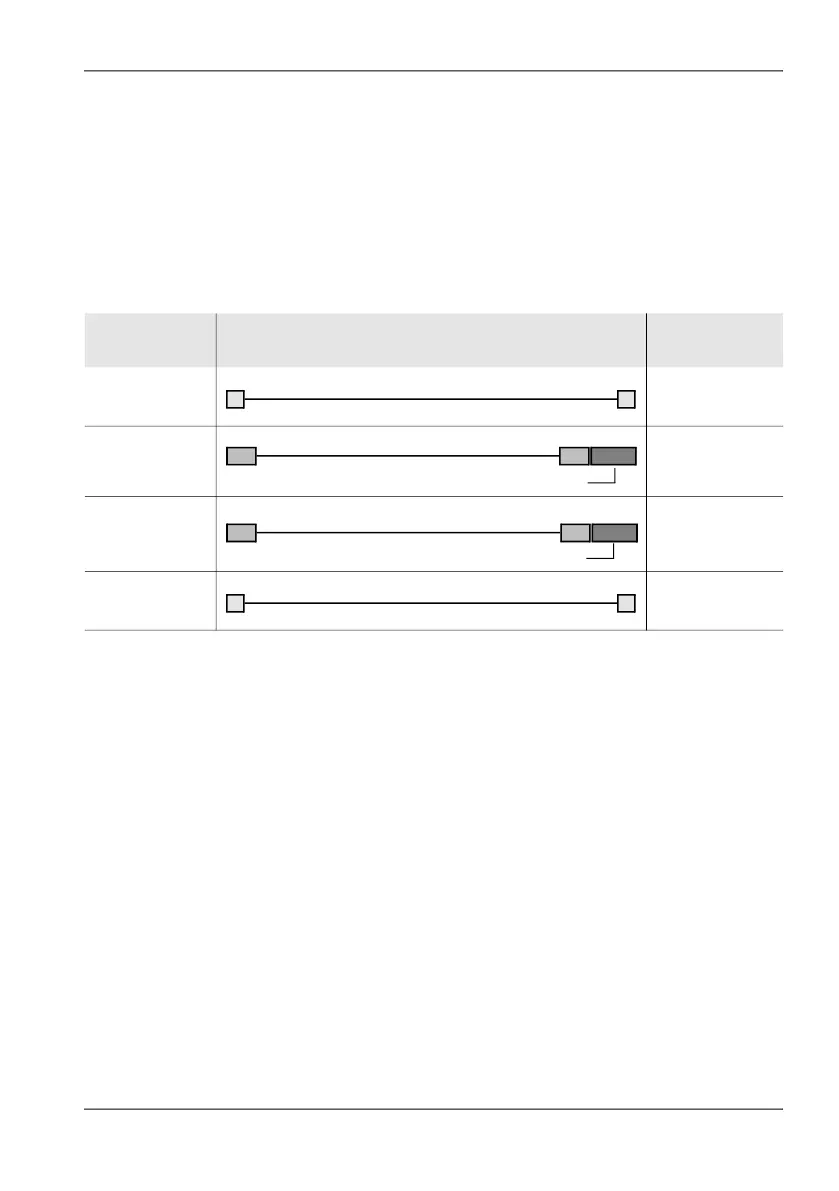
The following cables and adapters are needed for these connection types:
To make the network cable connection:
1. Connect the IDA-3106 and PC together using a network cable.
2. Adjust the network settings for communication with the PC (see
Changing network settings on page 73).
To make the USB or optical interface connection:
1. Connect the IDA-3106 and PC together using one of the connection
types shown above.
2. Set the appropriate interface on the IDA-3106:
– Open the Settings menu (Main Menu • Settings), select the
Remote Interface command and press OK to confirm.
– Use the rotary control knob to select the interface being used on the
IDA-3106: Optical if you are using the optical cable, USB if you are
using a USB cable.
– Press OK to confirm the setting.
IDA-3106
connector
Link PC connector
USB USB
Optical USB
Optical serial
Ethernet Ethernet
1) Included with the device
2) Available as an option
3) Commercially available
USB
1)
Cable Fiber Optic
2)
OE Converter RP-02 to USB
2)
OE Converter RP-02 to serial
2)
Cable Fiber Optic
2)
Crossover Cable
3)



 To Next Page