Page 3-24 V10/V7.5/V5/V3.5 Installation and Operation Manual
Issue 3.5 Section 3 Operating Instructions
(b) Use f and g to scroll through PA
Modules A - H and IPA modules A and B
for V10; A - C, E - G and IPA modules A
and B for V7.5; A - D and IPA module for
V5; or A - C and IPA module for V3.5. If
Offline is flashing on the display, the
associated module is not connected or
has been removed.
NOTE
In V5/V3.5 transmitters with a dual PA IPA
module, the Curr. indication for the inactive
PA will appear as DSBL (flashing).
(c) Press Reset to attempt to clear faults
associated with RF power modules and
their switching power supplies.
(d) Press Back to return to previous screen.
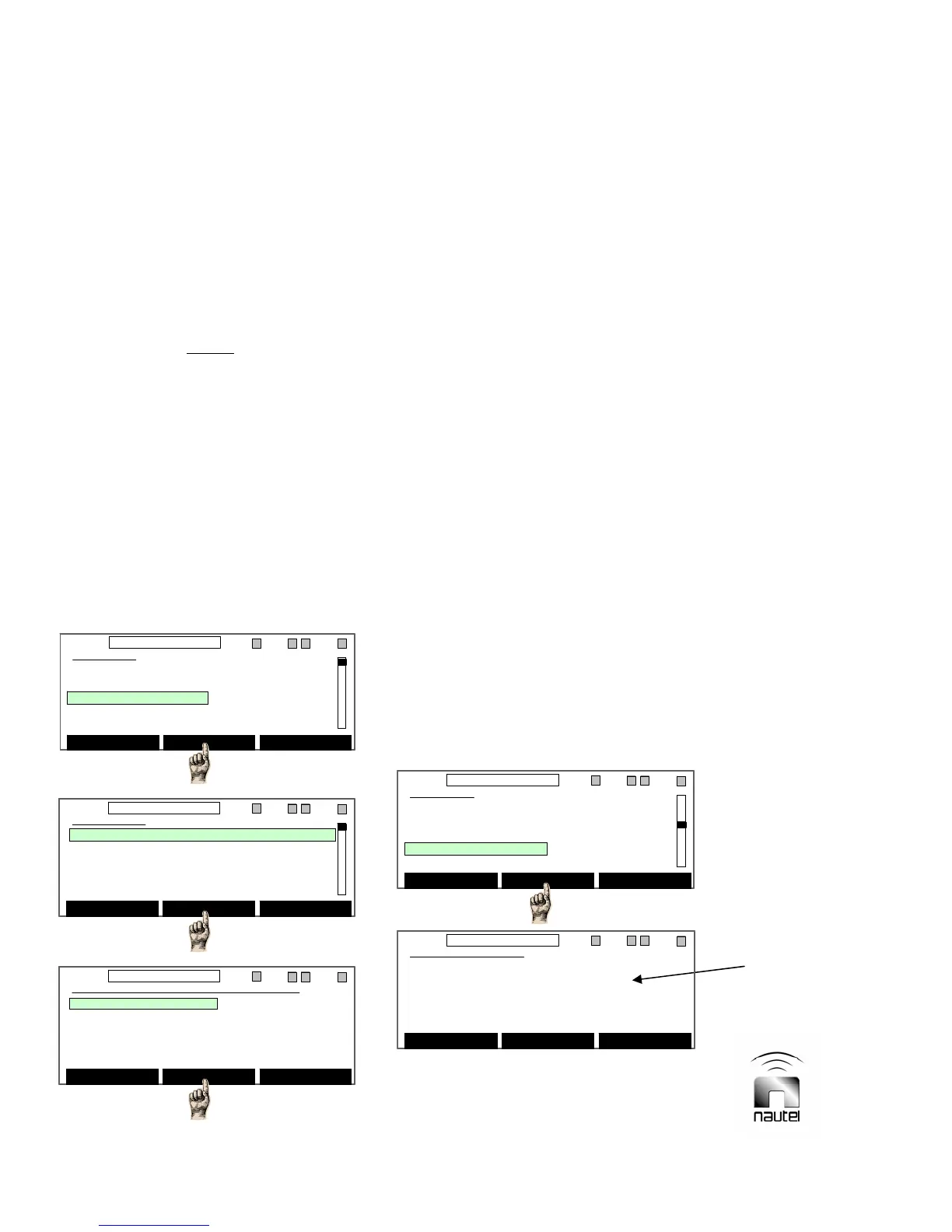
3.6.6 View Events Log
The most recent 100 transmitter events
(alarms, operational changes, etc.) are stored
in memory. View the events log as follows:
(a) From the main menu, highlight Events
Log (using f and g) and press Select.
A list of events (1 is the most recent) will
be displayed, sorted by date and time,
with a description of the event.
(b) Press f or g to scroll through the
events. Press Alarms Only to display
only fault occurrences. Press Select on a
highlighted event to display the
transmitter status when the highlighted
event occurred.
(c) In the event summary screen, there are
five screens of information, viewable by
using the f and g and Select buttons.
These screens provide snapshots of the
preset (see 3.6.4), changeover (see
3.6.13), meters (see main screen, 3.6.2),
alarms (see 3.6.3) and module (see
3.6.5) screens at the time of the event.
(d) To clear the events log, press Clear Log.
The following text will be displayed:
WARNING: You are about to erase the
events log. Press Yes to erase the
events log.
(e) Press Back to return to previous screen.
3.6.7 View Software Version
(a) Press Back to return to previous screen.
Main Menu
Power Control
Module Status
Events Log
Software Version
Meters Presets
Clear Select Back
11:26 98.10MHz 0.00kW 1 ExA IPAA/A FanA
Main Menu
Power Control
Module Status
Events Log
Software Version
Meters Presets
Clear Select Back
11:26 98.10MHz 0.00kW 1 ExA IPAA/A FanA
Events Log
1 25MAY06 11:01:12 LCL Cmd RF OFF
2 25MAY06 10:58:12 Low Fwd Pwr
3 25MAY06 10:58:12 PS Fail D
4 25MAY06 10:58:12 PS Fail C
5 25MAY06 10:58:12 PS Fail B
Alarms Only Select Back
11:26 98.10MHz 0.00kW 1 ExA IPAA/A FanA
Events Log
1 25MAY06 11:01:12 LCL Cmd RF OFF
2 25MAY06 10:58:12 Low Fwd Pwr
3 25MAY06 10:58:12 PS Fail D
4 25MAY06 10:58:12 PS Fail C
5 25MAY06 10:58:12 PS Fail B
Alarms Only Select Back
11:26 98.10MHz 0.00kW 1 ExA IPAA/A FanA
1 25MAY06 11:01:12 LCL Cmd RF OFF
Preset Summary LOCAL
Changeover Summary RF OFF
Meters Summary
Alarms Summary
Module Summary
Select Back
11:26 98.10MHz 0.00kW 1 ExA IPAA/A FanA
1 25MAY06 11:01:12 LCL Cmd RF OFF
Preset Summary LOCAL
Changeover Summary RF OFF
Meters Summary
Alarms Summary
Module Summary
Select Back
11:26 98.10MHz 0.00kW 1 ExA IPAA/A FanA
Main Menu
Power Control
Module Status
Events Log
Software Version
Meters Presets
Select Back
11:26 98.10MHz 0.00kW 1 ExA IPAA/A FanA
Main Menu
Power Control
Module Status
Events Log
Software Version
Meters Presets
Select Back
11:26 98.10MHz 0.00kW 1 ExA IPAA/A FanA
Generic screen
shown for
reference only
Software Version
Virtuoso V5 FM Transmitter
V5 x.x Release x Build x
MONTH DAY YEAR TIME
Nautel Limited
Back
11:26 98.10MHz 0.00kW 1 ExA IPAA/A FanA
Software Version
Virtuoso V5 FM Transmitter
V5 x.x Release x Build x
MONTH DAY YEAR TIME
Nautel Limited
Back
11:26 98.10MHz 0.00kW 1 ExA IPAA/A FanA



 To Next Page