Page 3-26 V10/V7.5/V5/V3.5 Installation and Operation Manual
Issue 3.5 Section 3 Operating Instructions
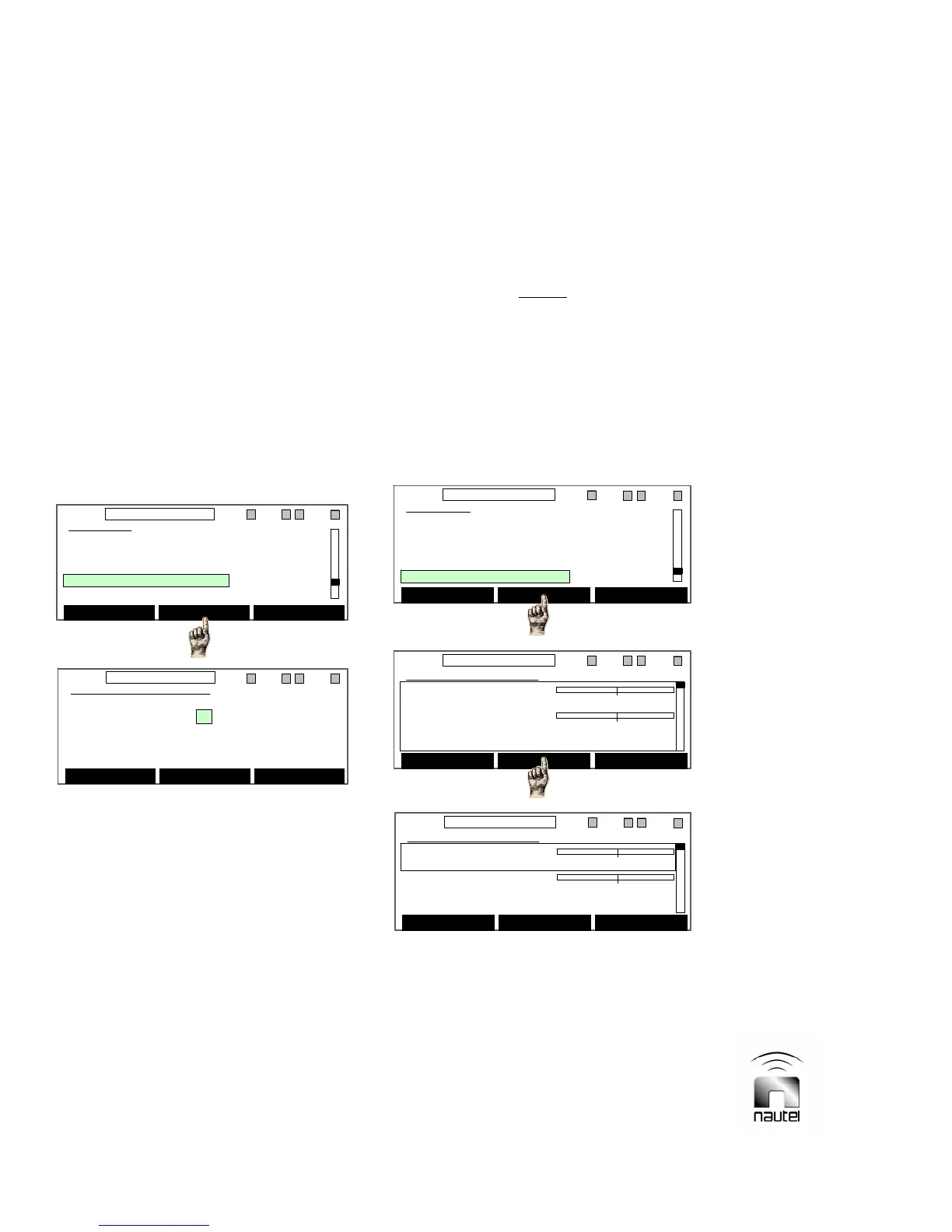
(a) From the main menu, highlight Real
Time Clock (using f and g) and press
Select. A Time/Day/Date setting screen
will appear.
(b) Use f and g to highlight the field to
change and press Edit. Use f and g to
set the highlighted field. Press Save to
update the setting.
(c) Press Back to return to previous screen.
3.6.10 Front Panel Metering and
Setting Display Contrast
Determine the parameter to be monitored by
the front panel meter and set the diagnostic
display’s contrast as follows:
(a) From the main menu, highlight Ext Meter
& Contrast (using f and g) and press
Select. A screen will appear indicating
the Contrast level (a number between 0
and 255; default is 20) and the External
Meter parameter (Fwd Power or Refld
Pwr) being displayed. The front panel
meter is disabled when the External
Meter field is set to OFF.
(b) Use f and g to highlight the field to
change and press Edit. Use f and g to
set the highlighted field. Press Save to
update the setting.
(c) Press Back to return to previous screen.
3.6.11 Calibrate and Configure
External Analog Samples
Adjust the analog voltage samples used for
external monitoring and configure their
outputs as follows:
NOTE
There are 12 sample outputs (Sample Out1
through 12) available for external monitoring.
These outputs are connected to specific
pins/terminals of the remote interface PWB
(see Table 3-8). Sample Out1 through 7 are
factory configured and cannot be edited. The
user can configure Sample Out8 through 12
to monitor any metered parameter in the
transmitter.
(a) From the main menu, highlight Ext
Analog Samples (using f and g) and
press Select.
Main Menu
Software Version
Meter Presets
Real Time Clock
Ext Meter & Contrast
Ext Analog Samples
Select Back
11:26 98.10MHz 0.00kW 1 ExA IPAA/A FanA
Main Menu
Software Version
Meter Presets
Real Time Clock
Ext Meter & Contrast
Ext Analog Samples
Select Back
11:26 98.10MHz 0.00kW 1 ExA IPAA/A FanA
Edit Back
11:26 98.10MHz 0.00kW 1 ExA IPAA/A FanA
Ext Meter & Contrast
Contrast: 20
External Meter: Fwd Power 0 kW
Edit Back
11:26 98.10MHz 0.00kW 1 ExA IPAA/A FanA
Ext Meter & Contrast
Contrast: 20
External Meter: Fwd Power 0 kW
Ext Analog Samples
Fwd Power 0 kW
06.00
Sample Out1 0 V
05.00
Scaling:1.000
Select Back
11:26 98.10MHz 0.00kW 1 ExA IPAA/A FanA
Ext Analog Samples
Fwd Power 0 kW
06.00
Sample Out1 0 V
05.00
Scaling:1.000
Select Back
11:26 98.10MHz 0.00kW 1 ExA IPAA/A FanA
Main Menu
Software Version
Meter Presets
Real Time Clock
Ext Meter & Contrast
Ext Analog Samples
Select Back
11:26 98.10MHz 0.00kW 1 ExA IPAA/A FanA
Main Menu
Software Version
Meter Presets
Real Time Clock
Ext Meter & Contrast
Ext Analog Samples
Select Back
11:26 98.10MHz 0.00kW 1 ExA IPAA/A FanA
Ext Analog Samples
Fwd Power 0 kW
0 6.00
Sample Out1 0 V
0 5.00
Scaling:1.000
Edit Back
11:26 98.10MHz 0.00kW 1 ExA IPAA/A FanA
Ext Analog Samples
Fwd Power 0 kW
0 6.00
Sample Out1 0 V
0 5.00
Scaling:1.000
Edit Back
11:26 98.10MHz 0.00kW 1 ExA IPAA/A FanA



 To Next Page