76
Neural Capture
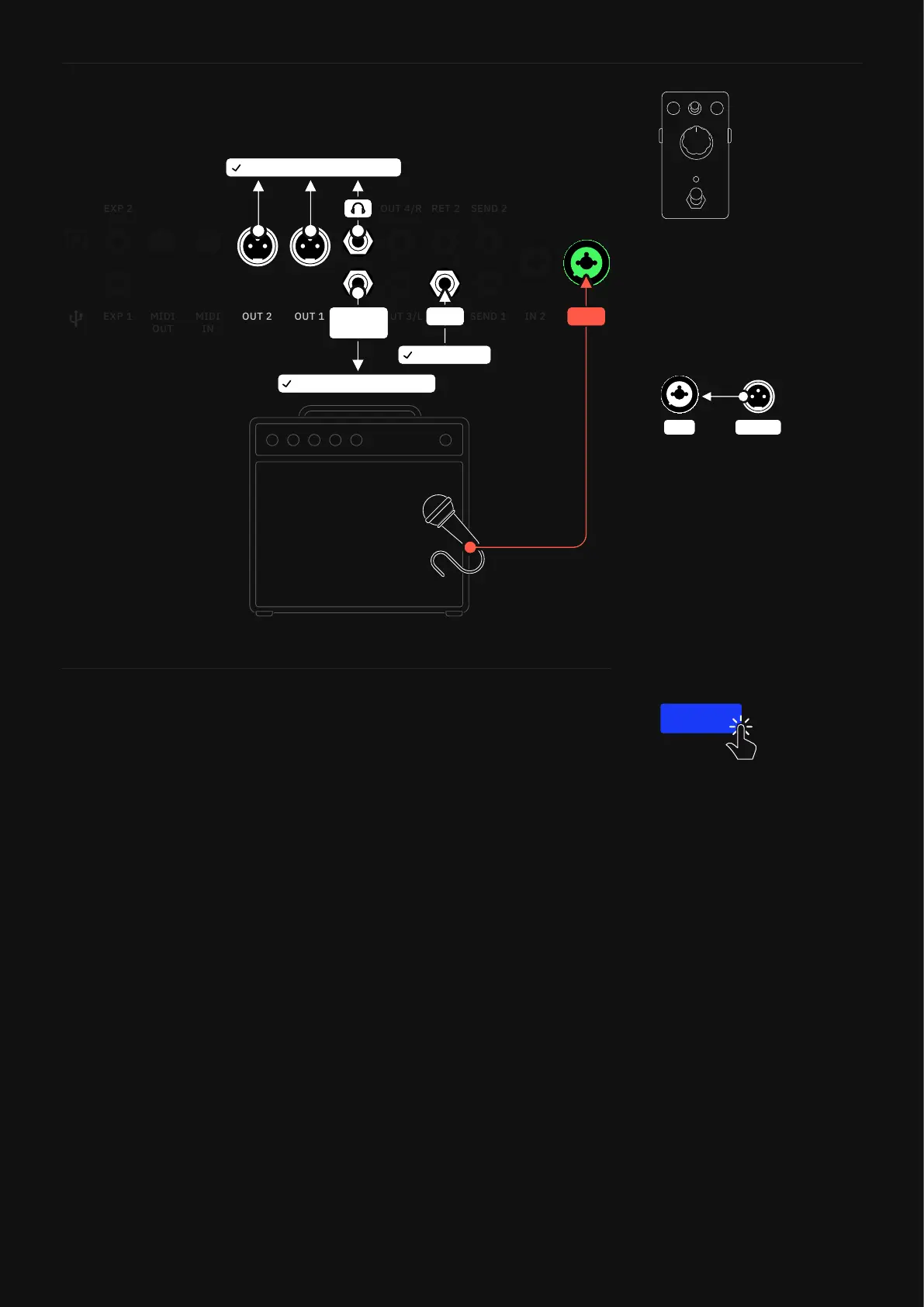
4. Position your microphone in front of the cabinet and connect it
to INPUT 1.
5. Once everything is connected correctly, tap CONFIRM to start
the Capture process.
RET 1
INSTRUMENT
MONITORS OR HEADPHONES
DEVICE BEING CAPTURED
CAPTURE
OUT
IN 1
IN 1 D.I. OUT
If you have an amplier that has
a D.I. Out, you can opt to use
that instead of a microphone for
capturing the amplier without
the cabinet.
You can also Capture isolated
overdrive/distortion pedals
without using an amplier.
Connect them to Quad Cortex
INPUT 1 using a TS cable.
CONFIRM



 To Next Page