17Getting Started
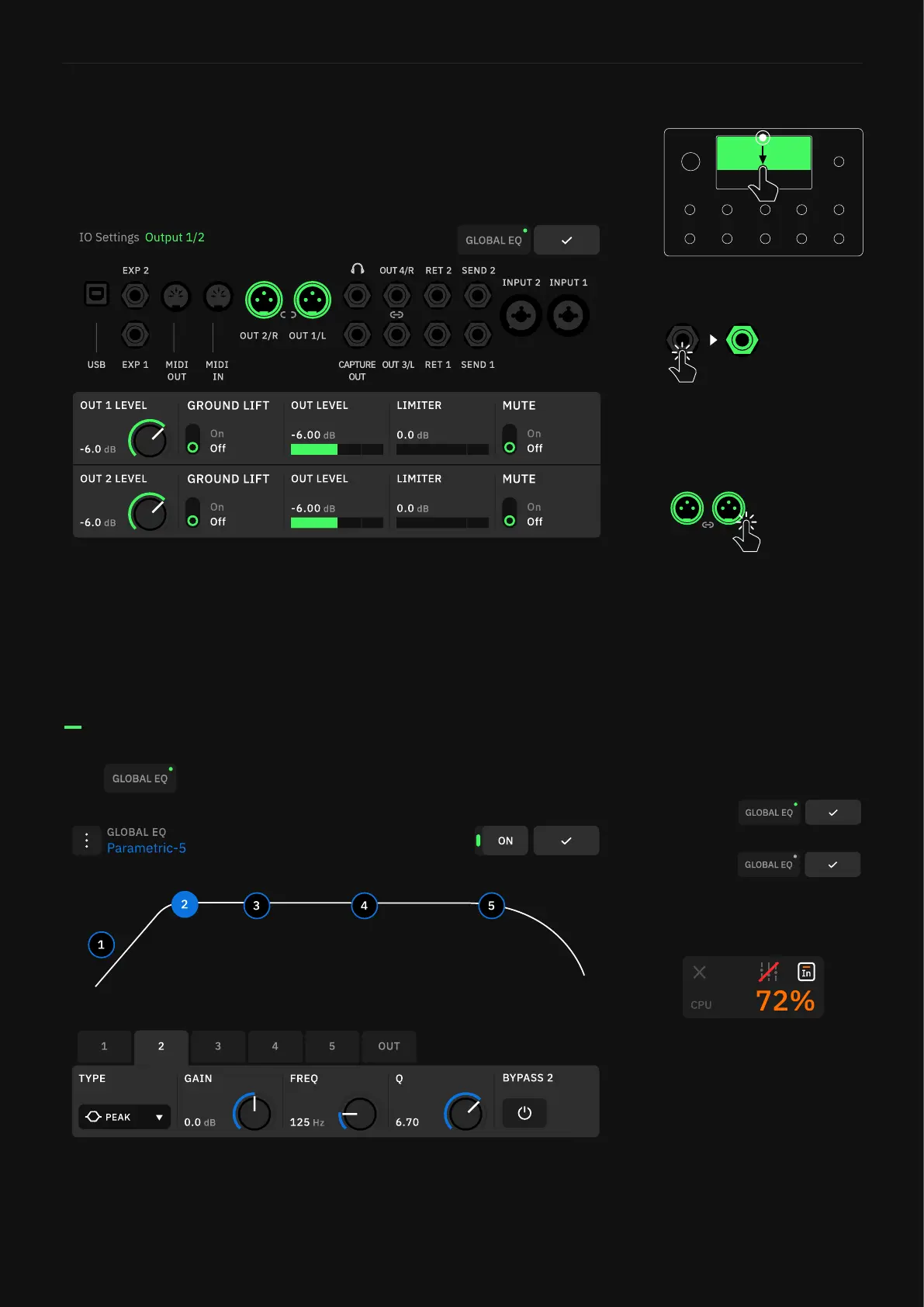
Swipe down from the top of The Grid to access the I/O Settings
screen. Here you can visualize and control the settings of all inputs
and outputs.
Tap to access the Global EQ.
Use gestures or turn the footswitches to modify parameters.
5-band parametric EQ that can be assigned to either Out 1/2, Out
3/4, or both pair of outputs.
I/O Settings
Tap an I/O port to change its
parameters.
Outputs 1/2 and 3/4 can be
paired. Tapping an output
displays the faders for both,
but the faders are unpaired.
Long-press an output to change
the pair state. This setting is
automatically saved.
Global EQ
Active
Bypassed
The Global EQ as well as the
Input Gates are automatically
disabled when a CPU-expensive
Preset is loaded.
Open the CPU Monitor to delete
or reorganize the device blocks.



 To Next Page