18Getting Started
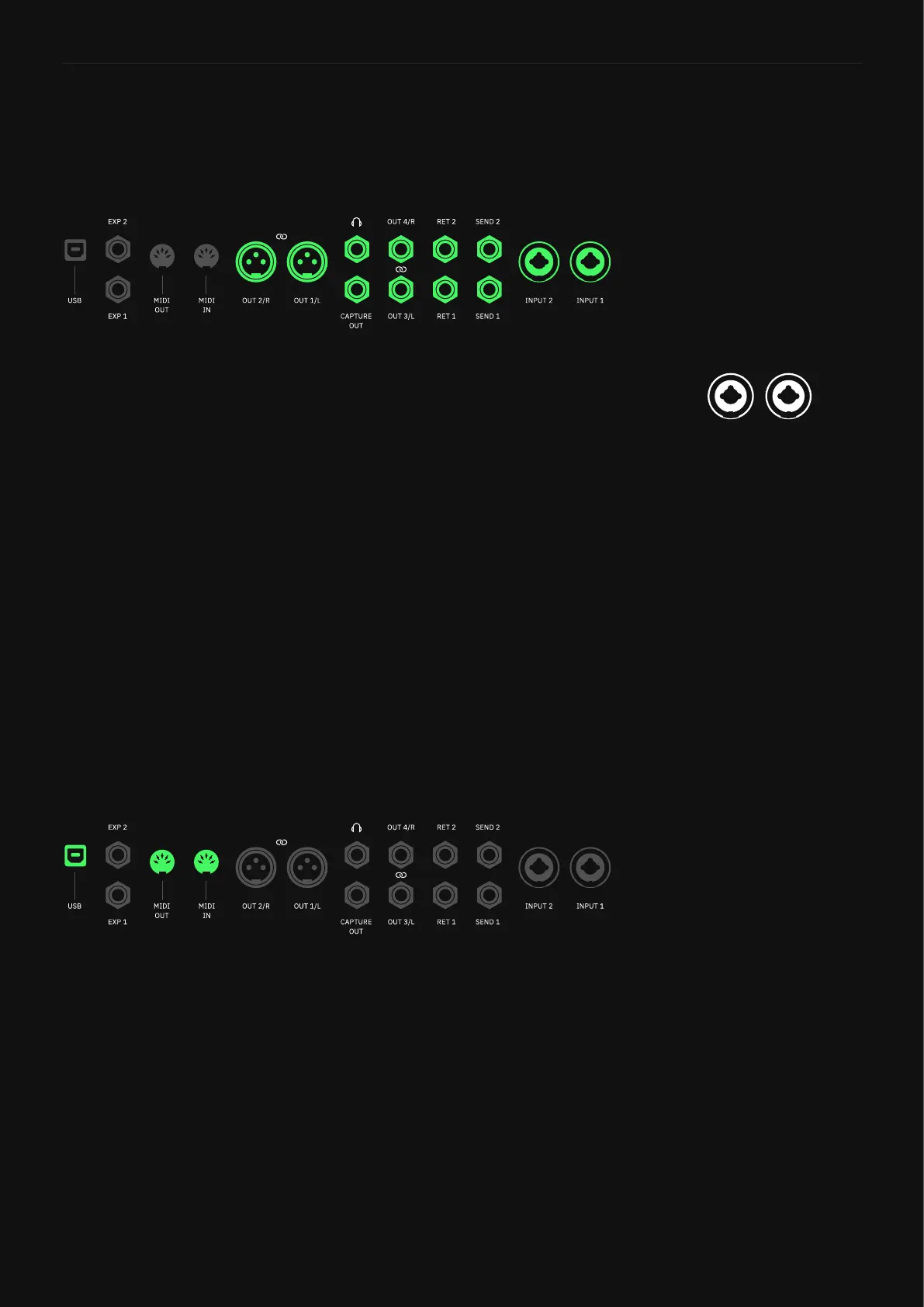
Quad Cortex features multiple audio inputs and outputs. The pa-
rameters in the editor panel will adapt according to the selected
I/O.
• LEVEL Knobs: Determine the gain level of the selected I/O.
• TYPE Switches: Determines the combo inputs’ mode. Set them
to “Mic” when using XLR cables (“Instrument” by default).
• IMPEDANCE Knobs: Determine the combo inputs’ impedance
value (1MΩ by default). Disabled when the TYPE switches are
set to “Mic”.
• PHANTOM 48V Switches: Turns On/Off the phantom power for
the combo inputs. Disabled when the TYPE switches are set to
“Instrument”.
• GROUND LIFT Switches: Turn On/Off the ground lift of the se-
lected I/O. They help to reduce noise caused by ground loops
coming from audio cables or other sources.
• MUTE Switches: Tap to mute/unmute the selected I/O.
Quad Cortex features 16 USB audio channels (8 Inputs/8 Outputs).
Each channel is mapped to a specic host source or Quad Cortex’s
analog audio port.
• USB LEVEL Knob: USB master volume control.
• HP SOURCE Knob: Determines which USB audio channels are
routed to the Quad Cortex’s Heaphones output.
• DRY-WET Switch: Swaps between Clean DIs or processed sig-
nal fed into USB Outs 1/2 or 3/4.
• MIDI THRU Switch: Tap to enable/disable the MIDI Thru fea-
ture.
• MIDI Thru behavior
MIDI Thru allows Quad Cotex and other devices to have their MIDI
connections “daisy chained” together all being driven by a common
MIDI source.
Analog Audio Ports
USB & MIDI Ports
Combo Inputs
Inputs 1/2 allow either XLR
and instrument cables. Click
the TYPE switch to toggle
their mode. IMPEDANCE and
PHANTOM 48V parameters will
be disabled depending on the
TYPE position.



 To Next Page