40Presets
Looper X
Tap the Looper X block to access its interface.
The Looper is a dedicated device block that can be placed anywhere
on The Grid allowing for creative routing conguration across all
modes.
Perform Mode
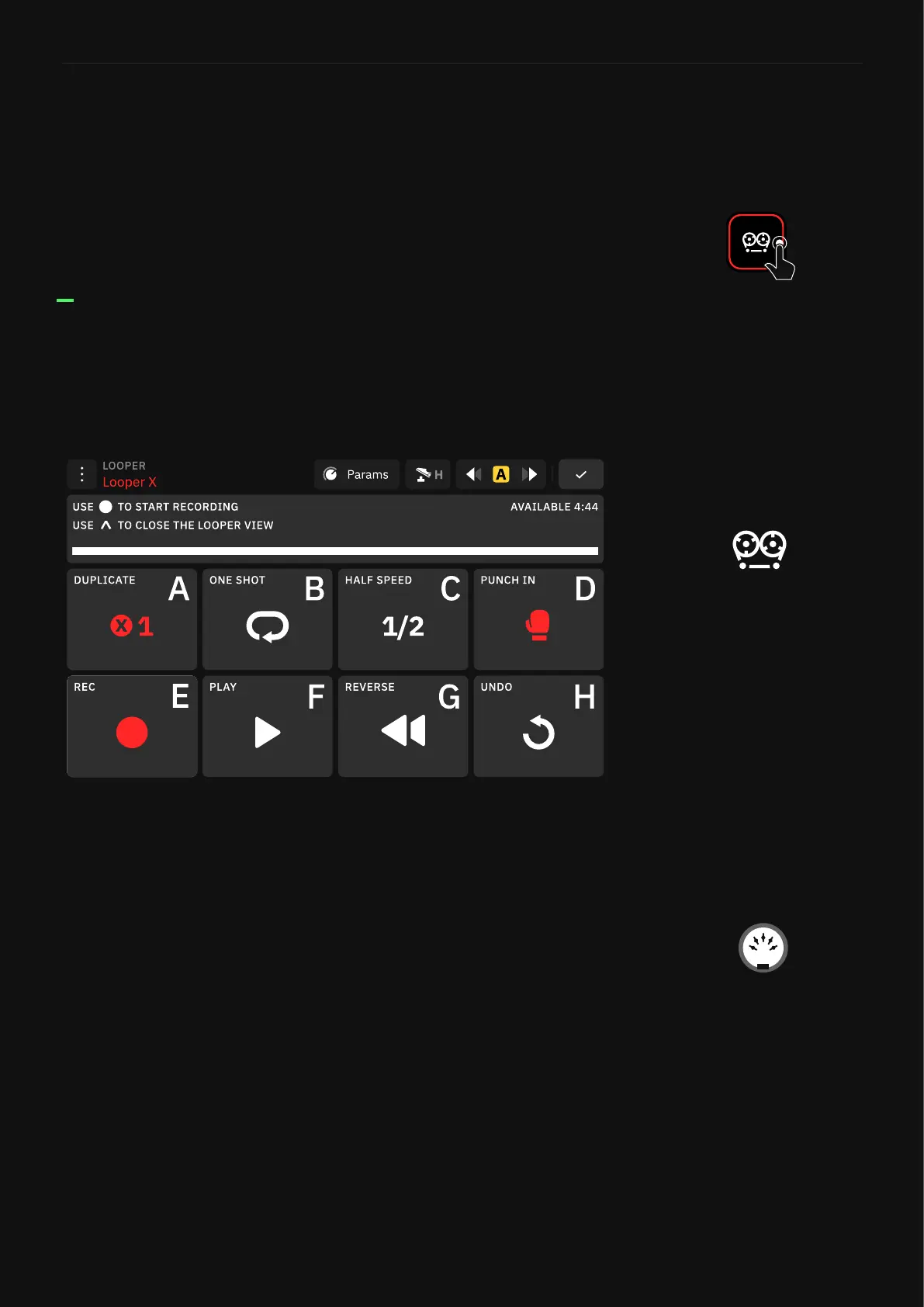
Use Perform mode to control the Looper X. All the controls are
conveniently laid out and linked to the Quad Cortex footswitches.
You can always use the touchscreen.
• DUPLICATE: Creates an overdub that is X times longer than
your original loop, allowing you to extend your original loop
when recording an overdub. It arms the looper for recording if
the Threshold function is enabled.
• RE-LOOP: Trim the length of your loop. This function is only
available when DUPLICATE is active.
• ONE SHOT: Plays the loop once and then stops. Using ONE SHOT
while playing a loop stops the playback when the recorded audio
ends.
• HALF SPEED: Play the loop at half speed.
• PUNCH IN: Replaces the audio. Use it again to stop recording
(PUNCH OUT).
• RECORD: Starts recording. It arms the looper for recording if the
threshold function is enabled. This control is called OVERDUB
during playback.
You can record up to 4 minutes
44 seconds.
An active loop is persistent
through Preset changes as long
as the Preset you are changing to
also has a Looper block added.
The Looper X parameters can
be controlled via MIDI CC
messages.



 To Next Page