21Presets
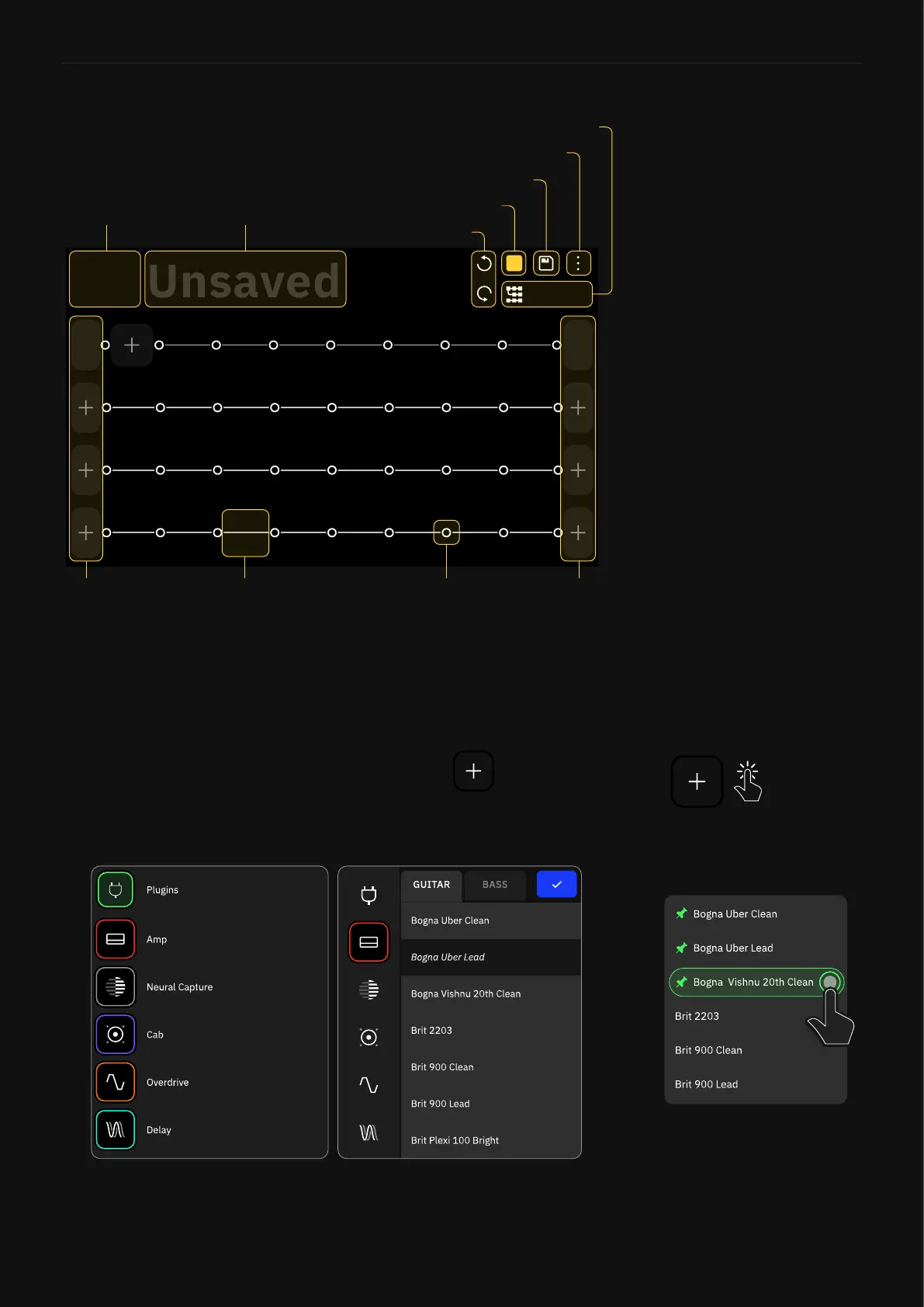
Grid’s Layout
1/2
Out
1
In
PRESET
A
A1
Bank/Slot
Input
Blocks
Output
Blocks
Empty block
space
Splitter/Mixer
empty space
Preset name
Undo/Redo
Current Scene
Save button
Main Menu
Mode Selector
The Grid has four rows of eight block spaces. Almost all the items
on the screen can be controlled by using gestures, footswitches, or
dedicated commands.
You can start building your own rigs by tapping on The Grid to
add your rst block; this will open the Device Category list.
Scroll down by swiping with your nger and tap a device category to
display its devices.
Tap-and-hold device models
to pin them to the top of their
respective categories.



 To Next Page