86MIDI
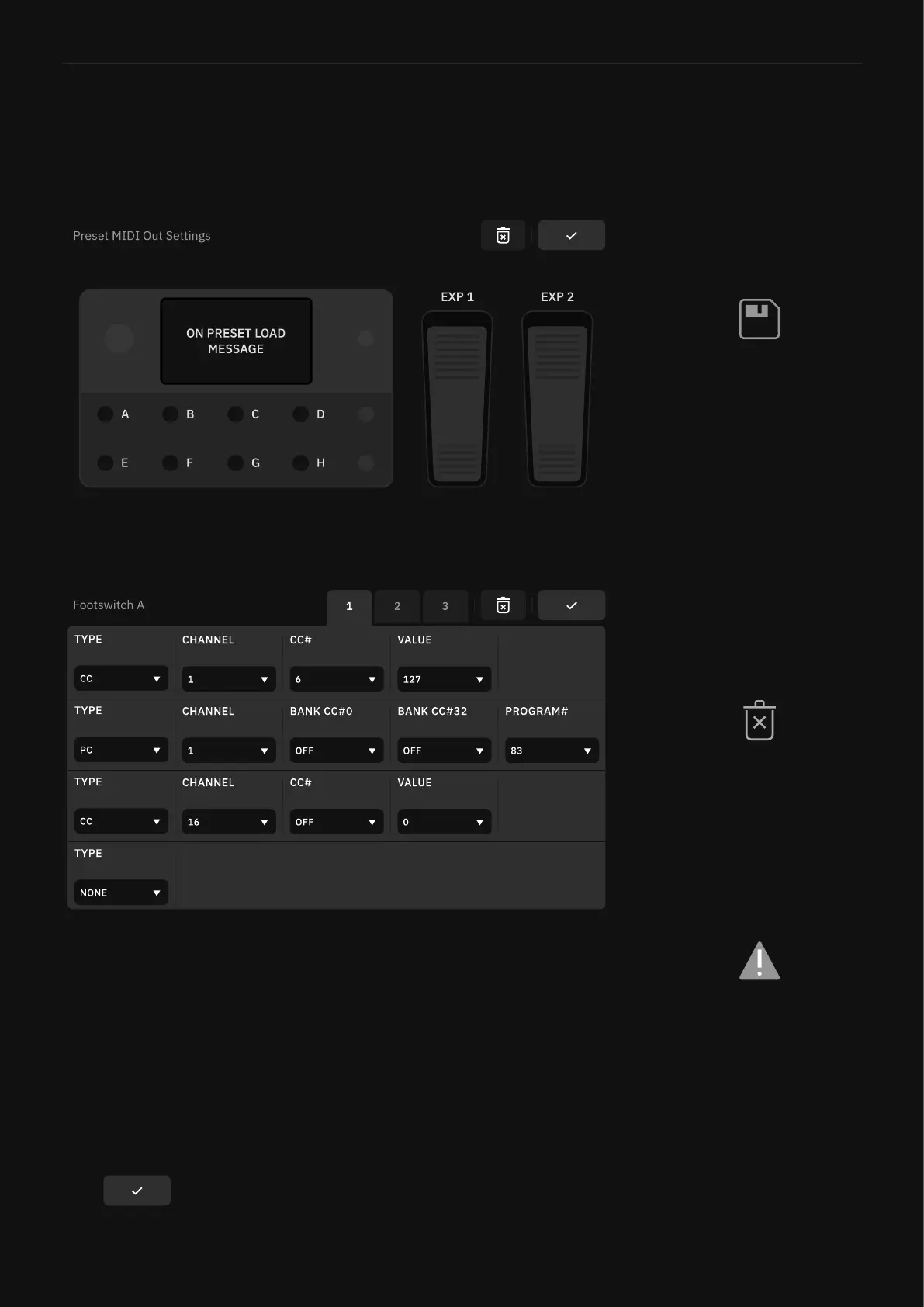
Preset MIDI Out Settings
Quad Cortex can send MIDI messages to external devices. Those
messages can be mapped in the Preset MIDI Out menu. Click the
MIDI tab in the bottom utility bar to access it.
Tap Footswitches or Expression Pedals to map MIDI messages.
• ON PRESET LOAD MESSAGE Module: Tap to set up to 12 MIDI
messages that will be sent simultaneously once the current Pre-
set is loaded.
• A-H Footswitches: Tap to assign up to 12 MIDI messages per
footswitch. Once assigned, you can modify their Type, Channel,
and Program values.
• 1 & 2 Expression Pedals: Tap to assign a up to 4 CC MIDI mes-
sages per pedal. Once assigned, you can modify their Channel,
CC#, and Program values.
Tap to return to The Grid.
CC and PC MIDI messages
can only be sent when SCENE
or STOMP modes are active.
HYBRID modes also can send
PC and CC messages.
ON PRESET LOAD MIDI
messages will be sent upon
loading a Preset.
Tap the trash icon to delete the
current assigned message(s).
Save the changes made in a
Preset to store the “Preset MIDI
Out” messages as well.



 To Next Page