32Presets
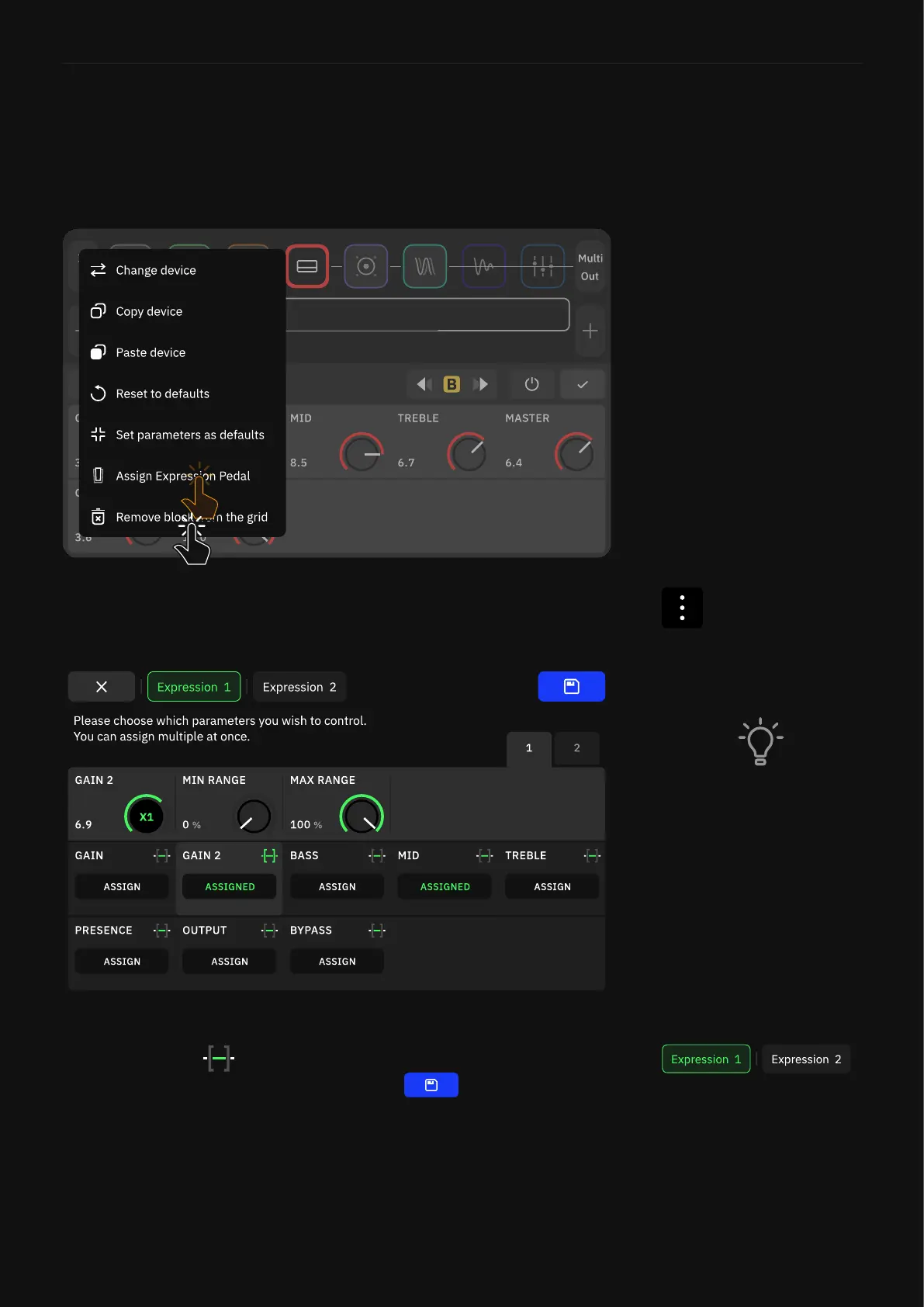
Use the “Assign” button to assign a parameter to the expression
pedal, and tap to set the minimum and maximum values
accessible in the pedal’s sweep. Press at the top-right
corner when to save and exit the screen.
You can calibrate your expression pedal via the I/O Settings menu.
Expression Pedal Assignment
To assign expression pedals, tap a block on The Grid, access its
contextual menu and tap “Assign Expression Pedal”.
You can assign an expression pedal to any block, including Splitters,
Mixers, and Lane Output Control parameters. Multiple parameters
can be controlled simultaneously.
Tap either Expression 1 or
Expression 2 to toggle between
both EXP Inputs.
You can “reverse” the behavior
of a controlled parameter by
setting its minimum value
to 100% and its maximum
value to 0%, such as to make an
assigned Wah pedal work
backward.



 To Next Page