31Presets
Folders & Nested navigation
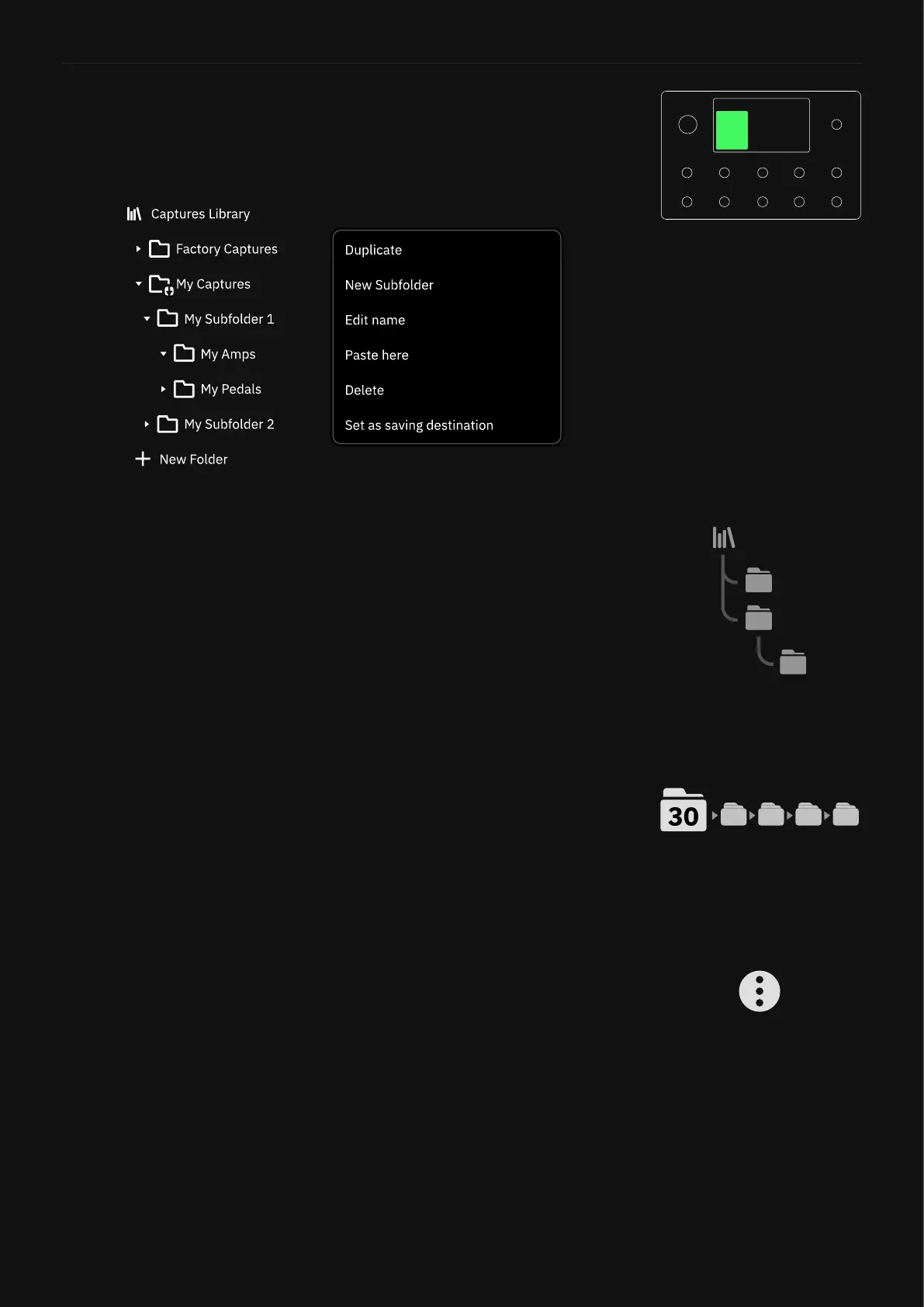
Neural Captures and Impulse Responses are stored in the Library.
They can also be organized into Folders and Subfolders.
• How do Folders work?
Folders allow you to organize your Neural Captures and Impulse Re-
sponses. When a Neural Capture or Impulse Response is placed in a
Folder, a link is created from the Library in the Folder. This means that
a Neural Capture or Impulse Response can exist in multiple Folders
without being duplicated and using more of your Library’s Capture/
Impulse Response allocation.
• Folders Capacity
The Neural Captures Library can store up to 2048 Neural Captures
and 30 Folders. The Impulse Responses Library can store up to 2048
IRs and 30 Folders.
You can nest Folders up to 4 levels deep. Subfolders count towards a
Library’s 30 Folder maximum.
• Folders Contextual Menu
Tap + New Folder to create a Folder. Tap the three dots on the right
edge of each folder to open the contextual menu:
• DUPLICATE: Duplicates the selected Folder and its content.
• NEW SUBFOLDER: Creates a new Subfolder within the selected
Folder.
• EDIT NAME: Renames the selected Folder.
• DELETE: Deletes the current Folder and its content. Deleting the
actual items from the Library is optional.
• SET AS SAVING DESTINATION: Sets the current Folder as de-
fault saving destination.



 To Next Page