60Setup Examples
Basic Conguration
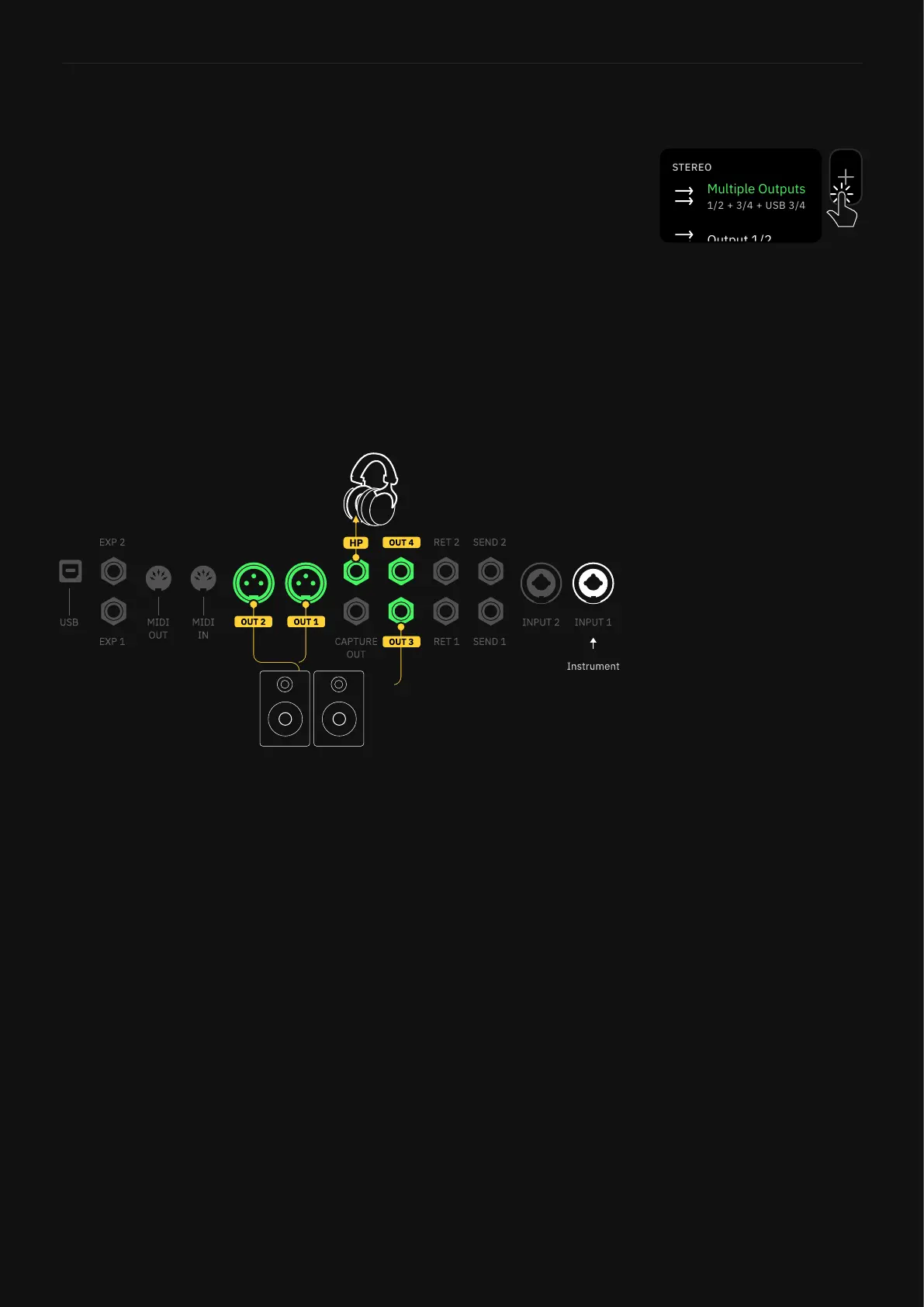
Most signals will begin with an instrument. Factory Presets and new
User Presets will use IN 1 and MULTI OUT I/O blocks by default.
This workflow allows you to monitor your signal while you’re playing
via heaphones and/or monitor speakers:
1. Connect your instrument to INPUT 1.
2. Connect your headphones to the HP OUT.
3. Connect your monitor speakers to OUTS 1/2.
4. Adjust the mix on the I/O SETTINGS screen.
The Multi Out block sends your
signal to XLR OUTS 1/2 as well
as TRS OUTS 3/4, and USB. It’s
the default setting for all Factory
Presets and new User Presets.



 To Next Page