79Neural Capture
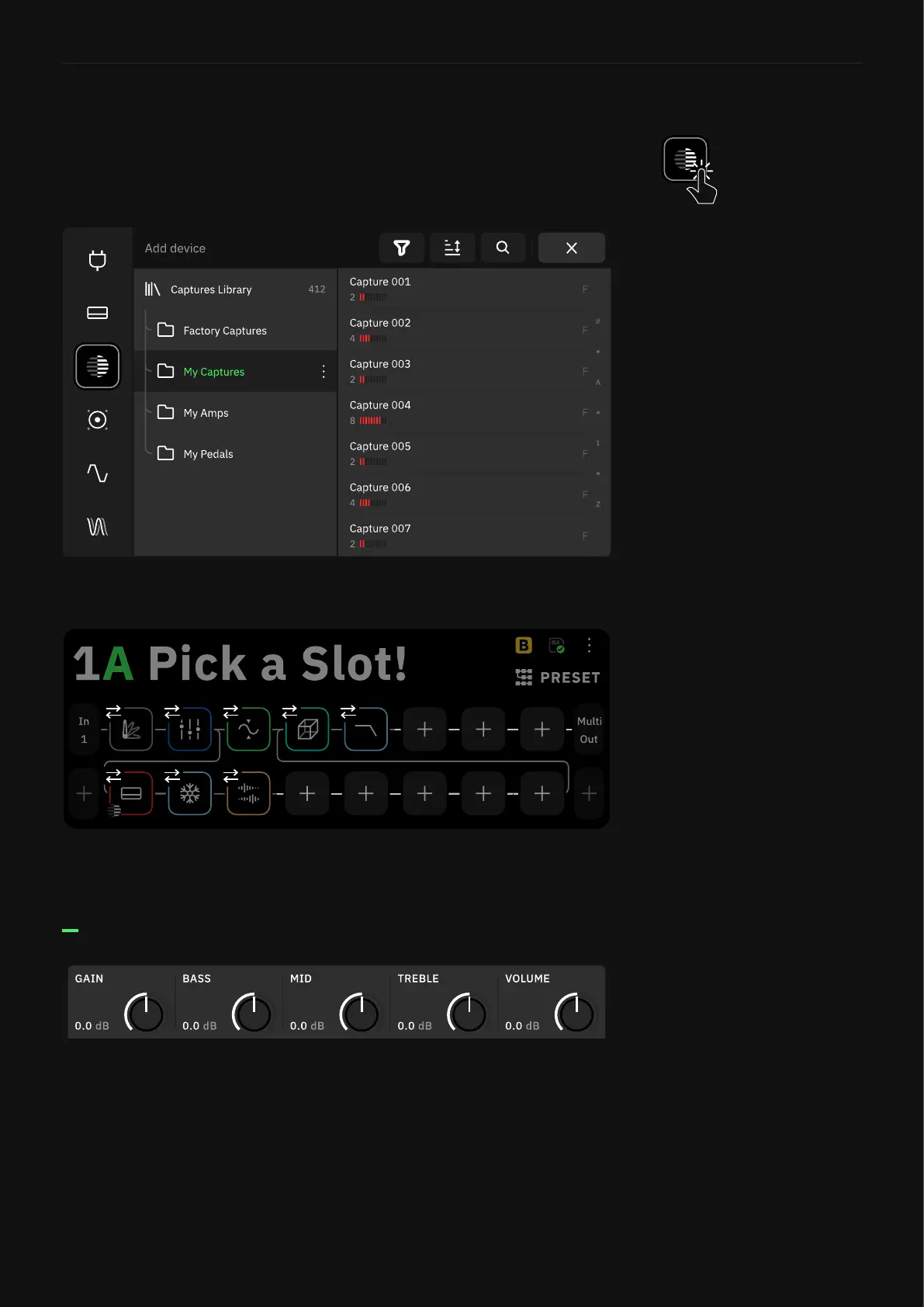
Captures can be used by loading a Neural Capture block on The
Grid. Tap an empty space on The Grid and select “Neural Capture”
in the Device Category list.
Tap a Neural Capture in a Folder to add it to The Grid.
Tap a slot on The Grid to load the Neural Capture in place.
• GAIN [dB]: Determines the gain in the preamp section of the
Capture.
• BASS [dB]: Affects the low-end of the signal.
• MID [dB]: Affects the mid-range of the signal.
• TREBLE [dB]: Affects the high-end of the signal.
• VOLUME [dB]: Determines the output level of the Capture.
Loading a Neural Capture
Neural Capture Parameters



 To Next Page