34Presets
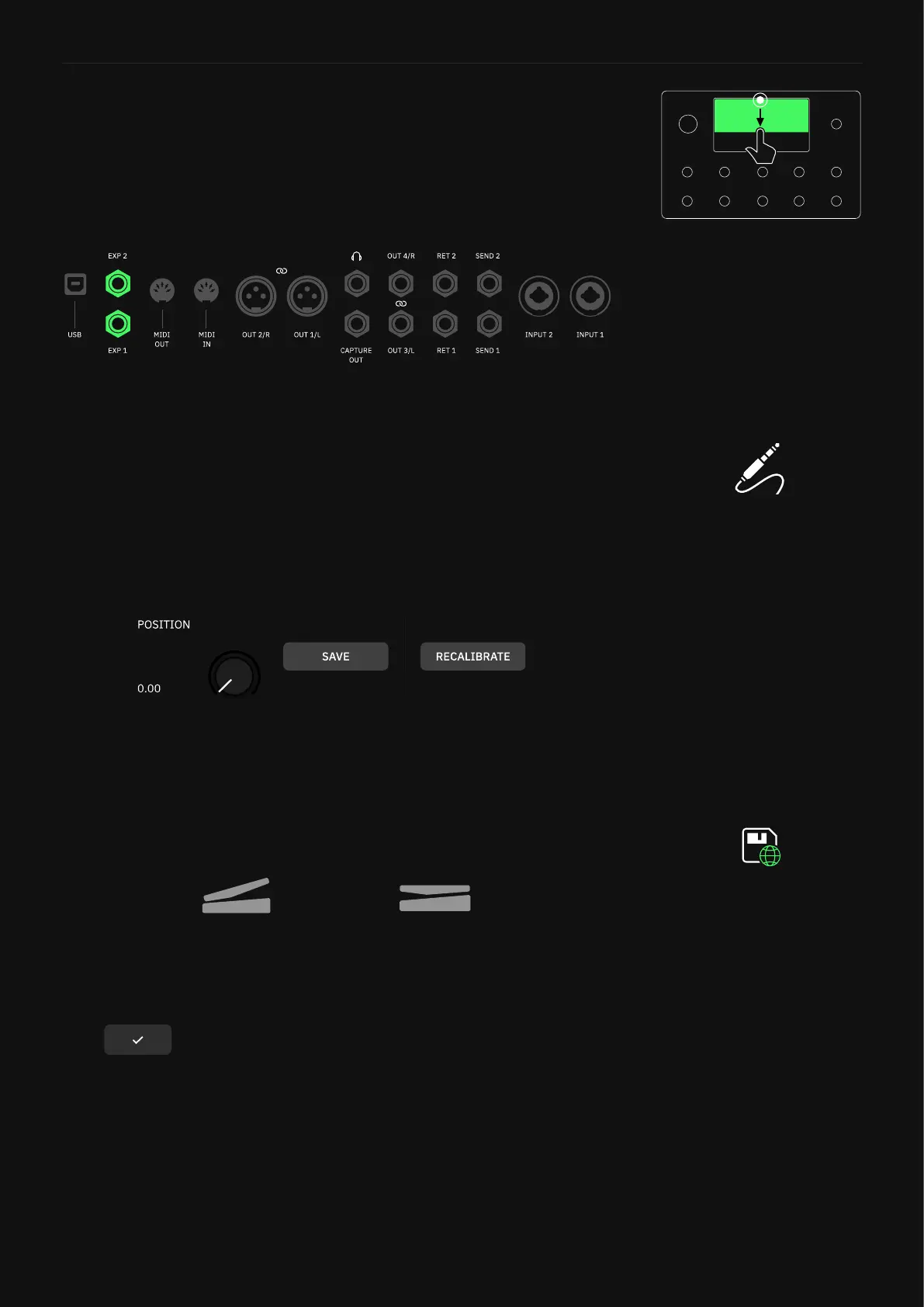
Quad Cortex features two expression pedal ports. To ensure the
pedals respond to their full sweep range, it might be necessary to
calibrate them during the rst use.
• Calibration Procedure
Place the expression pedal on the surface where it will be used and
connect it to one of the Quad Cortex’s EXP inputs using a TRS cable.
Ensure the expression pedal is sitting flat on the surface then go to
the I/O Settings menu. Tap the EXP input in use to access its cali-
bration panel.
Tap RECALIBRATE. Then, rock the expression pedal all the way
back to heel position and all the way up to toe position. Make sure
that the POSITION knob respond accordingly, being able to sweep
from 0.00 to 1.00.
After that, tap SAVE. The calibration procedure is complete.
Tap to return to The Grid.
Heel Position Toe Position
Expression Pedal calibration
settings are automatically saved
as global settings, meaning that
they are not affected by any
Preset or Scene recall.
Expression Pedal Range Calibration
Swipe down from the top of The
Grid to access the I/O Settings
screen.



 To Next Page