85MIDI
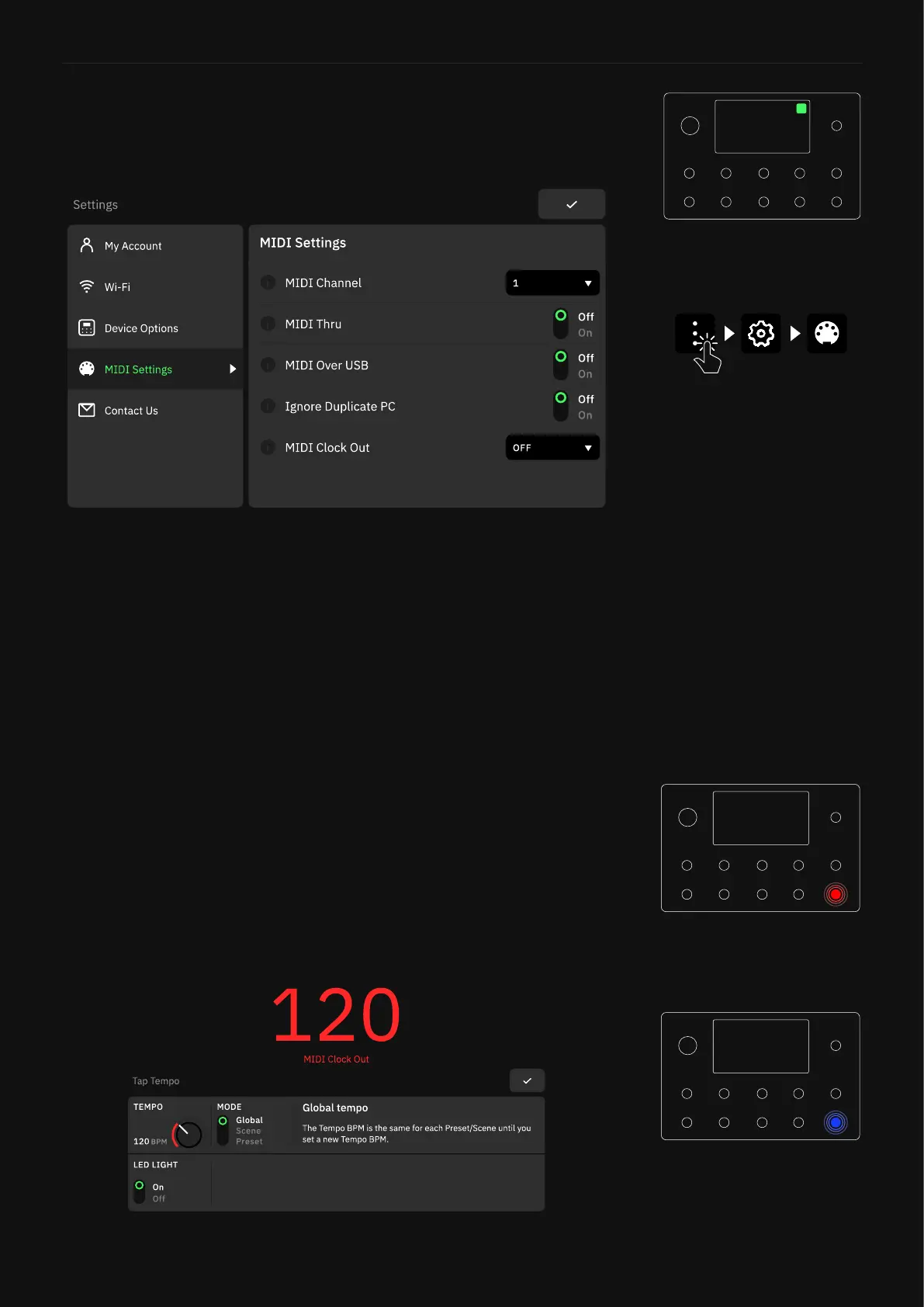
Access the Main Menu on The Grid and select Settings to access to
the MIDI Settings screen.
MIDI Settings Menu
• MIDI CHANNEL Combo Box: Tap to choose the MIDI channel
(1-16) Quad Cortex will use.
• MIDI THRU Switch: Tap to enable/disable the MIDI Thru fea-
ture. MIDI Thru allows Quad Cotex and other devices to have
their MIDI connections “daisy chained” together all being driven
by a common MIDI source.
• MIDI OVER USB Switch: Tap to enable/disable the MIDI com-
munication via USB.
• IGNORE DUPLICATE PC Switch: When enabled, the current
active Preset will not be reloaded if its corresponding MIDI PC
message is sent to Quad Cortex. CC#0 and CC#32 messages
will also be ignored. When disabled, the current active Preset
will be reloaded if its corresponding MIDI PC message is sent to
Quad Cortex.
• MIDI CLOCK OUT Switch: Tap to enable/disable MIDI clock out
for USB or DIN outputs. Note that MIDI OVER USB must be set
to “ON” to enable MIDI clock out over USB.
The TEMPO LED light turns red
when Quad Cortex sends MIDI
Clock out.
The TEMPO LED light turns blue
when Quad Cortex receives MIDI
Clock.



 To Next Page