58Modes
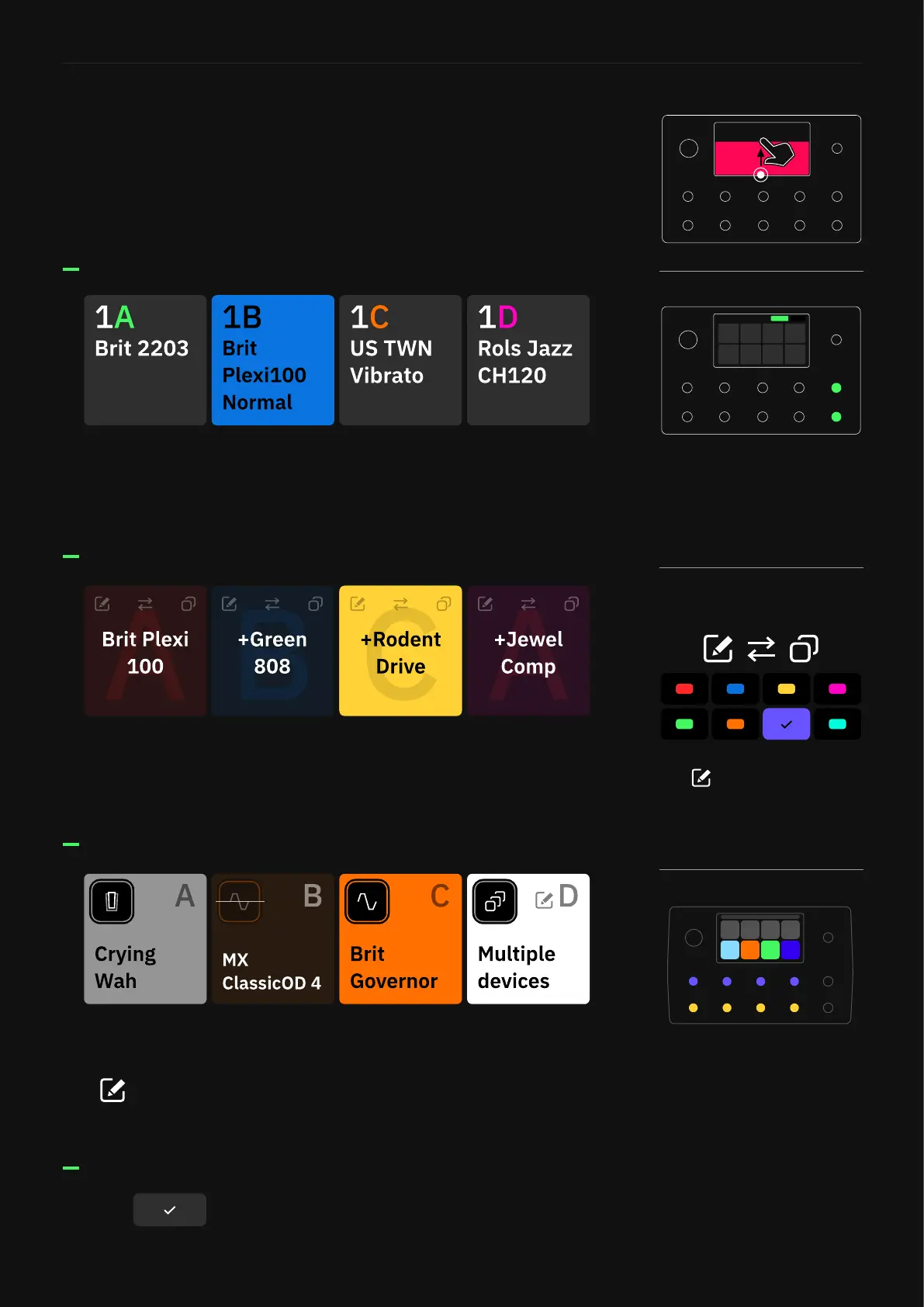
Gig View shows you the Scene assigned to each footswitch. Scenes
can be copied and swapped via Gig View. It’s also possible to change
the colors assigned to each Scene.
Gig View shows you the block assigned to each footswitch.
Tap to rename footswitch labels in Stomp mode where multiple
blocks are assigned to a single footswitch.
Gig View shows you the Preset assigned to each footswitch. Tap the
active footswitch a second time to show an enlarged view of the
current Preset.
Preset Mode
Scene Mode
Stomp Mode
Gig View allows you to visualize what the footswitches are assigned
to instantly. This visualiation utilizes the entire screen.
Access Gig View by swiping up from the bottom of The Grid.
Gig View
Tap the to go back to The Grid.
While in Gig view, tap the Mode
name at the top-right corner
or press the furthest-right
footswitches on the bottom two
rows together to change Modes.
Tap to customize a Scene’s
name and color.
Once a Hybrid Mode is created,
both active modes will be
displayed on the screen.



 To Next Page